304 Matrix ETERNITY NE System Manual
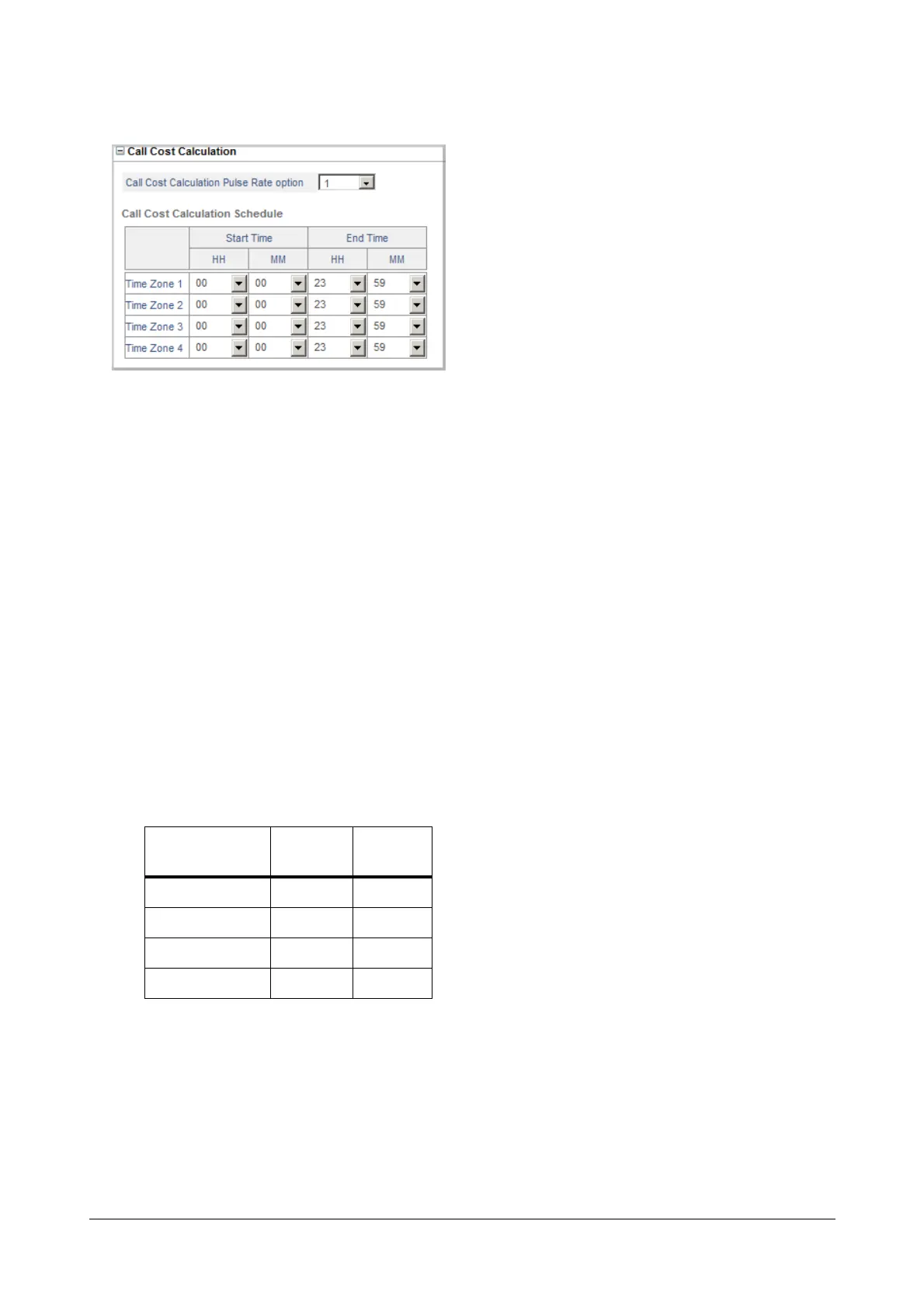
• Click Call Cost Calculation to expand.
• Select a Call Cost Calculation Pulse Rate Option, from 1 to 4.
Each Call Cost Calculation Pulse Rate option contains a Pulse Rate Type, which you must configure.
Some service providers offer discounted rates for special days. In which case, you can configure the rates
for normal days in the Normal Pulse Rate Table and the rates for special days in the Discounted Pulse
Rate Table. See “Call Cost Calculation (CCC)”
Configure the Pulse Rate Type according to the billing pattern of the service provider of this trunk.
Trunks following the same billing pattern should be assigned the same Pulse Rate Option.
• Define the Call Cost Calculation Schedule for the Pulse Rate option you selected.
The Pulse Rates offered by service providers may vary according to the time of the day. In such cases, you
must divide the day into Time Zones, from 1 to 4, as required, to match the time of the pulse rates offered
by your service provider.
Specify the Start Time and the End time (in 24 hours, HH:MM format) for the Time Zone Index in which
the particular Pulse Rate will be applied.
The default Time Schedule (start and end time) for each Time Zone Index is as follows:
If your service provider offers the same Pulse Rate for calling a number for the entire day, there is no need
to change the default Time Schedule. The system will follow Time Zone 1.
See “Call Cost Calculation (CCC)”.
Time Zone Index
Start
Time
End Time
T1 00:00 23:59
T2 00:00 23:59
T3 00:00 23:59
T4 00:00 23:59


 To Next Page
 Loading...

