320 Matrix ETERNITY NE System Manual
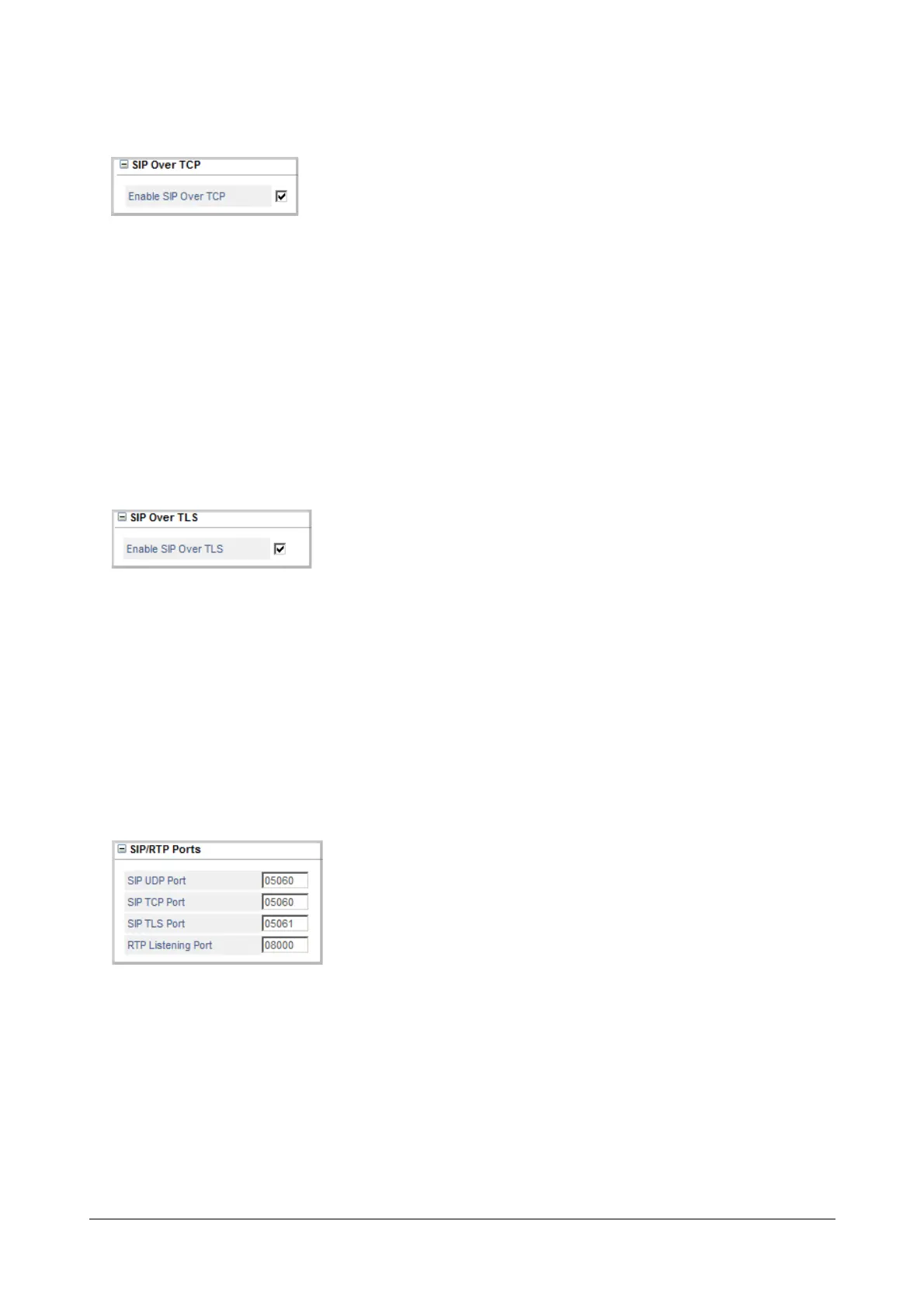
SIP Over TCP
SARVAM UCS supports transporting of SIP messages over User Datagram Protocol (UDP), Transfer Control
Protocol (TCP) as well as Transport Layer Security connection. Despite the advantages that SIP over TCP and SIP
over TLS offer, it is more common to use UDP to transport SIP messages. To receive SIP messages over TCP,
• Click SIP Over TCP to expand.
• Select the check box Enable SIP over TCP. Default: Enabled.
To be able to send SIP messages over TCP, you must configure ‘TCP’ as the ‘Default Transport for Outgoing
Messages’ on the SIP Trunks page.
SIP Over TLS
SARVAM UCS supports transporting of SIP messages over Transport Layer Security (TLS). TLS offers secure SIP
signaling. To receive SIP messages over TLS,
• Click SIP Over TLS to expand.
• Select the check box Enable SIP over TLS. Default: Enabled.
To be able to send SIP messages over TLS, you must configure ‘TLS’ as the ‘Default Transport for Outgoing
Messages’ on the SIP Trunks page.
SIP/RTP Ports
• Click SIP/RTP Ports to expand.
• Enter the SIP UDP Port address.
This port defines the port on which the SARVAM UCS listens for SIP messages transported over UDP.
This port is also used as the source port for sending SIP messages to the remote peer. The valid range for
this port is 1025-65535. Default: 05060.
• Enter the SIP TCP Port address.



 To Next Page