380 Matrix ETERNITY NE System Manual
DHCP client should renew its lease within the Lease Timer. If the client does not renew its lease before the
expiry of the configured Lease Time, SARVAM UCS will free the IP Address. This IP Address may be
assigned to another DHCP client.
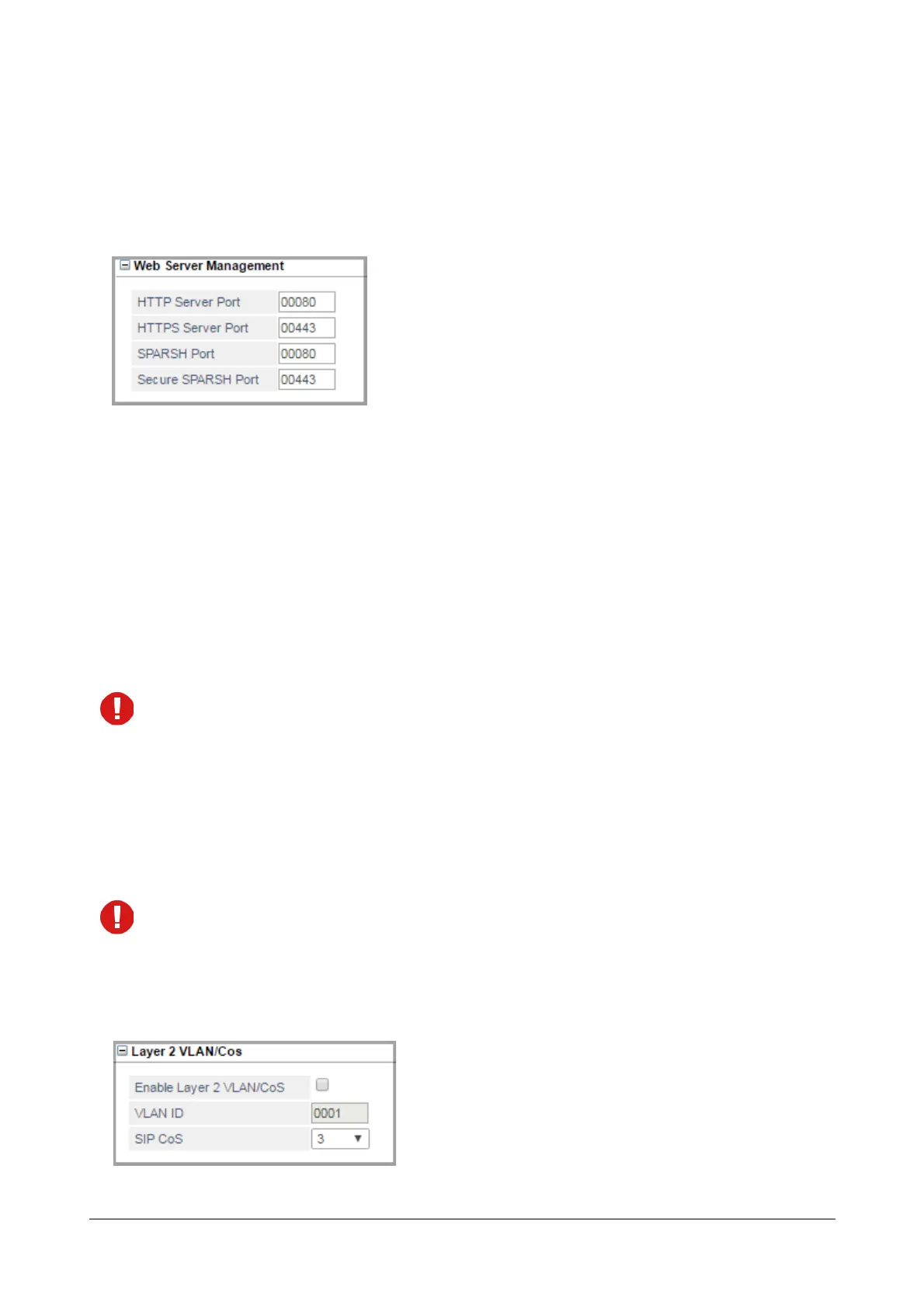
Web Server Management
• Click Web Server Management to expand.
• Enter the HTTP Server Port. Valid range: 80, 88 or any value ranging from 1025 to 65535. Default: 80.
• Enter the HTTPS Server Port. Valid range: 443 or any value ranging from 1025 to 65535. Default: 443.
• Enter the SPARSH Port. SARVAM UCS will listen for the configuration request of Matrix Extended
SPARSH clients on this port only. If you want any SPARSH Extended client to register with the SARVAM
UCS, you must configure the SPARSH Port value as the Server Port along with the Server Address in the
SPARSH client.
Valid range: 80 or any value ranging from 1025 to 65535. Default: 80.
When the system is set to default, the SPARSH Port value will not be set to default.
• Enter the Secure SPARSH port number if you are want to register VARTA AMP100 Application with the
server using secure protocol. The system will listen for the configuration request from the client on this port
only. Make sure you have enabled the Secure Connection with Server option in VARTA AMP100. You
must also configure the Secure SPARSH port value as the Server Port along with the Server Address in
VARTA AMP100.
Valid range: 443 or any value ranging from 1025 to 65535. Default: 443.
If you want the SARVAM UCS and VARTA AMP100 to communicate using secure protocol, make sure you
have enabled the option Enable Secure Connection with Server in the client.
When the system is set to default, the Secure SPARSH Port value will not be set to default.
Layer 2 VLAN/Cos


 To Next Page
 Loading...

