Matrix ETERNITY NE System Manual 39
• Reverse the handset wall mount tab to make sure that the handset remains intact when you mount
the phone. Push the handset wall mount tab upwards to remove it from the slot. Rotate it 180
degrees clockwise and push it downwards into the slot.
• When you mount the phone on a desk,
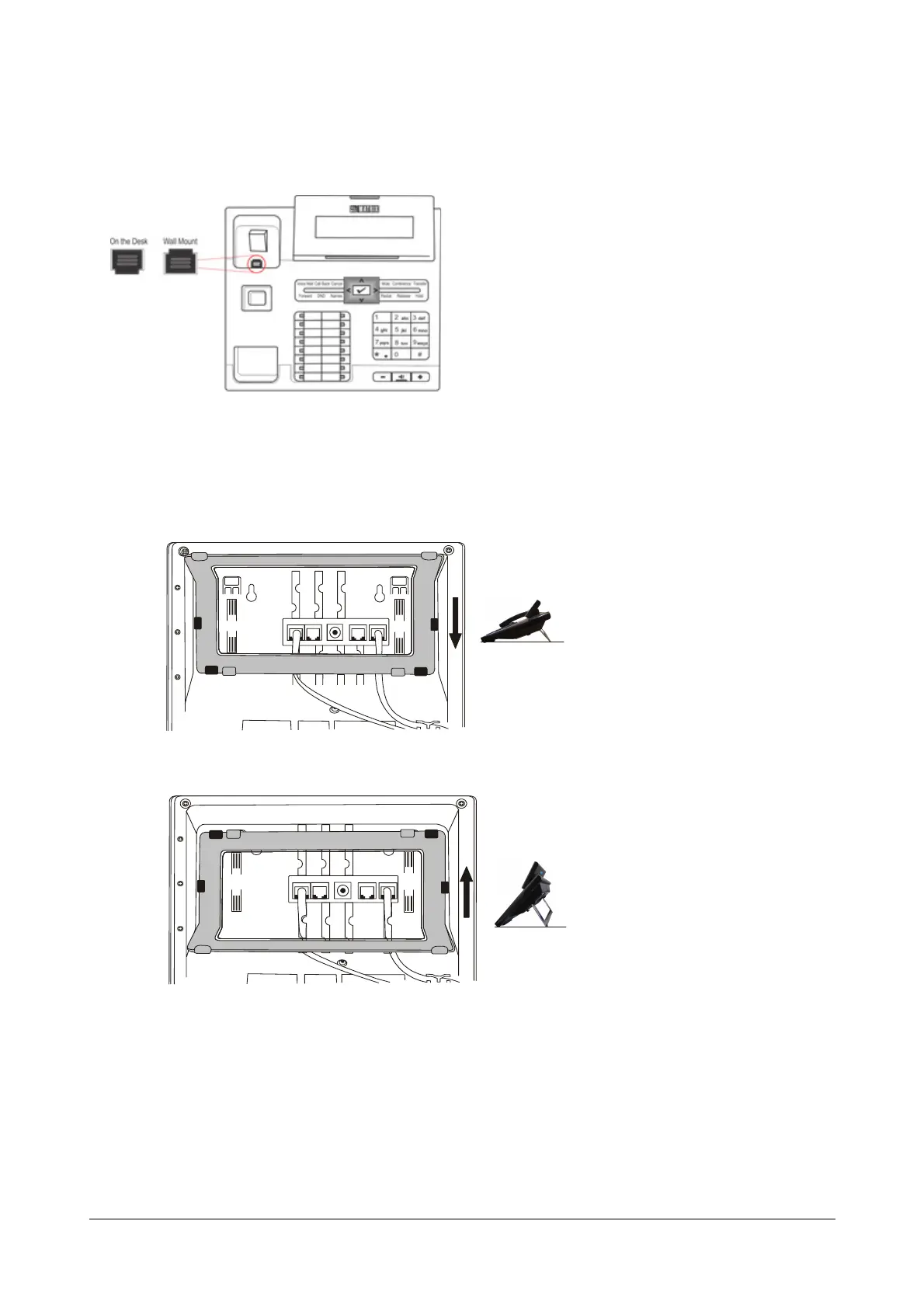
• You can attach the Foot Stand in two ways as illustrated below.
Foot Stand attached at 30° Angle
Foot Stand attached at 50° Angle
If you attach the Foot Stand at 50°, the phone will be placed in an almost upright position on your
desk.
• Decide which of these positions would work for you best and accordingly attach the Foot Stand.
• Connect the Handset to the Phone body.
• Plug the long straightened end of the phone cord into the handset jack at the bottom of the phone
marked with the handset symbol.



 To Next Page