Matrix ETERNITY NE System Manual 519
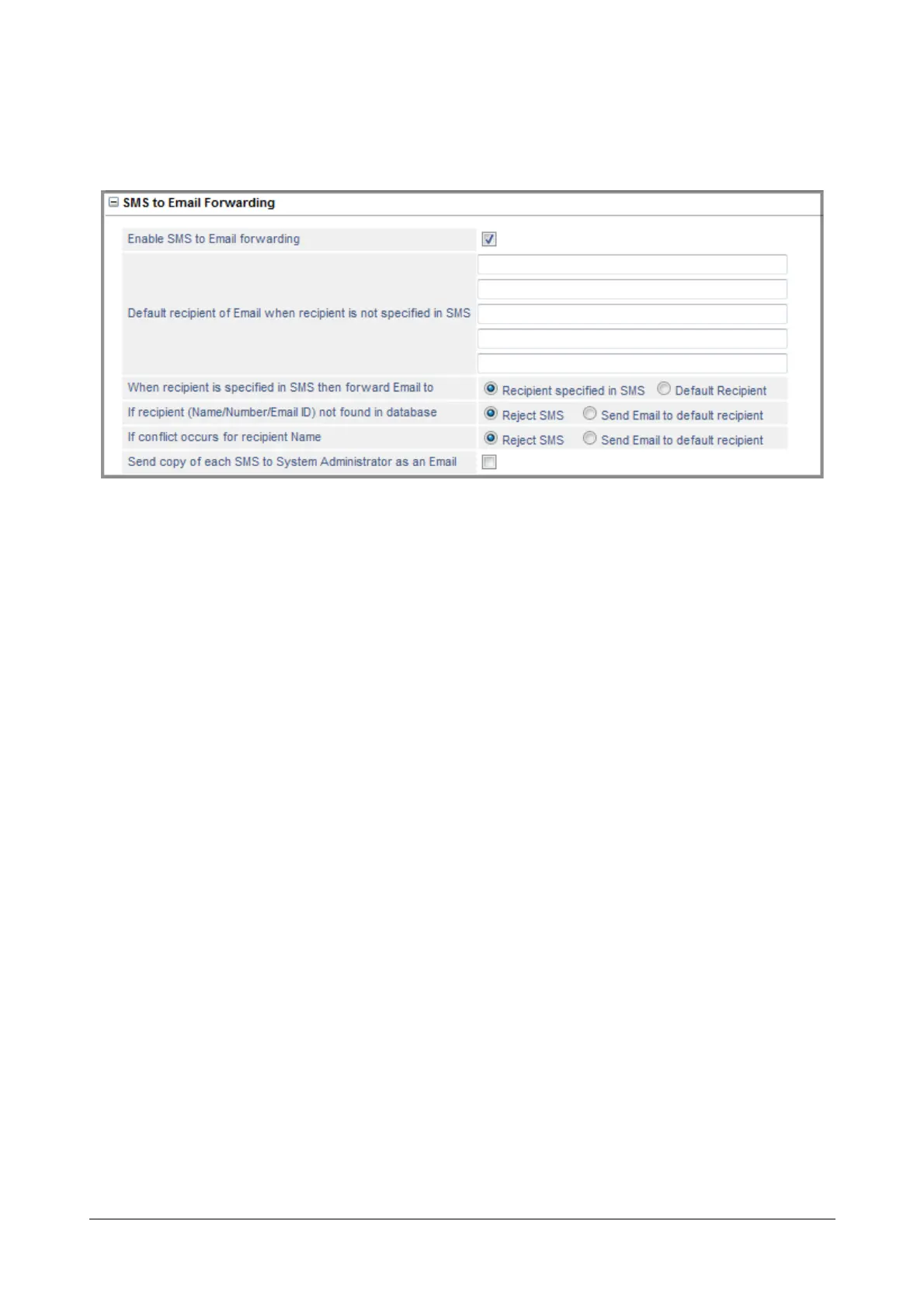
SMS to Email Forwarding
• Click SMS to Email Forwarding to expand.
Configure the following parameters:
• By default the Enable SMS to Email forwarding is selected (enabled). If you do not want the SMS Server
to forward the SMS as Emails to the users, clear the check box.
• Configure the Default recipient of Email when recipient is not specified in SMS. When an SMS is
received without any recipient, the system delivers the SMS as an Email to the default recipient/s
configured here. You can configure up to 5 Email IDs. Default: Blank.
• Select the desired option for, When recipient is specified in SMS then forward Email to. You can select
Recipient specified in SMS or Default Recipient. Default: Recipient specified in SMS.
If you want all incoming SMS to be delivered as Email to a specific recipient only, select Default
Recipient.
If you want the incoming SMS to be delivered as Email to the recipients specified in the SMS, select
Recipient specified in SMS
• Select the desired option for, If recipient (Name/Number/Email ID) not found in database. You can
select Reject SMS or Send Email to default recipient. Default: Reject SMS.
• Select the desired option for, If conflict occurs for recipient Name. You can select Reject SMS or Send
Email to default recipient. Default: Reject SMS.
• Enable the Send copy of each SMS to System Administrator as an Email check box, if you want to
send a copy of SMS as an Email to the System Administrator. Default: Disabled.
If you enable this check box, you must configure at least one Email address of the System Administrator
under “System Administrator Email ID”.
• Click Submit.



 To Next Page