548 Matrix ETERNITY NE System Manual
For CTI to work:
• You must install the Matrix TAPI Service Provider (TSP) in your computer (Client). For instructions refer to
the TAPI User Guide. The documentation can be found at https://www.matrixtelesol.com/product-
manuals.html
• Configure the Matrix TSP parameters. For instructions refer to the TAPI User Guide.
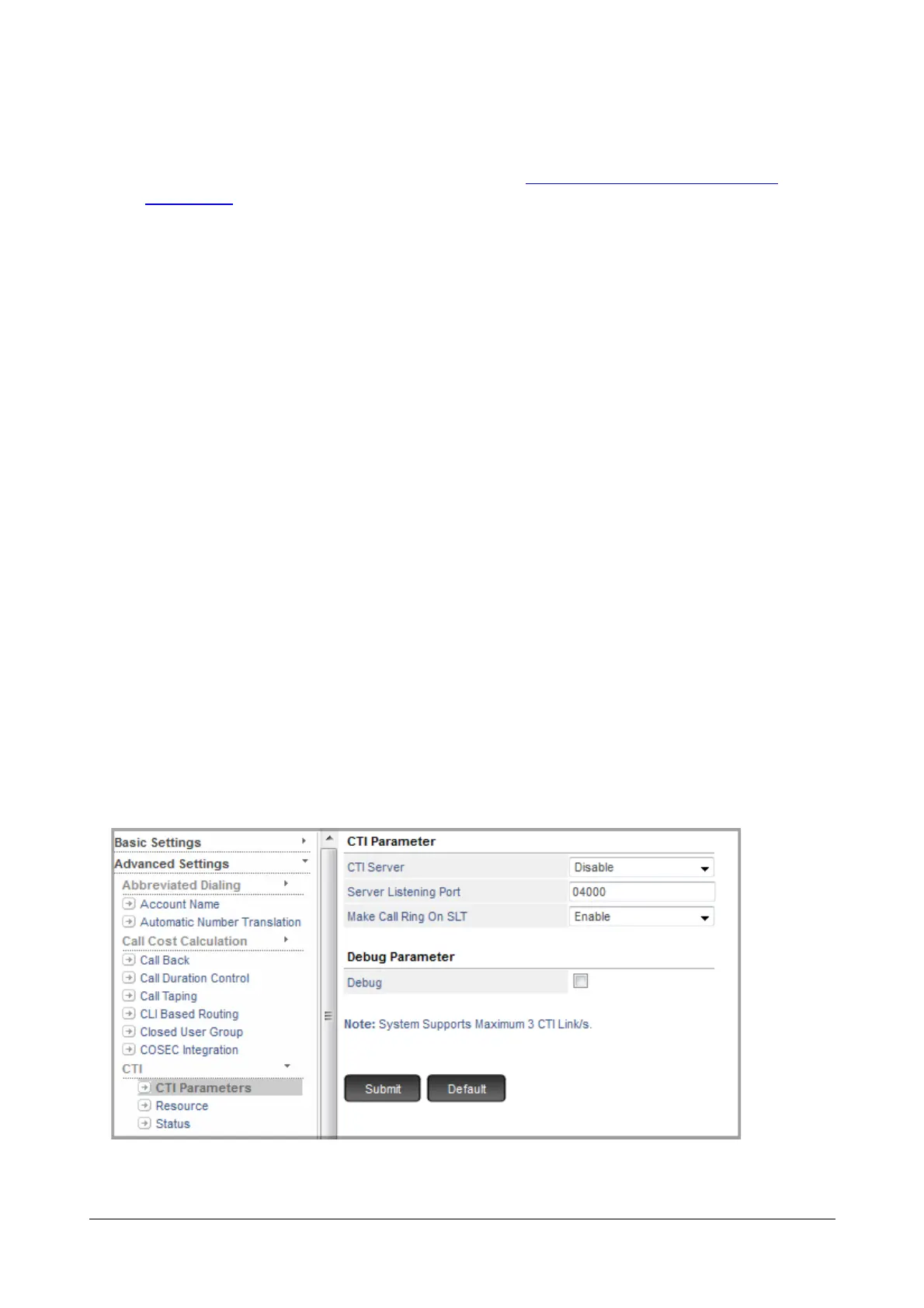
• Configure the CTI parameters in SARVAM UCS. See “How to configure”.
• Make sure the necessary third party TAPI applications are installed.
This is how CTI works,
• After successful installation of the Matrix TSP in your Computer (Client) and configuring the necessary
parameters, a binding (CTI link) is established between the Client and the SARVAM UCS. The SARVAM
UCS communicates with the Client via Matrix TSP.
• All the information is passed by SARVAM UCS to the Matrix TSP and vise versa.
• The third party softwares in the Client can also communicate with the Matrix TSP to get the required
information.
• You can handle calls from your computer (desktop application) as well as your extension phone.
How to configure
You must configure the following CTI parameters. To do so,
• Login as System Engineer.
• Under Advanced Settings, click CTI.
• Click CTI Parameters.



 To Next Page