Matrix ETERNITY NE System Manual 555
Sean Gilbert is the Contact Name (optional).
Sean@hotmail.com is the Email ID (optional)
1 is the Group Index number (optional), see “SMS/Email Group”.
0 is the Trunk Access Code (TAC) to route the call (optional).
To upload Personal Contacts CSV file using Jeeves, see “Upload Personal Directory CSV file”.
For Global directory contacts, the format of the CSV file must be as follow: For example 121, 9867985489, Sean
Gilbert, Sean@hotmail.com, 1, 000
Where,
121 is the Index Number at which you want the entry to be stored
(mandatory).
9867985489 is the Contact Number
(mandatory).
Sean Gilbert is the Contact Name
(optional).
Sean@hormail.com is the Email ID (optional).
1 is the Group Index number
(optional), see “SMS/Email Group”.
000 is the Alternate Number Group
(optional).
To upload Global Contacts CSV file using Jeeves, see “Upload Global Directory CSV file”.
Update Personal Directories via Email
You can update the Personal Directory contacts via Email, if you have enabled the SMS Server Application. You
can Add, View, Edit and Delete contact/s via Email. For more details, see “Configuring Personal Directory via
Email”.
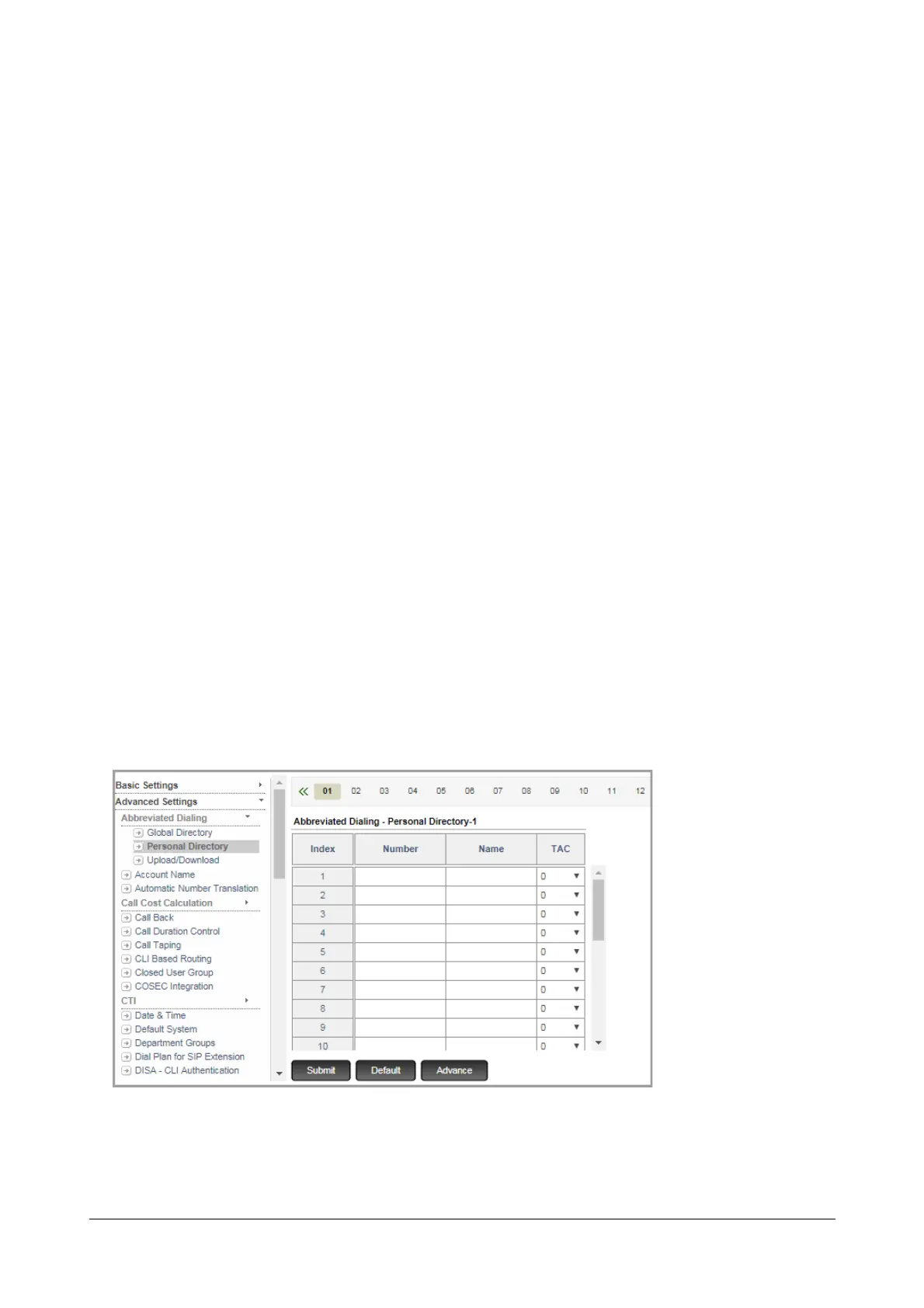
Configuring Personal Directory
• Login as System Engineer.
• Under Advanced Settings, click Abbreviated Dialing.
• Click Personal Directory.
You can configure up to 50 Personal Directories. Select the directory number by clicking the required
number tab above the table.
For each directory configure the following parameters:



 To Next Page