Matrix ETERNITY NE System Manual 599
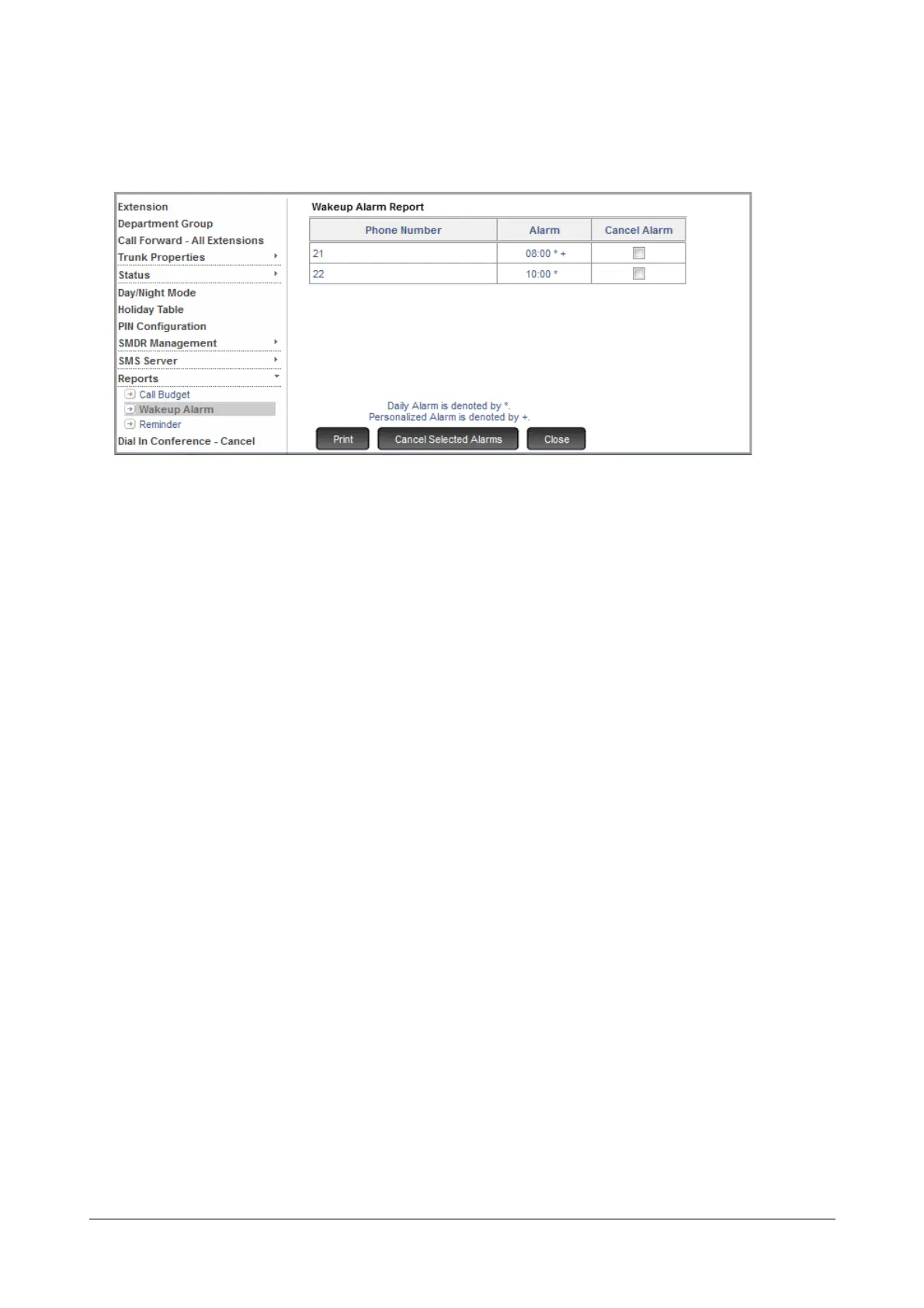
• Click Reports.
• Click the Wakeup Alarm.
The unserved Alarm calls appear on the page.
• To cancel any of the unserved Alarm calls,
• select the Cancel Alarm check box of the extension number for which you want to cancel the alarm.
• click Cancel Selected Alarms at the bottom of the page.
• To print this page, click Print.
How to use
Alarms can be set by the extension users by themselves. The extension users can also ask the Operator to set the
alarm for them.
Alarms set/canceled by Operator
The Operator can set/cancel non-voice guided Alarms using Extended IP Phone, SLT and from System
Administrator mode.
Operator using Extended IP Phone
Using DSS Key:
To set Alarm for the extension user
• Press the key assigned the 'Remote Alarm' function.
• Enter the Extension Number.
• Enter Time in HH:MM
• Select 'Once Only' or 'Daily'.
• Press 'Enter' key.
• Select 'Personalized' or 'Automated'.
• Press 'Enter' key to set Alarm.
• You get a confirmation tone and a text message with the phone number for which the alarm is set.
• Go Idle or you get dial tone after 3 seconds.



 To Next Page