626 Matrix ETERNITY NE System Manual
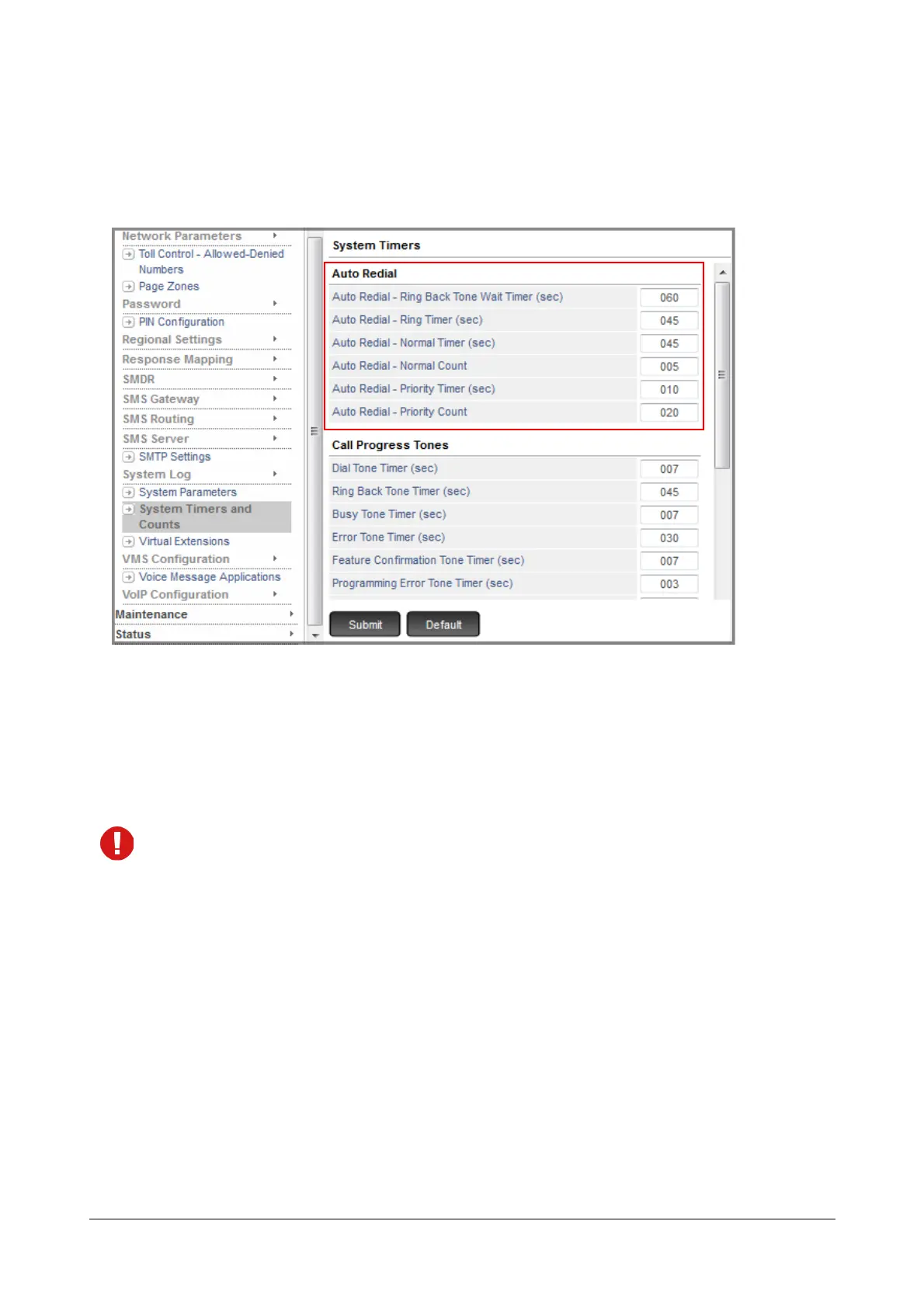
To change Auto Redial Counts and Timers,
• Login as System Engineer.
• Click System Timers and Counts.
• Change the Count and Timer of the type of Auto Redial - Normal or Priority - you have set.
• You may change any of the related timers - Auto Redial Ring Back Tone (RBT) Wait Timer, Auto Redial
Ring Timer - as per your preferences on this page.
• Click Submit.
If SARVAM UCS is installed in Australia, please ensure that:
• The Timer for Auto Redial Normal as well as Priority must be set to more than 5 seconds.
• The Auto Redial Priority Count should be set to less than 15.
How to use
For Extended IP Phone Users
Using DSS Key
To set Auto Redial:
• When the external number you are trying is busy,
• On Busy tone, press the DSS Key assigned to 'Auto Redial' function.
•Go Idle.



 To Next Page