690 Matrix ETERNITY NE System Manual
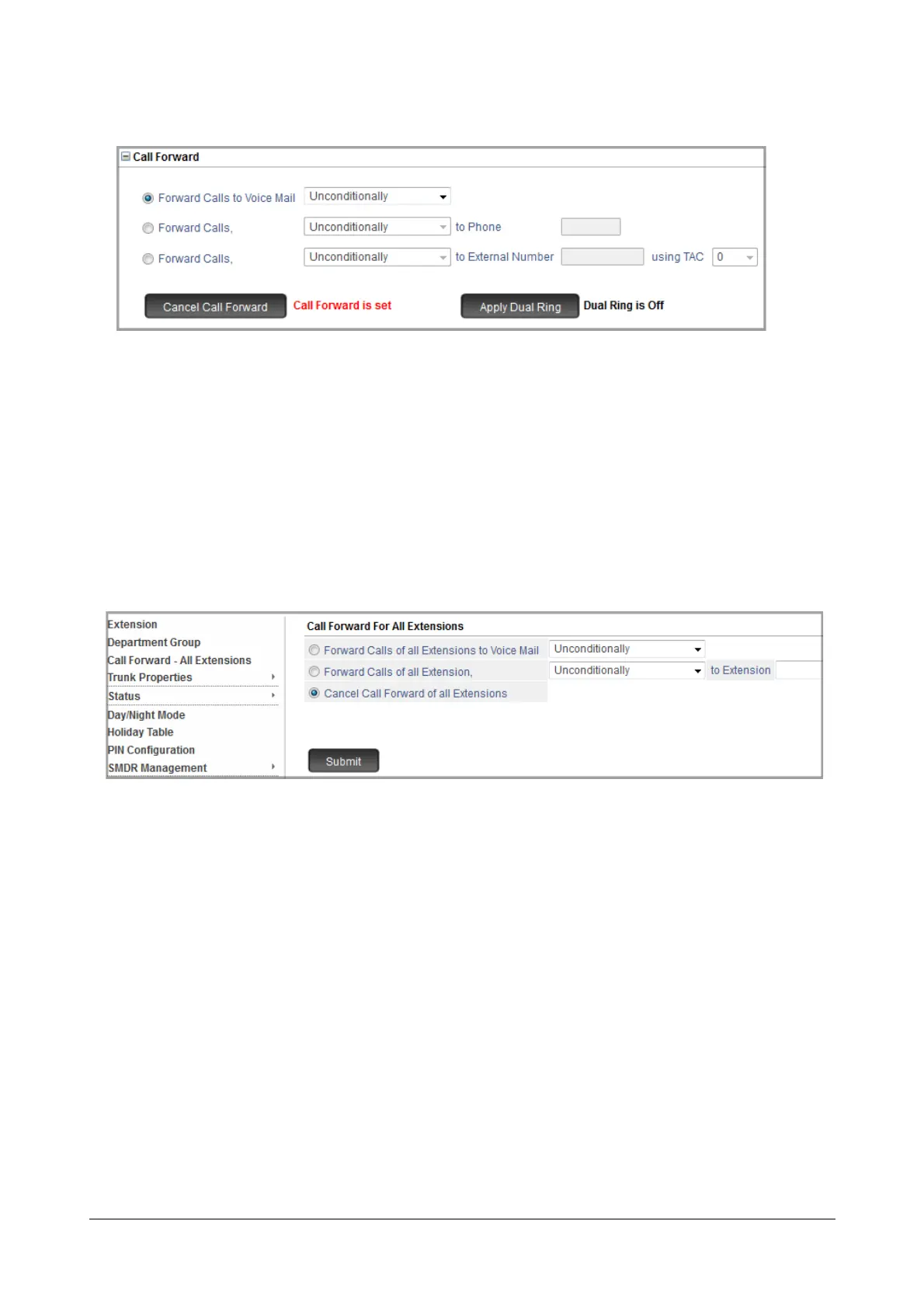
• Click Call Forward to set Call Forward.
The label of the Call Forward button changes color and the message “Call Forward is set” appears.
• Click Dual Ring to set Call-Forward Remote with Dual Ring.
The label of the Dual Ring button changes color and the message “Dual ring is On” appears.
• To set Call Forward on another extension, click the extension number tab, and follow the same instructions
as above.
You can also forward the calls of all extensions at one go to the same destination. To do this,
• Click Call Forward-All Extensions.
• Select Forward Calls of all Extensions radio button and select the Call Forward type.
•In to Extension, enter the Call Forward destination number.
• Click Submit.
• To cancel, select the Cancel Call Forward of all extensions radio button.
• Click Submit.
Using Call Forward - Remote from a Telephone
For Extended IP Phone Users
To set Call Forward-Remote
• Press the DSS Key assigned to 'Call Forward-Remote'.
OR
•Dial 1072-006.



 To Next Page