Matrix ETERNITY NE System Manual 725
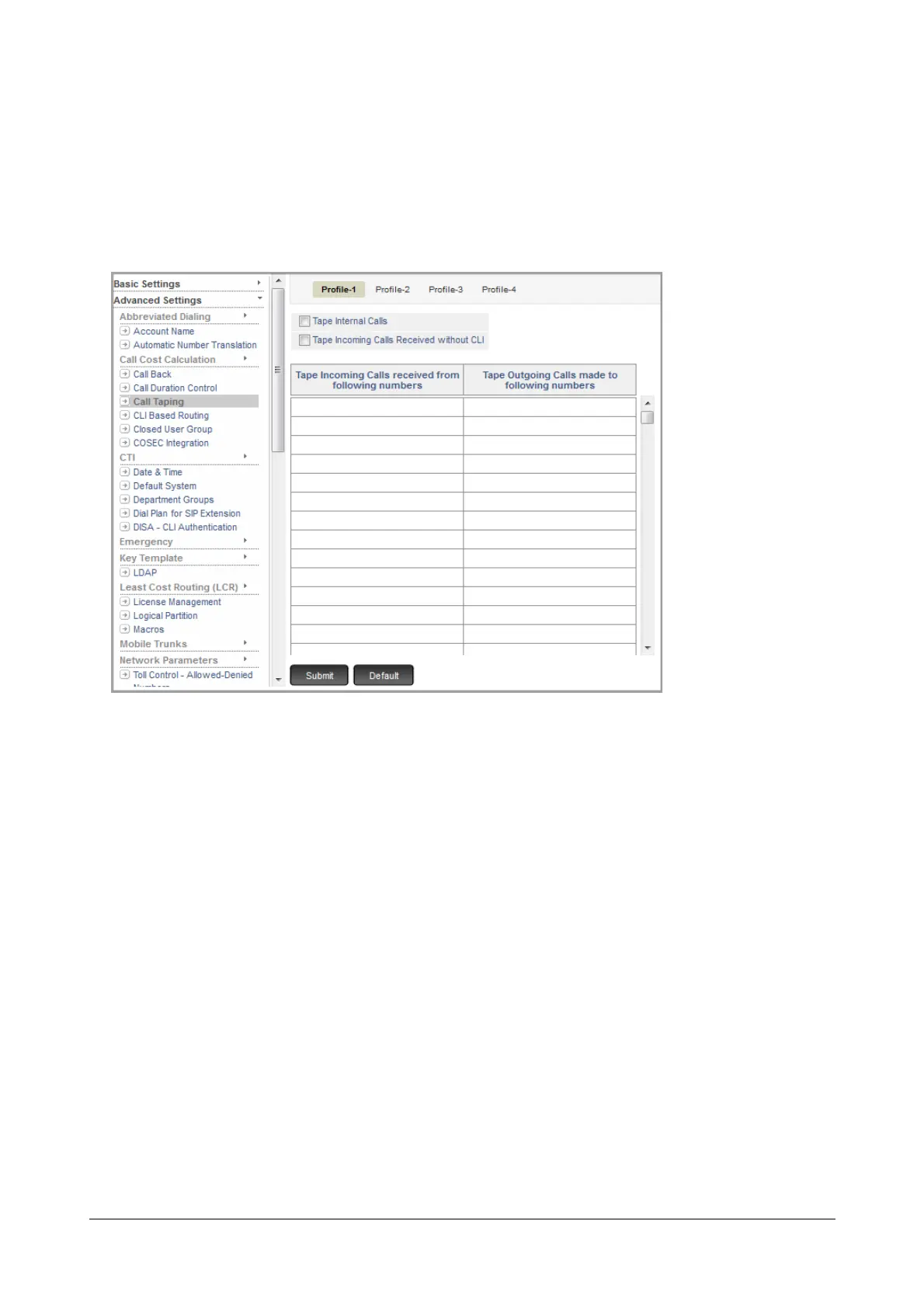
To configure Call Taping Profile,
• Login as System Engineer.
• Under Advanced Settings, click Call Taping.
• Call Taping Profile 1 appears.
•In Tape Incoming Calls received from following numbers, enter the numbers of external callers whose
speech you want to tape.
•In Tape Outgoing Calls made to following numbers, enter the numbers of external parties dialed by
extension users whose speech you want to tape.
• To tape calls between extensions, select Tape Internal Calls check box. Default: Disabled.
• To tape incoming calls received without a CLI, select Tape Incoming calls received without CLI check
box. Default: Disabled.
• Click Submit.
• To configure another Call Taping Profile, click the desired Profile number tab. Follow the same instructions
as above to configure the Call Taping Profile.
• Now, assign the Call Taping Profiles you configured to the desired extension types. For instructions, see
“SLT Extensions” and “SIP Extensions” under Basic Settings.
For Call Taping Mailbox,
• Under VMS Configuration, click VMS General Parameters.



 To Next Page