726 Matrix ETERNITY NE System Manual
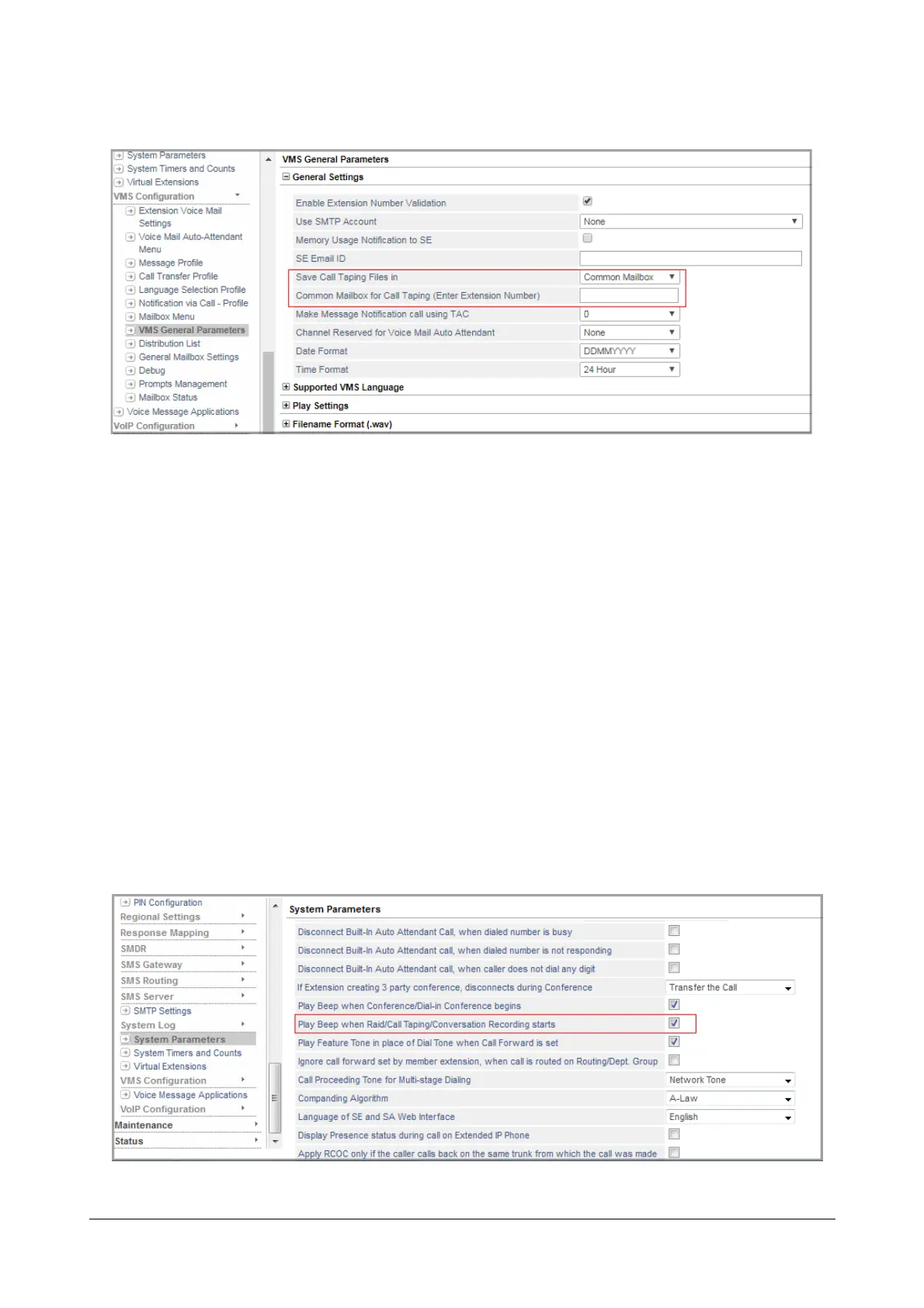
The VMS General Parameters page opens.
• Click General Settings,
• Specify the location where you want to Save Call Taping Files in. You can save the Call Taping files
either in the Common Mailbox or in your Personal Mailbox. By default, Call Taping files are saved in the
Common Mailbox.
• If you choose to save Call Taping files in the Common Mailbox, under Common Mailbox for Call Taping
(Enter Extension Number), enter the Access Code of any SLT, SIP Extension, Department Group or
General Mailbox, whose mailbox you want to assign for Call Taping.
• Click Submit.
To enable Call Taping on Trunks,
• See Call Taping under “CO Trunks”, “Mobile Trunks” and “SIP Trunks” under Basic Settings for
instructions.
To enable/disable Beeps during Call Taping,
• Under Advanced Settings, click System Parameters. The System Parameters page opens.



 To Next Page