70 Matrix ETERNITY NE System Manual
Attaching the Foot Stand
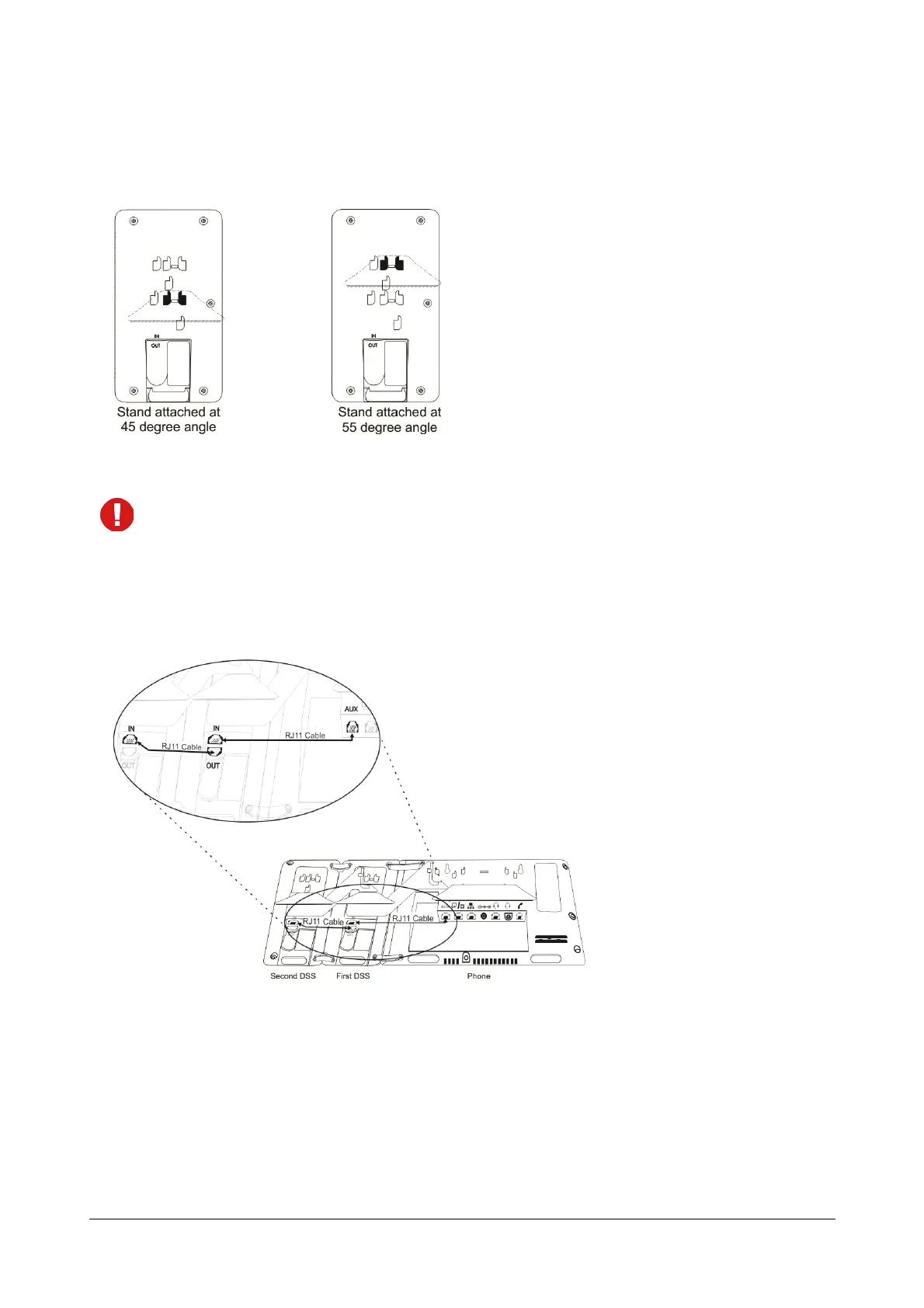
• You can mount the DSS532 with the phone on the desk at two angles — 45 degrees or 55 degrees by
attaching the Foot Stand.
Make sure both, the DSS532 and phone are mounted at the same angle.
Connecting the Cables
• To connect the DSS532 with phone, plug one end of RJ11 Cable into Auxiliary (AUX) Port of the phone
and the other end into the IN Port of the DSS532.
Connecting Multiple DSS532
Remove the Foot Stand
• Remove the Foot Stand of attached DSS532. To do,
• Firmly slide the Foot Stand of the attached DSS532 downward to unlock.
• Now, slide down the attached DSS Extender in downward direction.



 To Next Page