Matrix ETERNITY NE System Manual 73
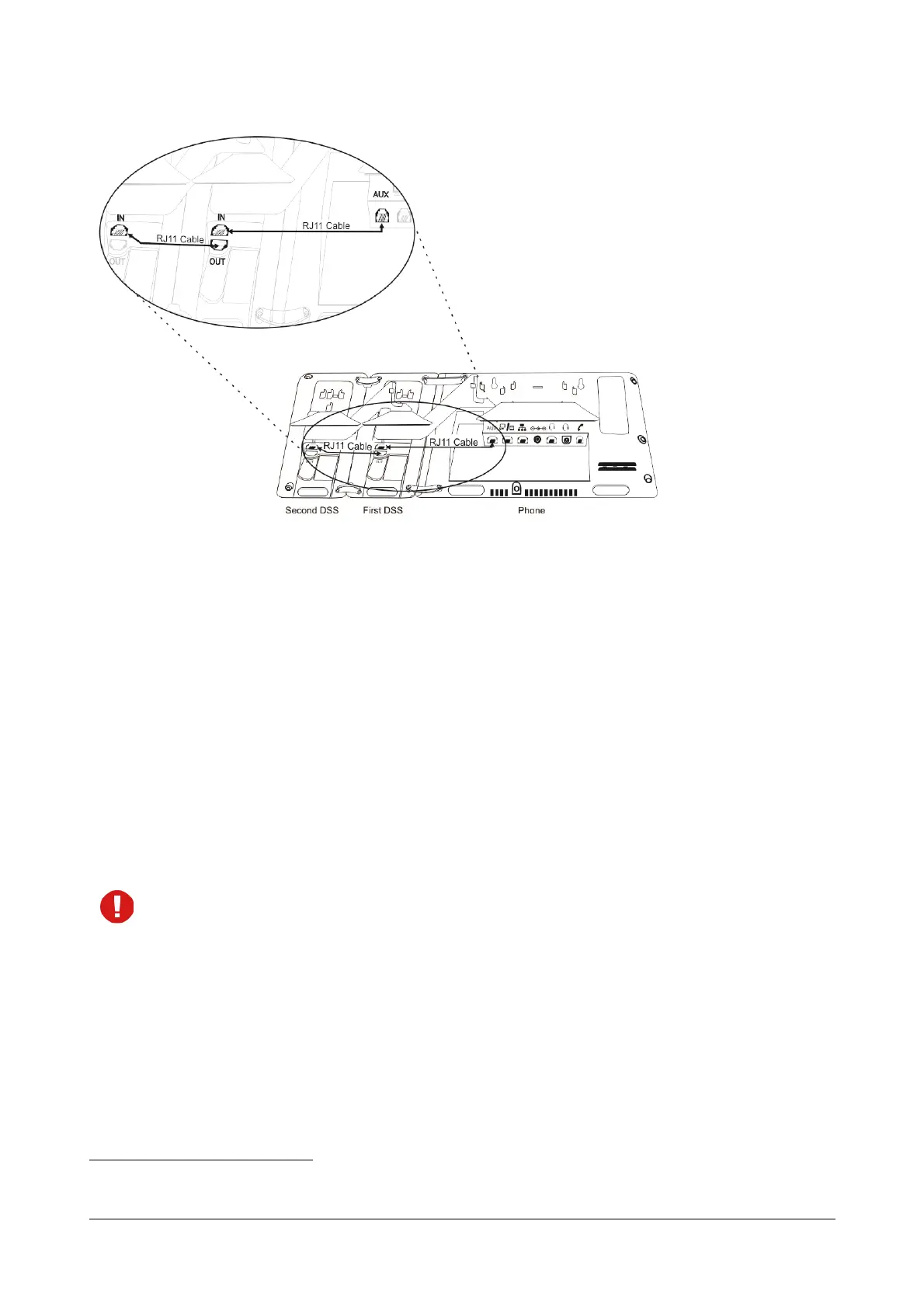
You can install a maximum of four DSS532 with a phone.
• After you have connected the DSS532 with the phone, you can configure the DSS Keys. For instructions,
see “DSS Key Settings” under “Configuring Matrix SPARSH VP510”.
For detailed instructions to connect multiple DSS532, refer DSS532 Quick Installation Guide.
Connecting SPARSH VP330 as Extended SIP Extension
You are recommended to complete the following steps before connecting the Matrix SPARSH VP330 to ETERNITY
NENX:
• Decide the location where you want to place SPARSH VP330 within your LAN.
• By Default, in SPARSH VP330, the Connection Type selected is DHCP. See “Network Parameters” under
Basic Settings.
If you want to use the DHCP Server on your LAN for assigning IP Address to the Extended IP Phone,
select DHCP option 224 and Data Type as ‘String’ and program the Ethernet Port IP Address /Domain
Name and SPARSH Port in the format “Ethernet IP Address: SPARSH Port” in your LAN DHCP Server.
• Log in to Jeeves. For instructions, see “System Configuration using the Web-based GUI”.
• You must configure the necessary parameters in ETERNITY so that SPARSH VP330 can register as a SIP
Extension. For instructions, see “SIP Extensions”.
Now, follow the steps described below to install SPARSH VP330.
• Unpack the SPARSH VP330 box and verify package contents
12
.
12. See “Packing List” in the Appendix topic.



 To Next Page