74 Matrix ETERNITY NE System Manual
• Mount the phone on a desk or wall at a location convenient to you.
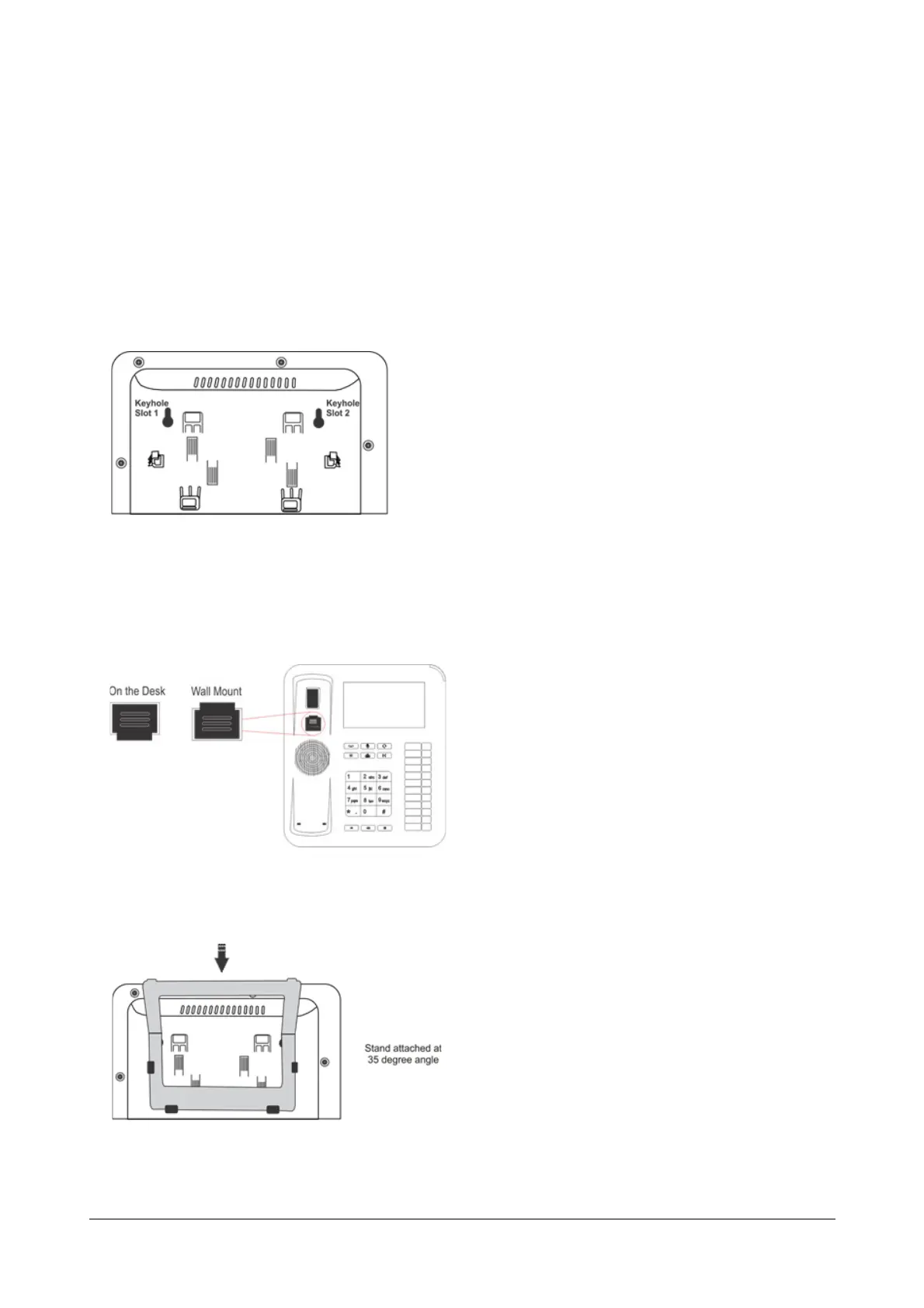
• When mounting the phone on the wall,
• Use the mounting template to drill holes of appropriate size and distance. Fix the screw grips in the
holes you drilled.
• Fix two screws in the holes on the wall, such that they are aligned with the Keyhole Slots 1 and 2.
• Use wall plugs, if required, to fix the screws. Leave the screw heads protruding from the wall to fit
into the Keyholes.
• Now, mount the phone on the wall, with the screws fitting into the Keyhole slots.
• Reverse the handset wall mount tab to make sure that the handset remains intact when you mount
the phone. Push the handset wall mount tab upwards to remove it from the slot. Rotate it 180
degrees clockwise and push it downwards into the slot.
• When you mount the phone on a desk, you can attach the Foot Stand in two ways at 35° Angle or at 50°
Angle.



 To Next Page