966 Matrix ETERNITY NE System Manual
How to Configure
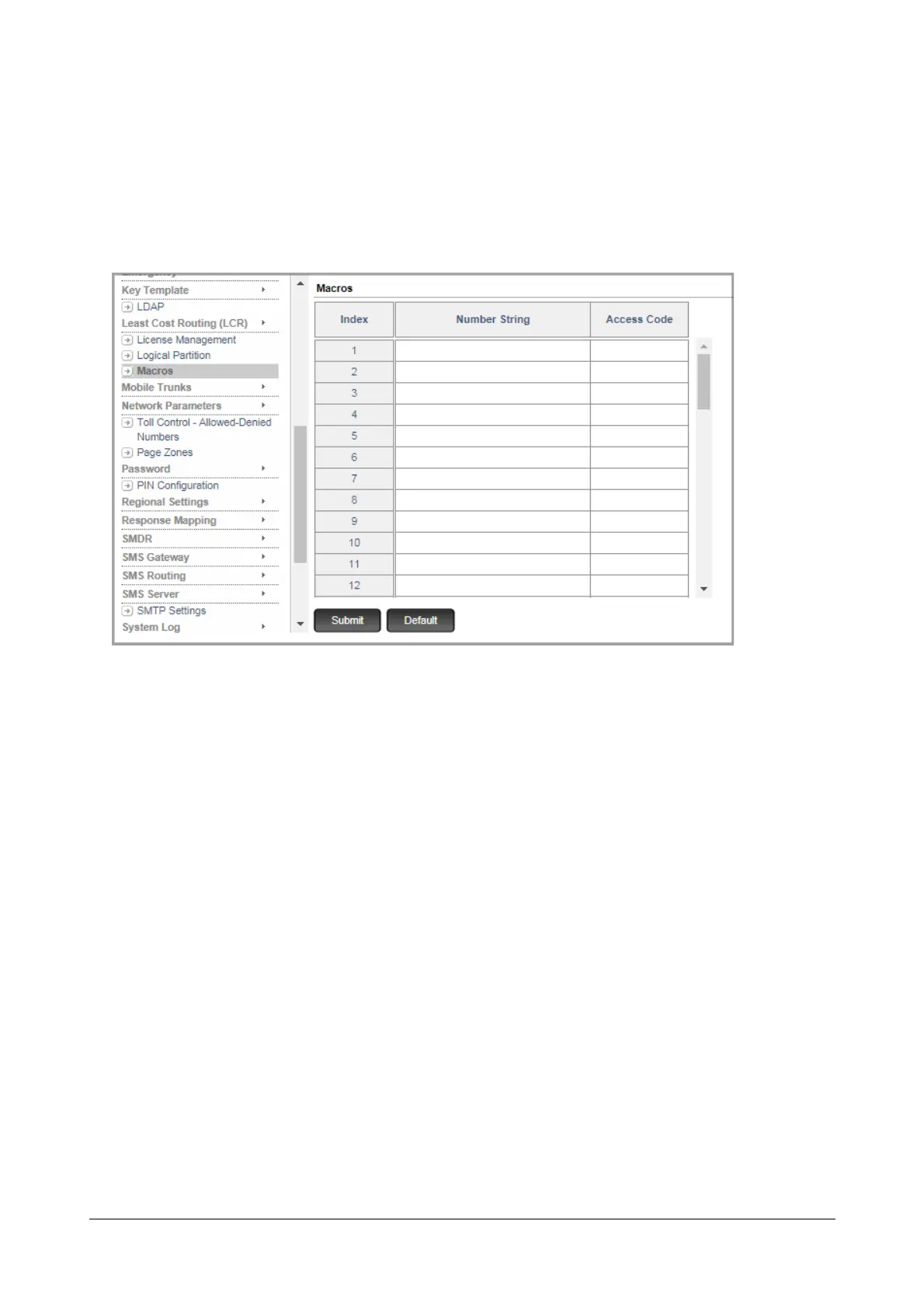
You can create as many as 50 Macros.
• Login as System Engineer.
• Under Advanced Settings, click Macros.
Each macro is stored against an index number.
• When creating a Macro for the Extended IP Phone,
•In Number String, enter the strings the system should consider as command when the DSS Key on
the Extended IP Phone is pressed.
• Click Submit.
• Now, assign this Macro to a DSS Key on the Extended IP Phone.
• When you assign a Macro to a DSS Key on the Extended IP Phone,
• you must select Macro as Function Type
•as Offset, you must select the Macro Index number (1-50) at which the number string is stored. In
this example, it would be Macro Index 1.
For instructions on assigning a keyboard macro to a DSS key of your Extended IP Phone, see “Phone
Key Settings” under “Configuring Matrix SPARSH VP248”, “Phone Key Settings” under “Configuring
Matrix SPARSH VP310” and “Phone Key Settings” under “Configuring Matrix SPARSH VP330”and
“Phone Key Settings” under “Configuring Matrix SPARSH VP510”.
• When creating a Macro for a special Key on a SLT,



 To Next Page