Matrix ETERNITY NE System Manual 89
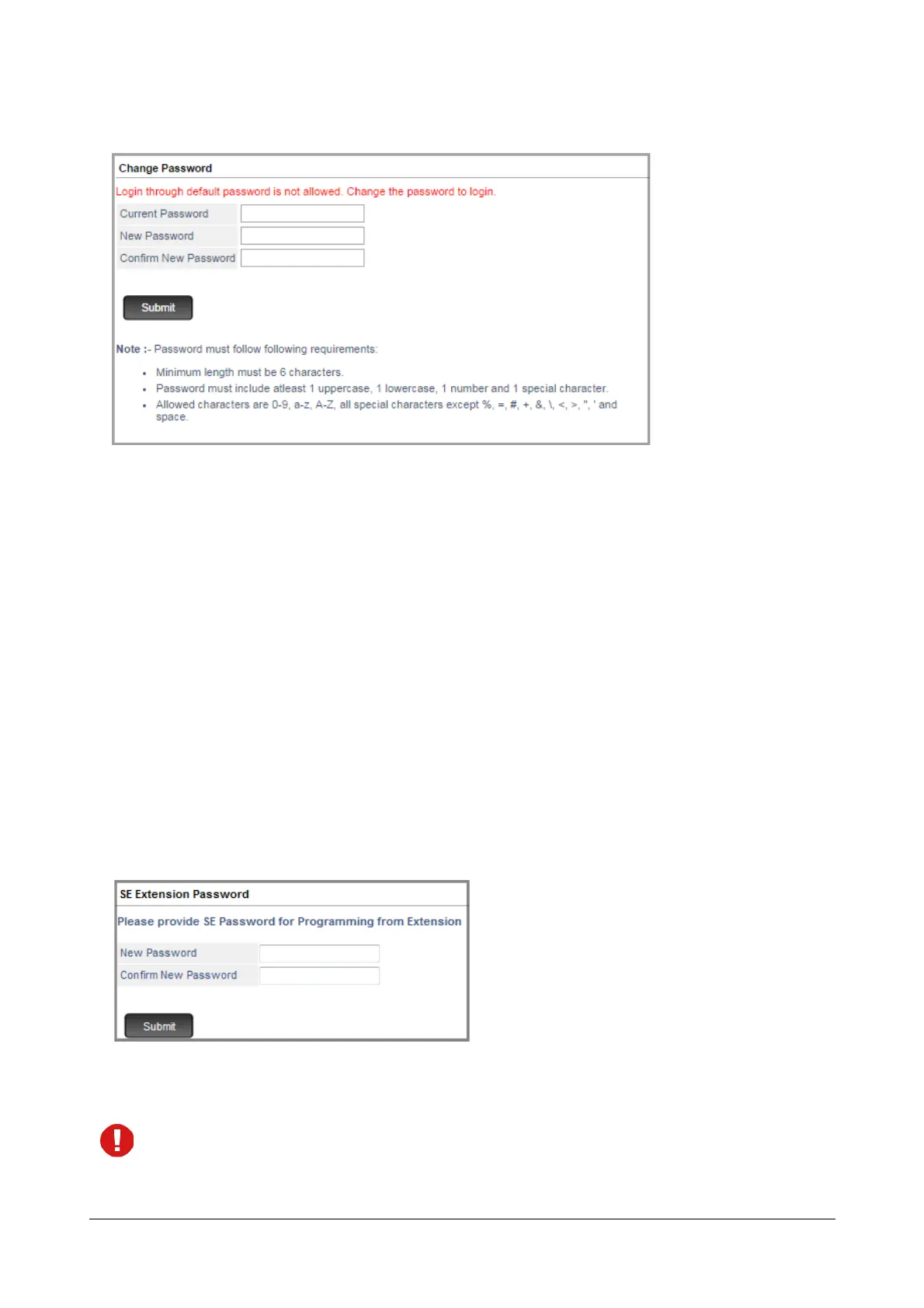
• You will be prompted to change the default SE Password for accessing Jeeves.
•In Current Password, enter the default SE Password, 1234.
•In New Password, enter the desired Password.
All ASCII characters (except Percentage %, Hash #, Equal to =, Plus +, And &, Backslash \, Less than <,
Greater than >, Apostrophe ’ , Double Quote " and Space) and digits 0 to 9 are allowed. The new
password must be:
• a minimum of 6 characters to a maximum of 12 characters.
• include atleast one upper-case, one lower-case, one number and one special character.
•In Confirm New Password, re-enter the new password to confirm.
• Click Submit.
You will be re-directed to the Login page again.
•Now, in Login as select System Engineer and in Password enter the new password.
You will be prompted to change the default SE Extension Password.
• Enter the New Password. The new password can be a minimum of 4 digits to a maximum of 12 digits. The
valid digits are from 0 to 9.
You cannot set 1234 as the New SE Extension Password as it is the default SE Extension Password.
•In Confirm New Password, re-enter the new password to confirm.



 To Next Page