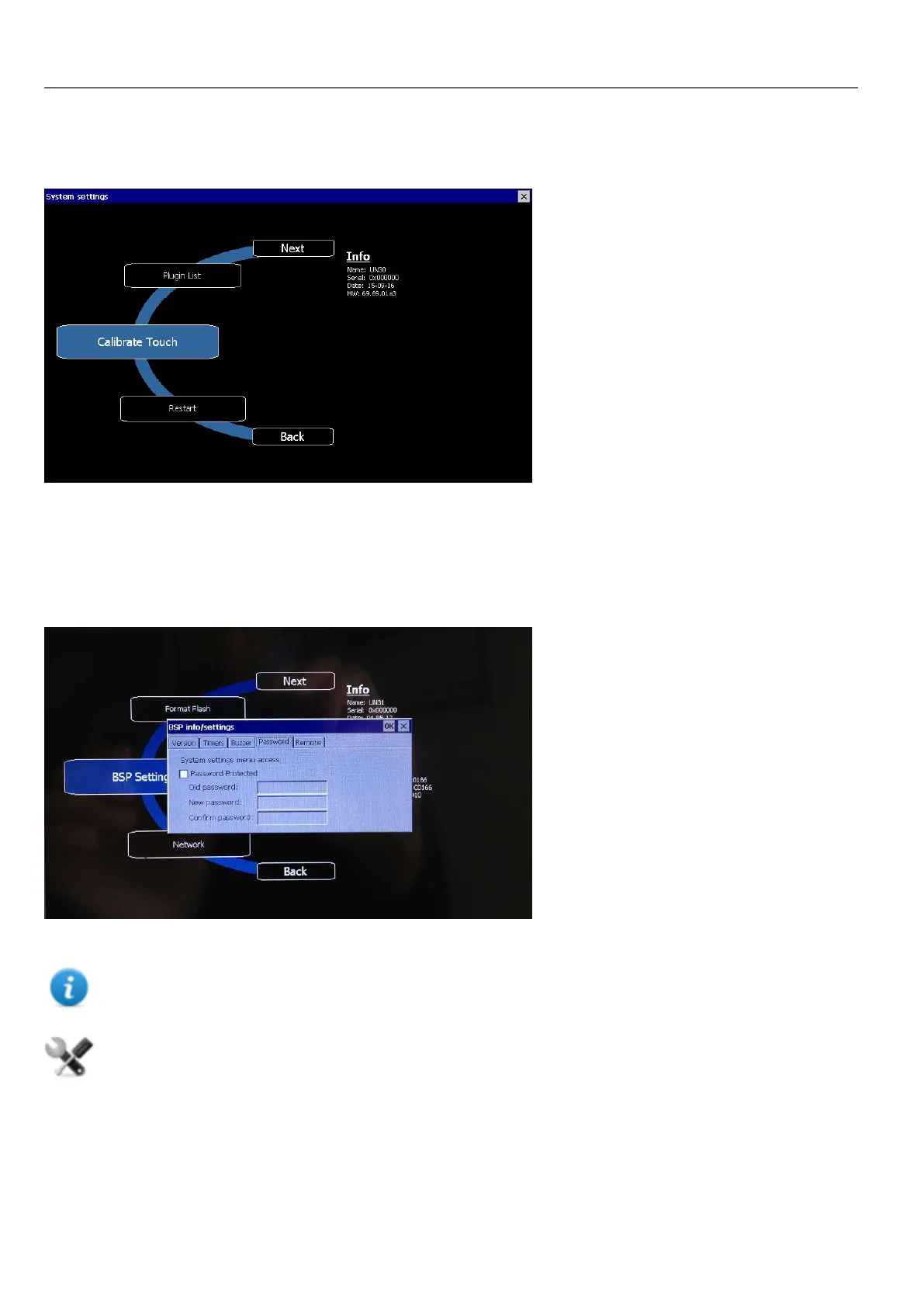
From the rotating menu, select “Calibrate Touch” and follow the instructions on screen to complete the calibration
procedure, system will prompt to touch specific points to calibrate the touchscreen device.
Password protection
Internal password of the HMI device can be defined from the System Settings in System Mode (see "System Settings" on
page381 for details)
From the rotating menu, select “BSP Settings” and then the Password tab to open the set password dialog.
The password must be at least 5 characters long.
Leave “Old password” empty as default if target password is not set.
This feature is available from BSP versions V1.64 ARM UN30/31 and V2.73 MIPS UN20 based on WCE OS.
Factory restore
If you’re having problems with the HMI device, try and restore factory default settings from System Mode.
386
HMWIN Studio |User Manual|v206 (2017-06-30) |EN|© 2014-2017 Panasonic Electric Works Europe AG
WinCE Devices



 To Next Page