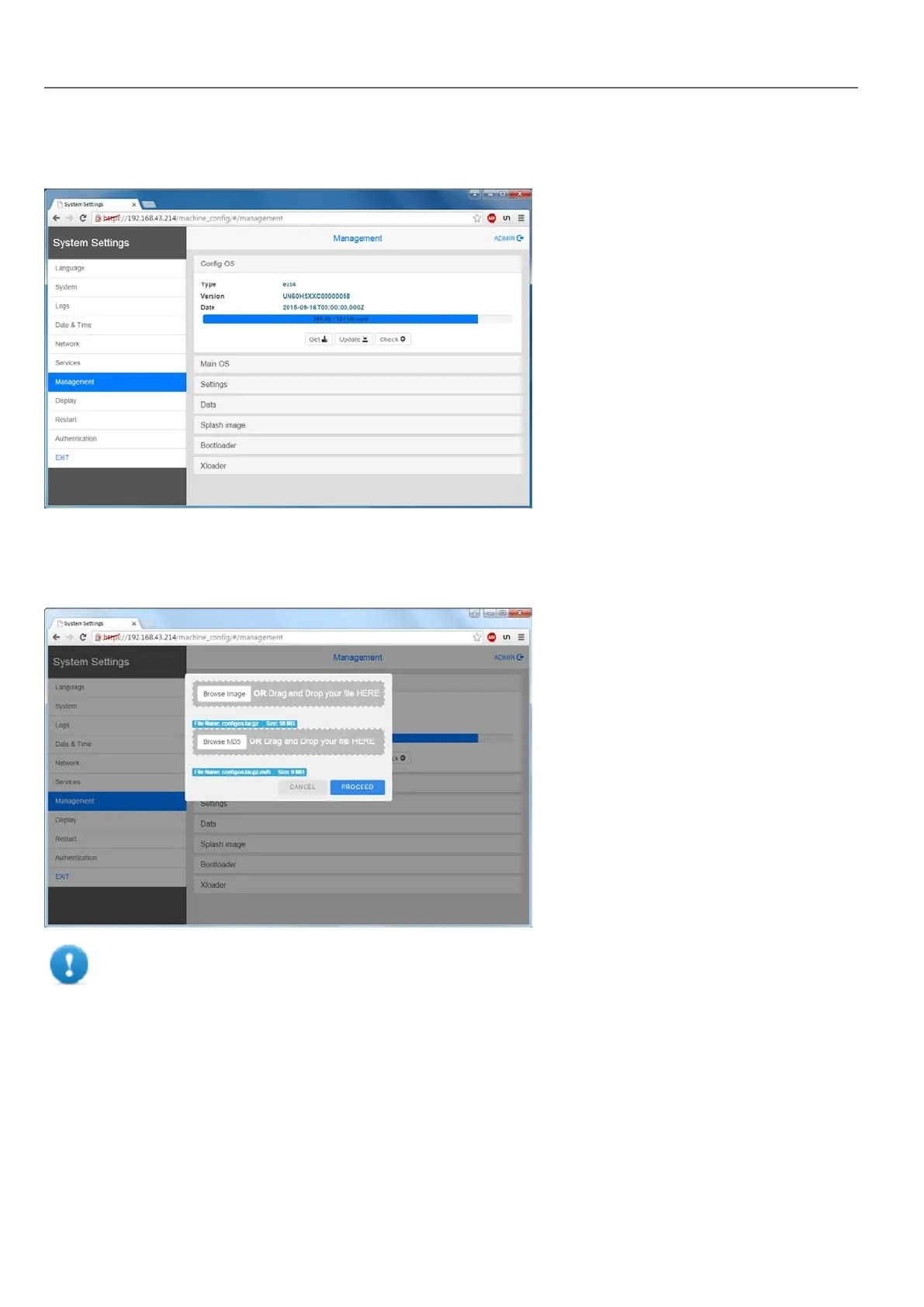
To update system components enter System Settings in Config OS mode via tap-tap procedure on HMI or open web
browser to https://<HMI-IP-address> and select the “Management” section.
Expand the component to update and select [Update]
On the opened dialog, click [Browse Image], then select the “xxx-mainos-xxx.tar.gz” file. Click then on [Browse MD5] and
select the “xxx-mainos-xxx.tar.gz.md5” file.
Important: Do not turn off the device while a system component is being upgraded.
At the end of the component update, restart HMI and leave it starting normally.
Enter System Settings in Config OS mode via tap-tap procedure
System Setting in Config OS mode is available via tap-tap sequence, this mode can be accessed also when HMI is facing
a software failure.
Tap-tap consist in a sequence of several touch activations by simple means of the finger tapping the touch screen
performed during the power-up phase and started immediately after the HMI is powered on.
396
HMWIN Studio |User Manual|v206 (2017-06-30) |EN|© 2014-2017 Panasonic Electric Works Europe AG
Linux Devices



 To Next Page