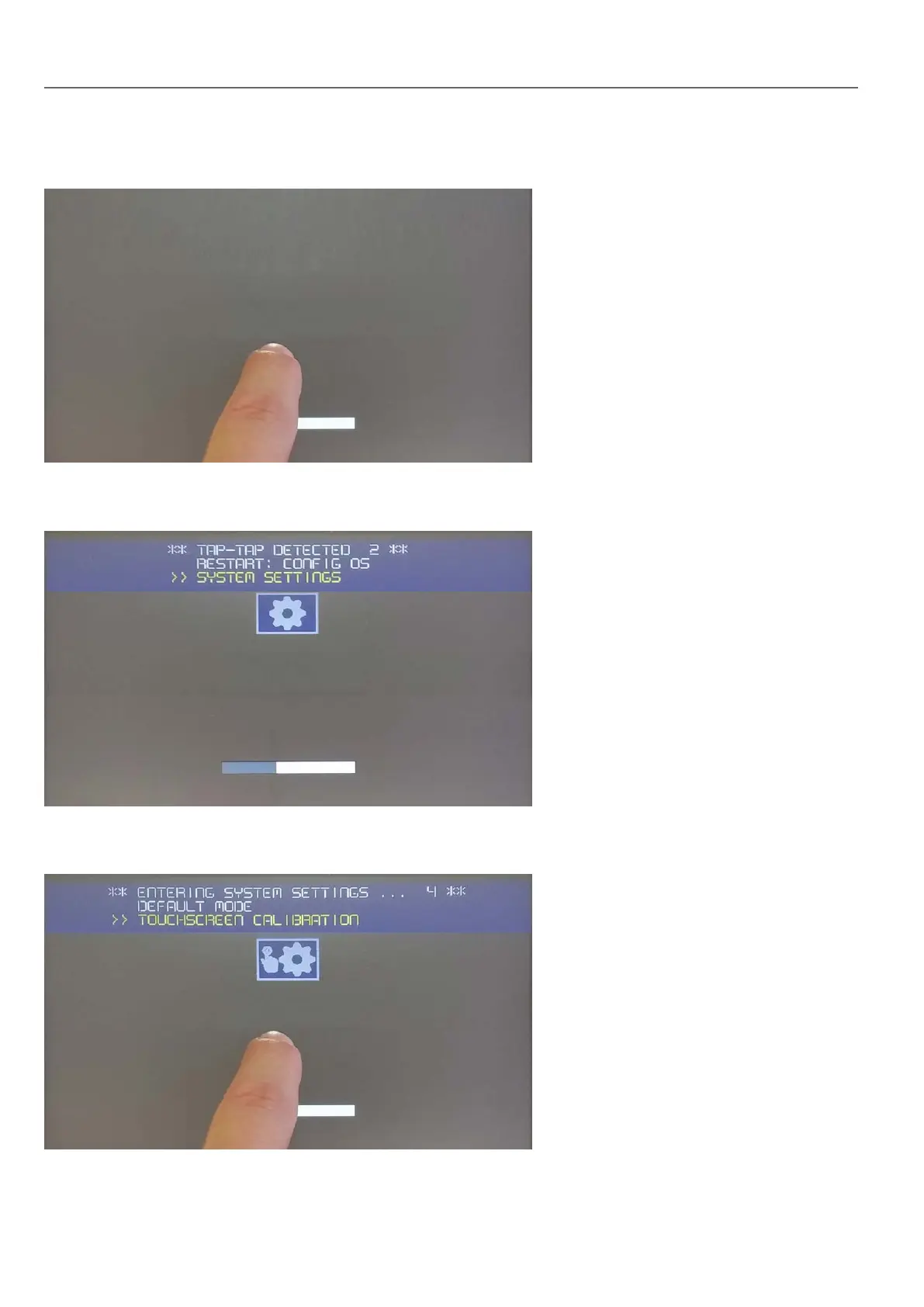
Tap-tap consists in a sequence of several touch activations by simple means of the finger tapping the touch screen
performed during the power-up phase and started immediately after the HMI is powered on.
When “tap-tap detected” message appears on the top of the screen, wait for 5 seconds (without touching the screen) to
enter System Settings sub menu
Press on touch screen, “Touchscreen calibration” voice will be highlighted in yellow, hold pressed for few seconds until
touchscreen calibration procedure starts
398
HMWIN Studio |User Manual|v206 (2017-06-30) |EN|© 2014-2017 Panasonic Electric Works Europe AG
Linux Devices



 To Next Page