Follow the instructions on screen to complete the calibration procedure, system will prompt to touch specific points to
calibrate the touchscreen device.
Password protection
Internal password of the HMI device.
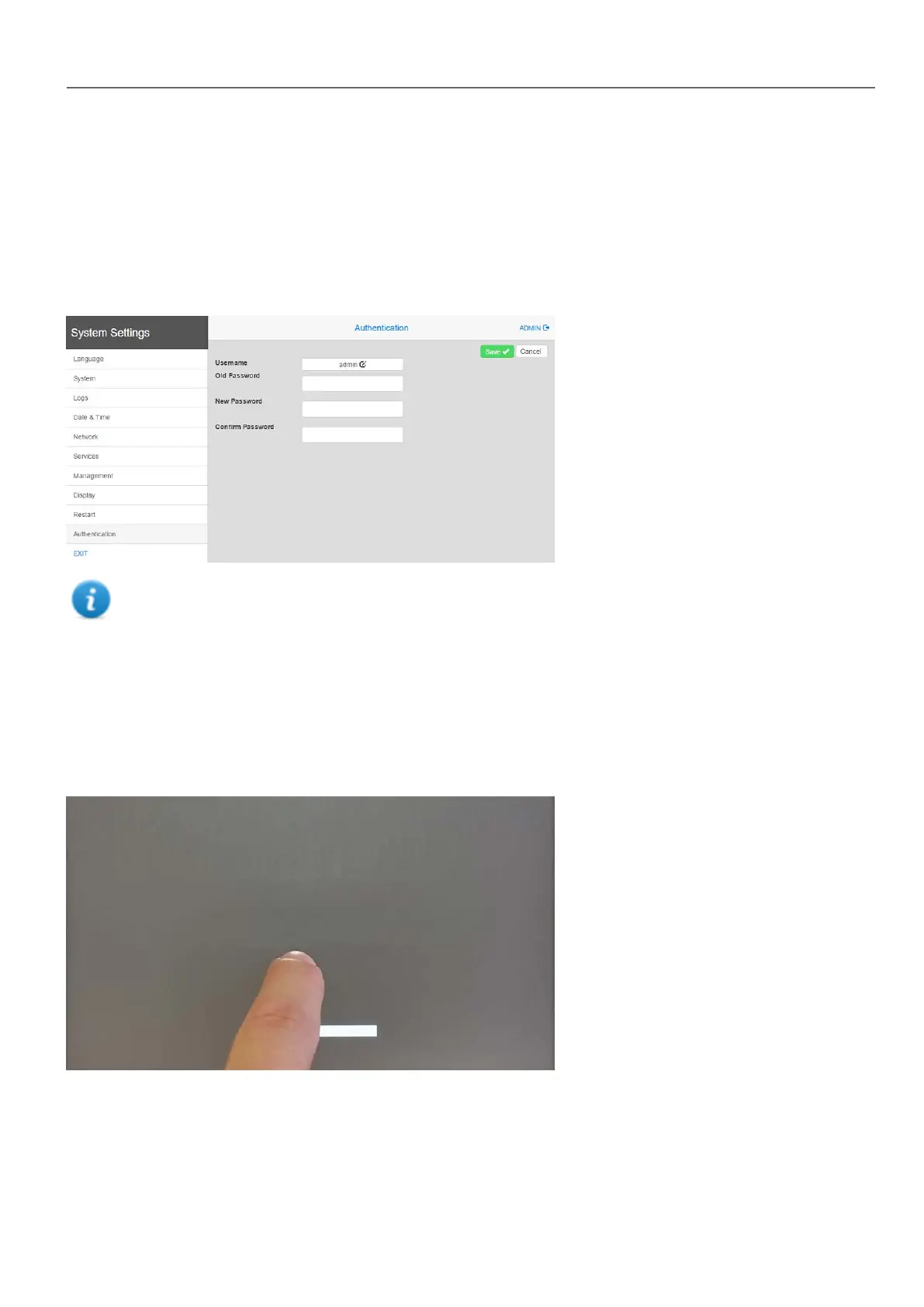
From the Authentication tab, inside the "System Settings" on page390, activate the edit mode and select the username to
change the associated password.
Password for admin user can modified even from the context menu of theHMI Runtime (see "Context menu
options" on page8 for details).
Factory restore
System Settings in Default mode allows to uninstall HMI Runtime or change Startup sequence, this mode is available via
tap-tap sequence and can be accessed also when HMI is facing a software failure.
Tap-tap consists in a sequence of several touch activations by simple means of the finger tapping the touch screen
performed during the power-up phase and started immediately after the HMI is powered on.
When “tap-tap detected” message appears on the top of the screen. Wait for 5 seconds (without touching the screen) to
enter System Settings sub menu
HMWIN Studio |User Manual| v206 (2017-06-30) | EN| © 2014-2017 Panasonic Electric Works Europe AG
399
37 System Settings



 To Next Page