111
Producing with the knitting machine 3
Producing with knitting orders (order menu)
Setting or changing counters for order menu
3.4.2 Setting or changing counters for order menu
In the Sintral program, the knitting of different pieces or sizes can be controlled
from a program via counters.
Keys for setting the counters
Keys for setting the counters
Use another cycle counter or counter:
1. Call up the "Order menu" window from the "Main menu".
The "Order menu" window appears.
2. T
ap the desired column (cycle cou
nter or counter) in the header of the
table.
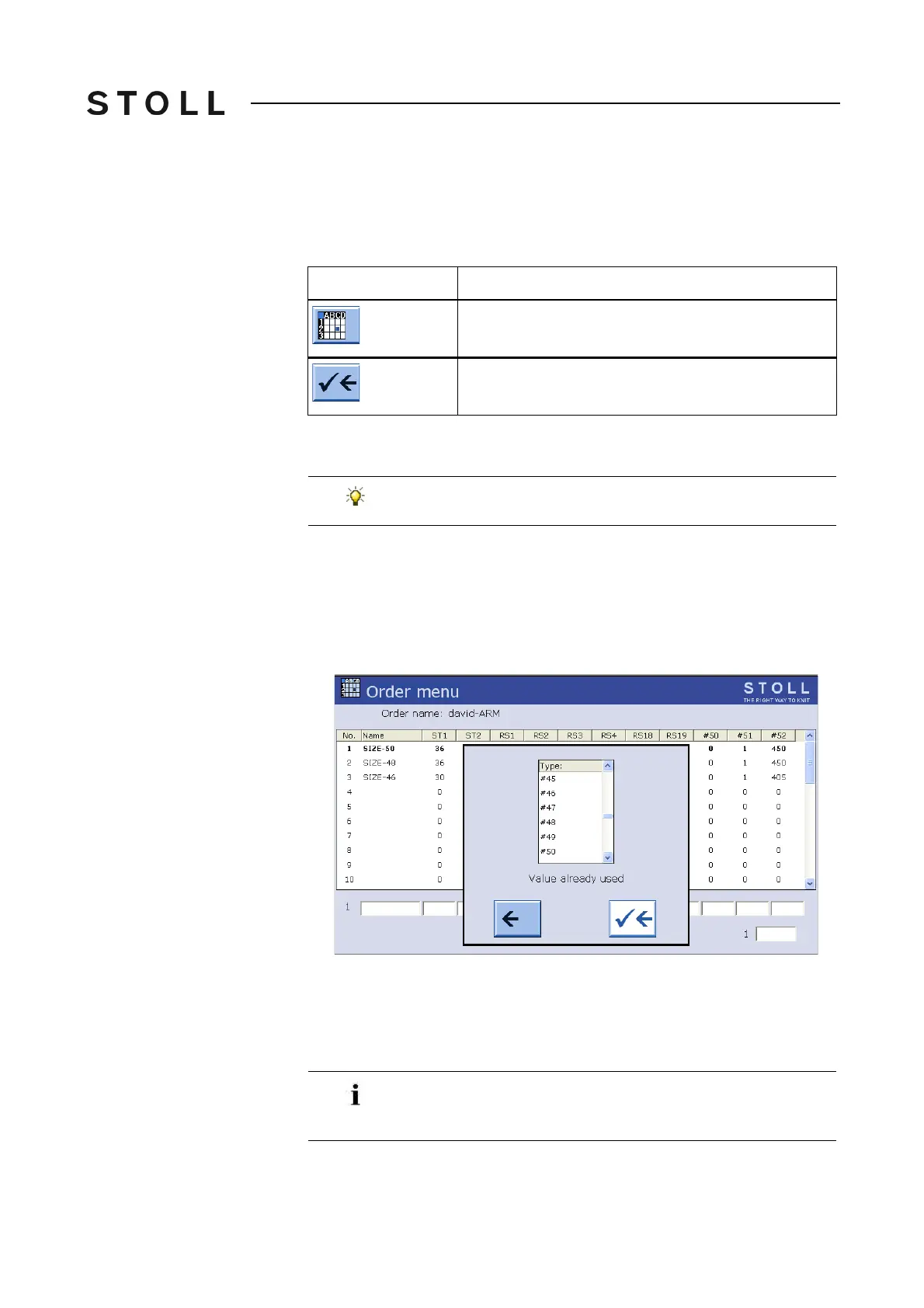
The setting window appears.
Setting window for changing cycle counters and counters
Setting window for changing cycle counters and counters
3. Assign a cycle counter or a counter.
4. Confirm entries.
5. The "Order menu" appears again.
Key
Function
Call up the "Order menu" window
End setting process and save changes
Do not use the counters "#1" to "#39", as they are set to "0"
during start-up!
The values of the cycle counters and counters are copied from
the machine at the beginning of an order. If they are modified
during knitting, they will take effect starting with the next piece.



 To Next Page