309
Setup Data 5
Setup2 Editor
Setup2 Editor
5.5 Setup2 Editor
Overview of the Setup2 Editor of the CMS
5.5.1 Overview of the Setup2 Editor of the CMS
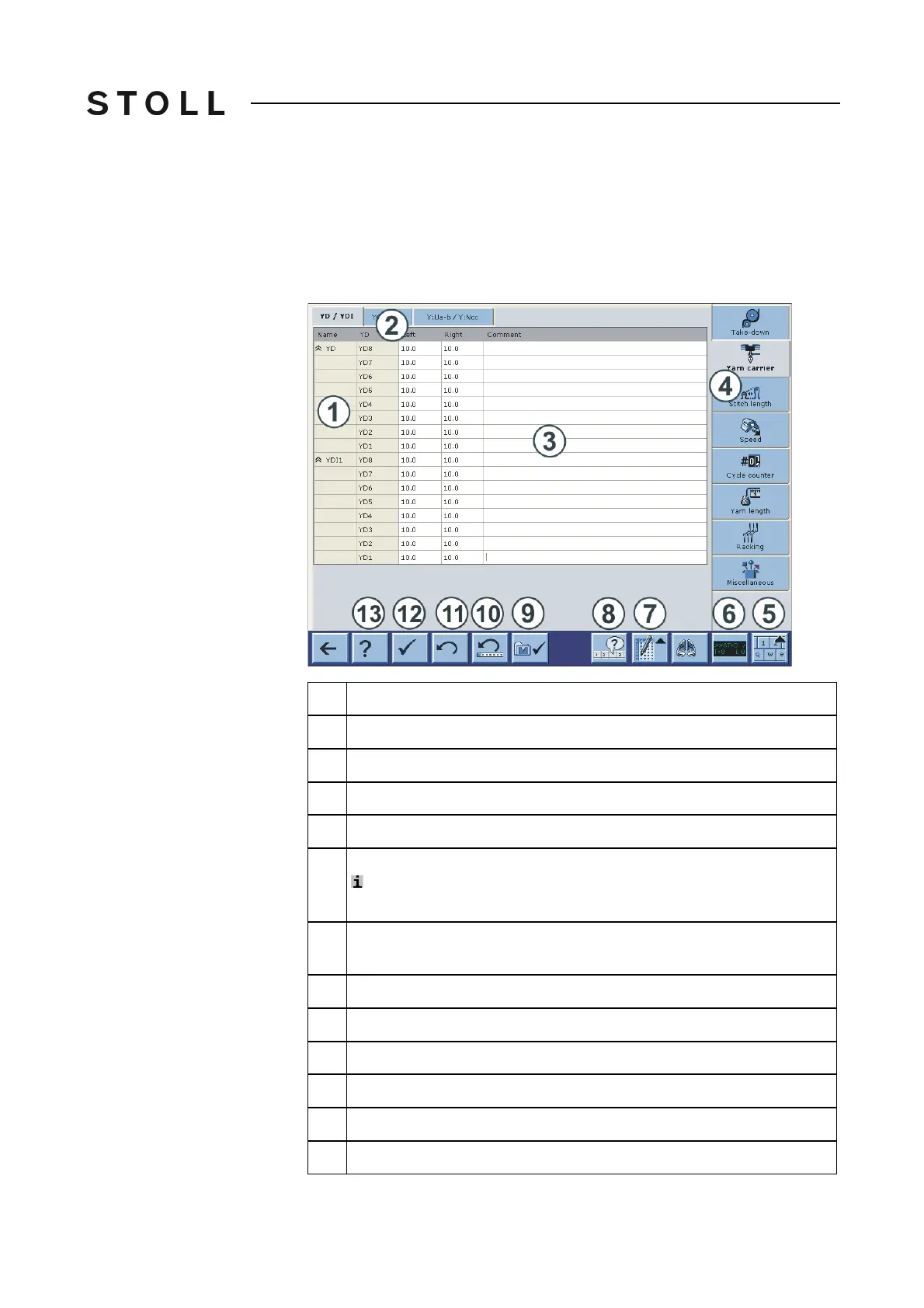
The Setup2 data will be displayed in the "Setup2 Editor".
Explanation
1
Row
2
Tabs of a menu
3
Table
4
Call-up the individual menus
5
Switch on or off the virtual keyboard
: The menu keys are covered by the active virtual keyb
oard.
Switch off the virtual keyboard in order to switch to another menu.
6
Activate and deactivate the state line (only display of the values, no
window call up possible)
7
Switch on or off the table tools
8
Activate/deactivate the display of the active "Don't Care" values
9
Apply a change to further patterns
10
Undo the last editing of a line
11
Undo the last editing of a cell
12
Save all values of the actual tab (table)



 To Next Page