472
8 Software - Installation and basic settings
Boot process
Basic Settings
8.1.1 Basic Settings
Call up "Basic Settings Menu" window:
The knitting machine is switched off.
1. S
et the main switch to "1".
The "BootOkc" window is displayed.
2. Type in within the waiting time for
the warm
start on the "Basic Settings"
key.
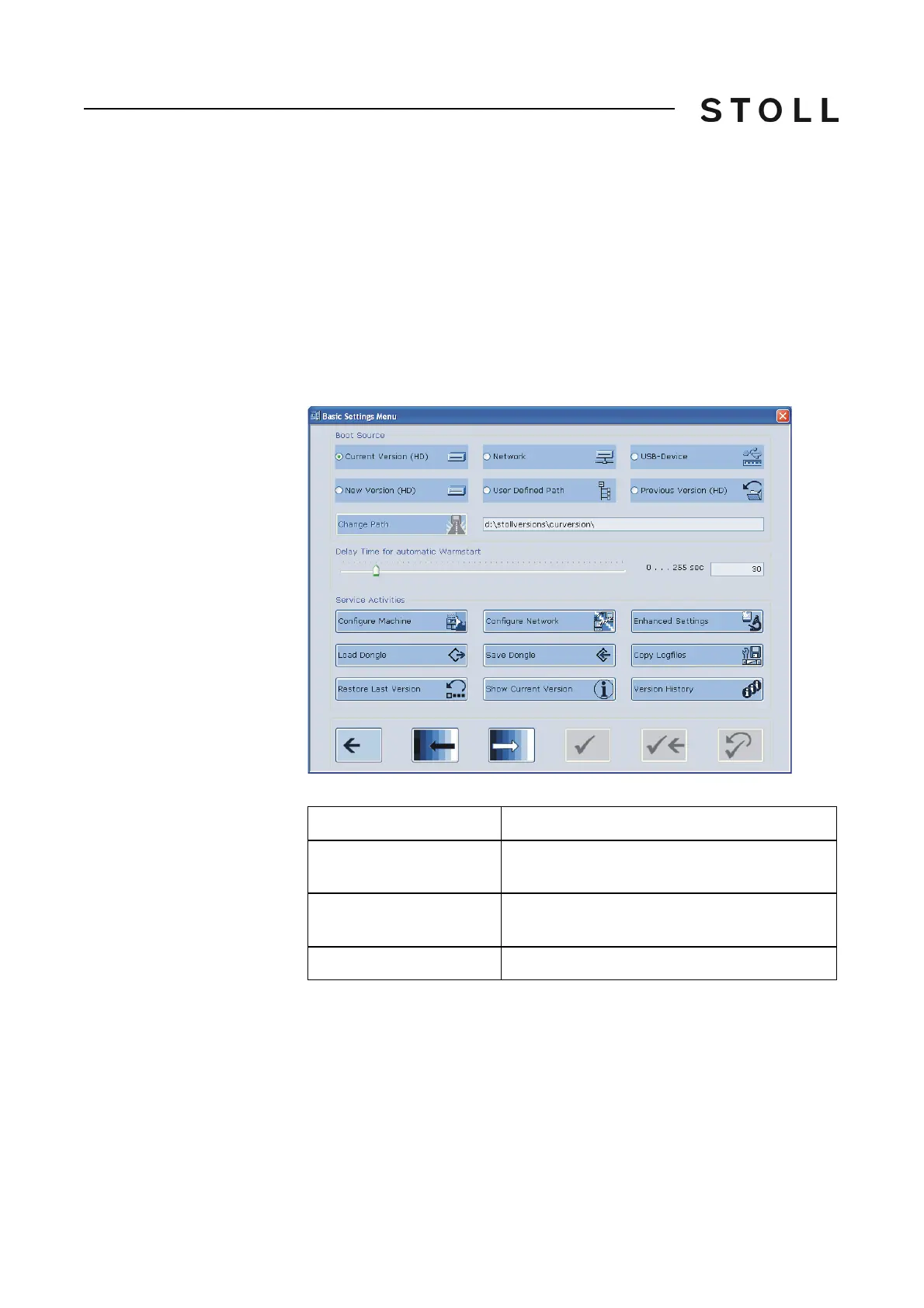
The "Basic Settings Menu" window is d
isplayed.
Basic Set tings Menu windo w
"Basic Settings Menu" window
Areas of the Basic Settings Menu window
Areas of the "Basic Settings Menu" window
Area
Explanation
Boot Source
Keys for selecting a source for the installation
data.
Delay Time for automatic
Warmstart
Enter the waiting time till the automatic warm
start.
Service Activities
Keys for service purposes.



 To Next Page