483
Software - Installation and basic settings 8
Saving all machine data on the USB-Memory-Stick
Saving all machine data on the USB-Memory-Sti ck
8.2 Saving all machine data on the USB-
Memory-Stick
The machine settings do not only contain the machine data, but also the
machine options, the machine configuration, the report, the network settings,
and other internal control information. This data is referred as Dongle. Dongle-
Data are saved in a file with the mcnumber.dgl (mcnumber = machine number)
name.
The Machine data can be copied on
a
USB-Memory-Stick. After installing a
new operating system version or following data loss or the change of the hard
disk the machine data can be copied back from the USB Memory-Stick to the
machine computer.
Keys for s aving the machin e data on a USB-Mem ory-Stick
Keys for saving the machine data on a USB-Memory-Stick
1. Insert the USB memory stick into the USB socket.
2. Call up the "Service" menu from the "Main menu".
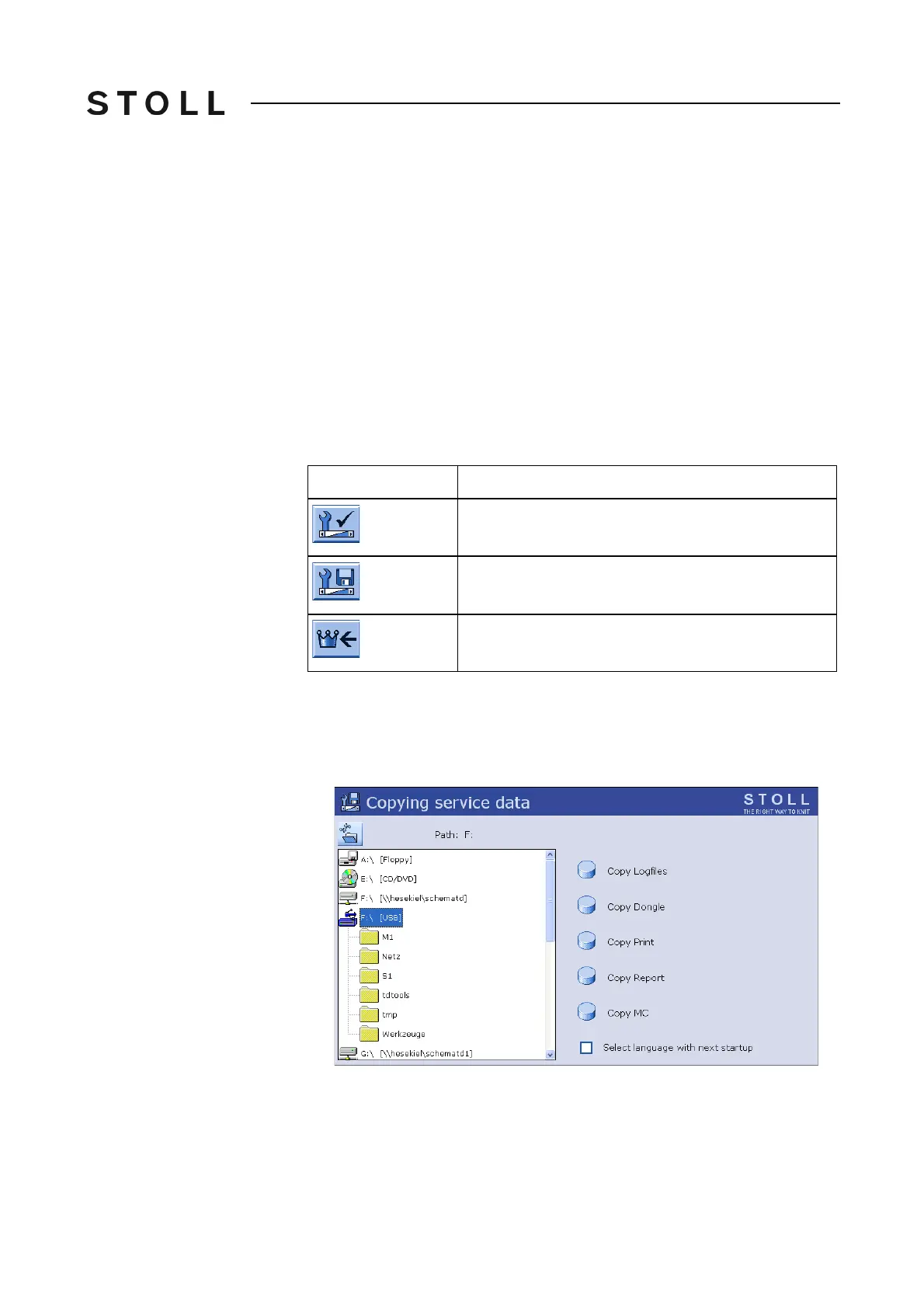
3. Call up the "Copy service data" window.
Copy serv ice data wi ndow
"Copy service data" window
4. Select the desired data carrier e.g. . USB memory stick (Drive F:).
Key
Function
Call up the "Service" menu
Call up "Copy service data" window
Call up "Main menu"



 To Next Page