EasyManua.ls Logo

Stoll CMS 520 C+ - Data Mode and File Mode

Default Icon
562 pages
Print Icon
To Next Page IconTo Next Page
To Previous Page IconTo Previous Page
Loading...
340
5 Setup Data
Setup2 Editor
Data Mode and File Mode
5.5.10 Data Mode and File Mode
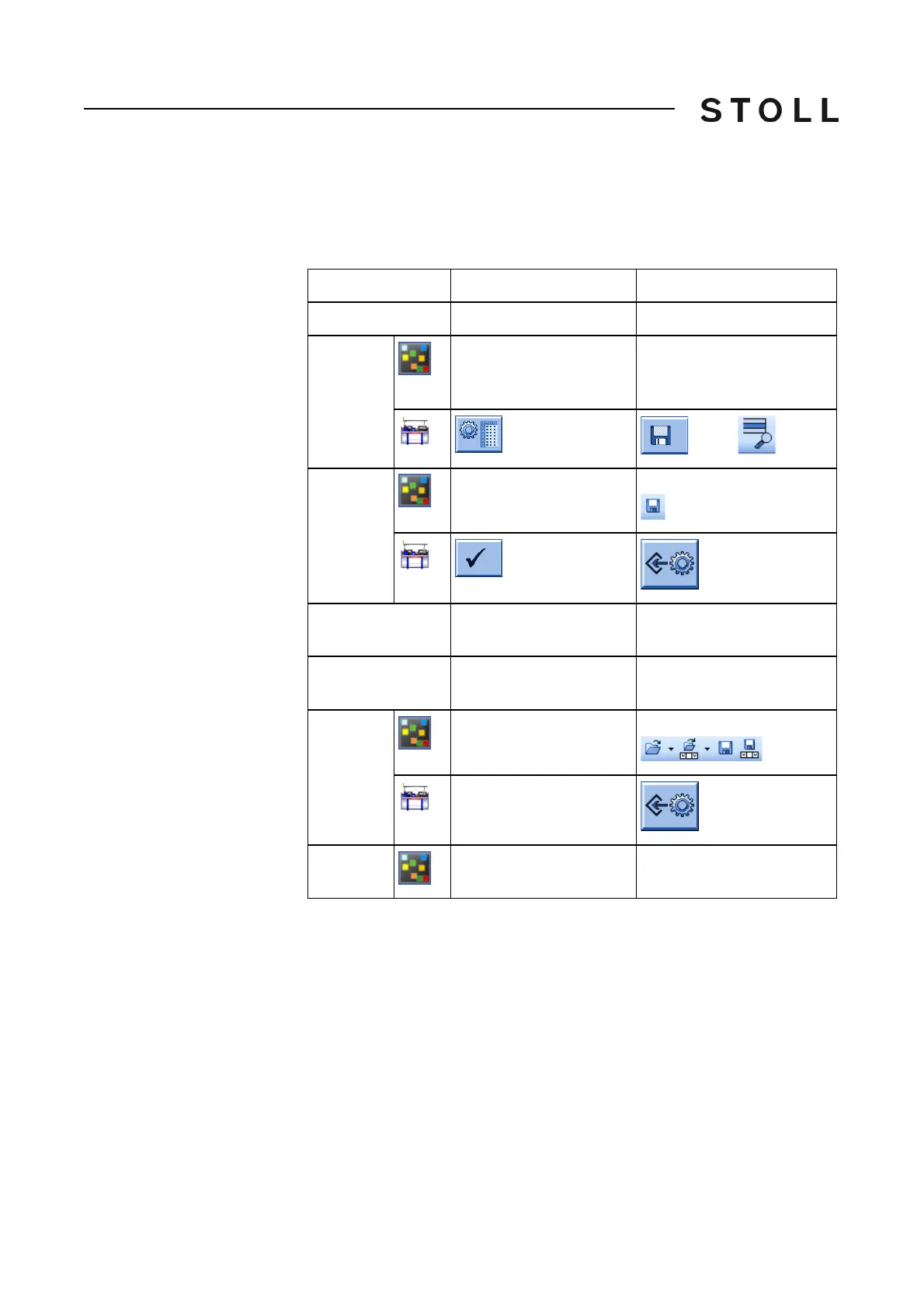
The "Setup2 Editor" of the CMS and of the M1plus differs between the editing
of Setup2 files (.setx) and of data of the loaded pattern (.mdv / .zip).
Data Mode
File Mode
Origin of the data
Loaded pattern
Setup2 files (.setx)
Calling up
By the "Pattern
Parameters" / "Setup-
Data…" menu
By the "MC-Program" /
"Display MC Program..." /
"MC-Setup..." menu
/ .setx
Save
Button
"Apply"
Menu
"Save"
Effect of editing
Direct in the pattern
Direct in the fabric
Modified Setup2 file
Difference in
editing
Restricted possibilities
due to the situation
Restricted possibilities due
to the situation
File Tools
Not available
Menus "File" "Edit" "?"
Not available
Title
"<pattern name> -
<CMS...> - Setup2"
"Sintral Editor - <file
name>.setx"

Table of Contents

Related product manuals