99
Producing with the knitting machine 3
Production
Stopping machine
3.3.3 Stopping machine
The knitting machine can be stopped in the following ways:
Disengage the engaging rod
Actuate the stop motion device, e.g. open a
cover
Stop the machine in the "Mac
hine stop" window
Keys for stopping the knitting machine
Keys for stopping the knitting machine
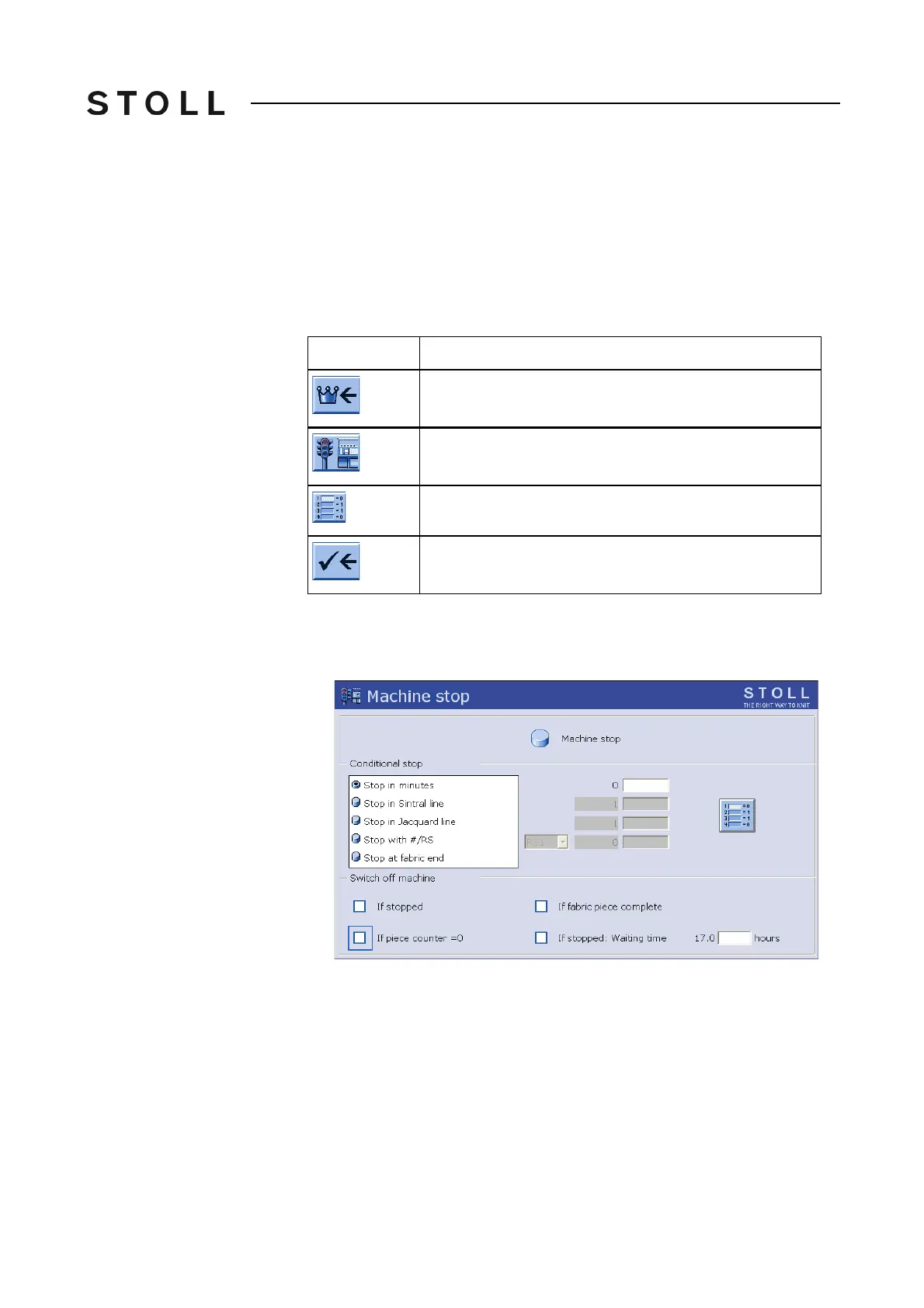
Stop the knitting machine in the "Machine stop" window:
1. Call up "Machine stop" window from "Main menu".
Machine stop window
"Machine stop" window
2. If the knitting machine is to stop at the next reversing point of the carriage
assembly, tap the key "Machine stop".
Key
Function
Call up "Main menu"
Call up "Machine stop" window
Reset conditions to standard values (Reset).
End setting process and save changes



 To Next Page