262
4 Adjusting knitting machine
Working with files
File manager
4.3.2 File manager
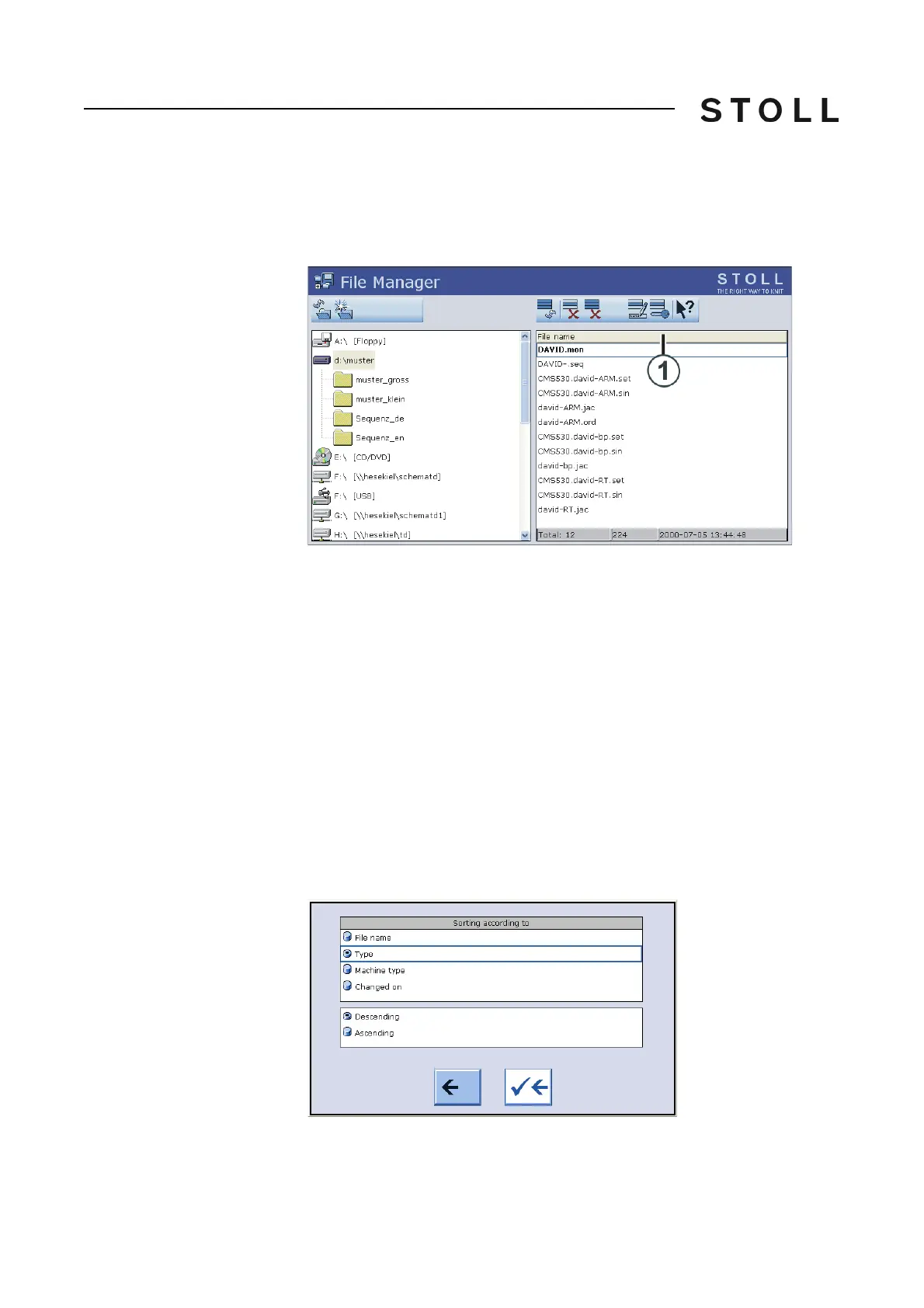
Files and folders (directories and images) are managed in "File -Manager"
window.
File manager window
"File manager" window
All actions pertaining to folders are mentioned on the left side. A new folder
can be created, for example.
You have access to the following data media:
U
SB Memory Stick
Hard disk of the computer in the knitting machine
Online
Network
On
th
e right hand-side the files from the selected folders
are displayed. This
list of files appears in alphabetical order (standard setting), and the number of
existing files is displayed on the status line (Total:).
Setting the sort sequence The sort sequence can individually be adjusted.
To do so, click on the header
line (1). Select and confirm the sort sequence in the "Sort by" window.
Setting the so rt criteria
Setting the sort criteria



 To Next Page