435
Repairing the knitting machine 7
Replacing parts
Replacing comb hook
7.3.21 Replacing comb hook
Keys for r eplacing comb ho oks
Keys for replacing comb hooks
1. Open the comb cover plate.
2. Call up the "Comb" window from the "Main menu".
3. Tap on the "Release brake (=X=)" key.
4. Push the comb take-down manually upwards (about 8 cm).
T
he cover rails of the comb take-down are located above the left and
right control unit.
5. P
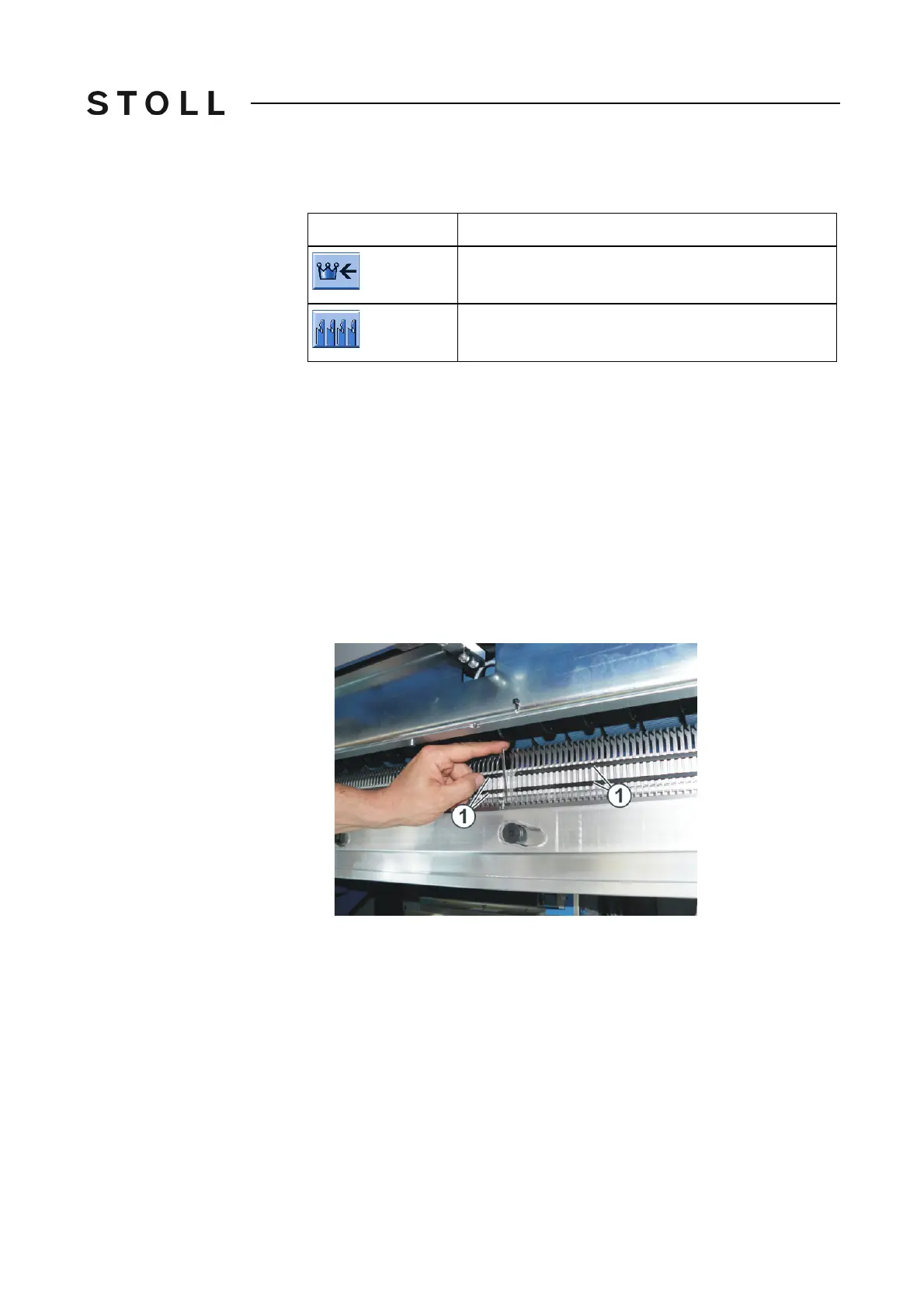
ush the cover rails (1) to the side
only until an open area results at the
repair point.
For this purpose, push the upper cover rails to the left until the repa
ir point.
Push the lower cover rails to the right unt
il the repair point.
6. Remove the comb hook.
7. Insert the new comb hook.
8. Close the cover rails.
9. Close the comb cover plate.
10. Tap the "Reference run (=R=)" key.
Key
Function
Call up "Main menu"
Call up "Comb" window



 To Next Page