196
4 Adjusting knitting machine
Advanced adjustments
Setting needle bed parameters
4.2.4 Setting needle bed parameters
The needle bed parameters are used to make the needle-bed-specific
settings. They serve for the fine adjustment of the needle beds. The needle
bed parameters always remain saved, even when the operating system is
read in again.
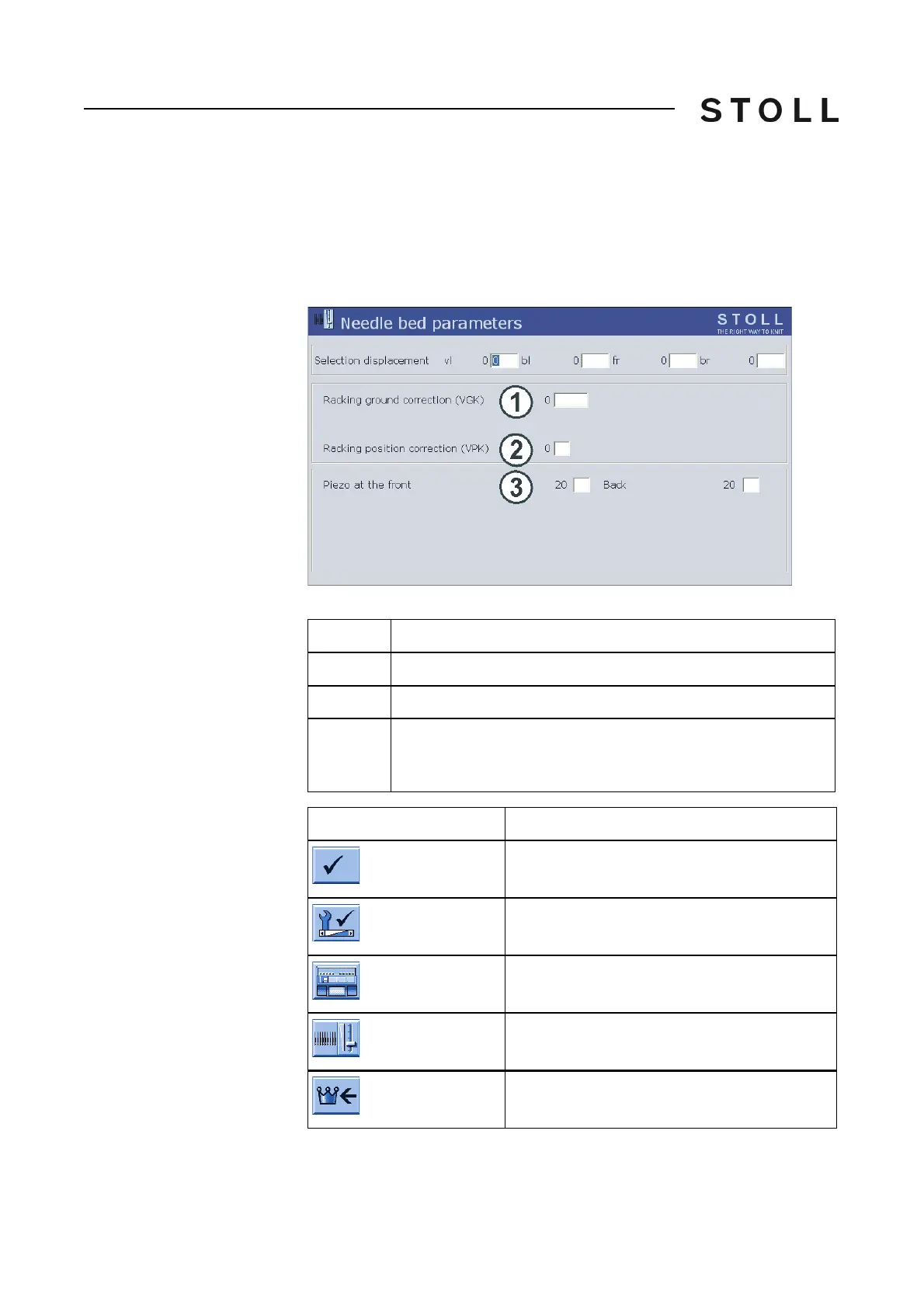
Needle be d paramete rs window
"Needle bed parameters" window
Keys for s etting th e needle bed parame ters
Keys for setting the needle bed parameters
Field
Data shown
1
Racking ground correction (VGK)
2
Racking position correction (VPK)
3
Shock stop motion for the front and rear needle beds and
additional needle bed.
Value range: 1-32, 1=not sensitive, 32=very sensitive
Key
Function
Confirm input
Call up the "Service" menu
Call up the "Basic settings" menu
Open the "Needle bed parameters" window
Call up "Main menu"



 To Next Page