508
8 Software - Installation and basic settings
Installing the Stoll operating system
Overview of a ll system data
8.4.7 Overview of all system data
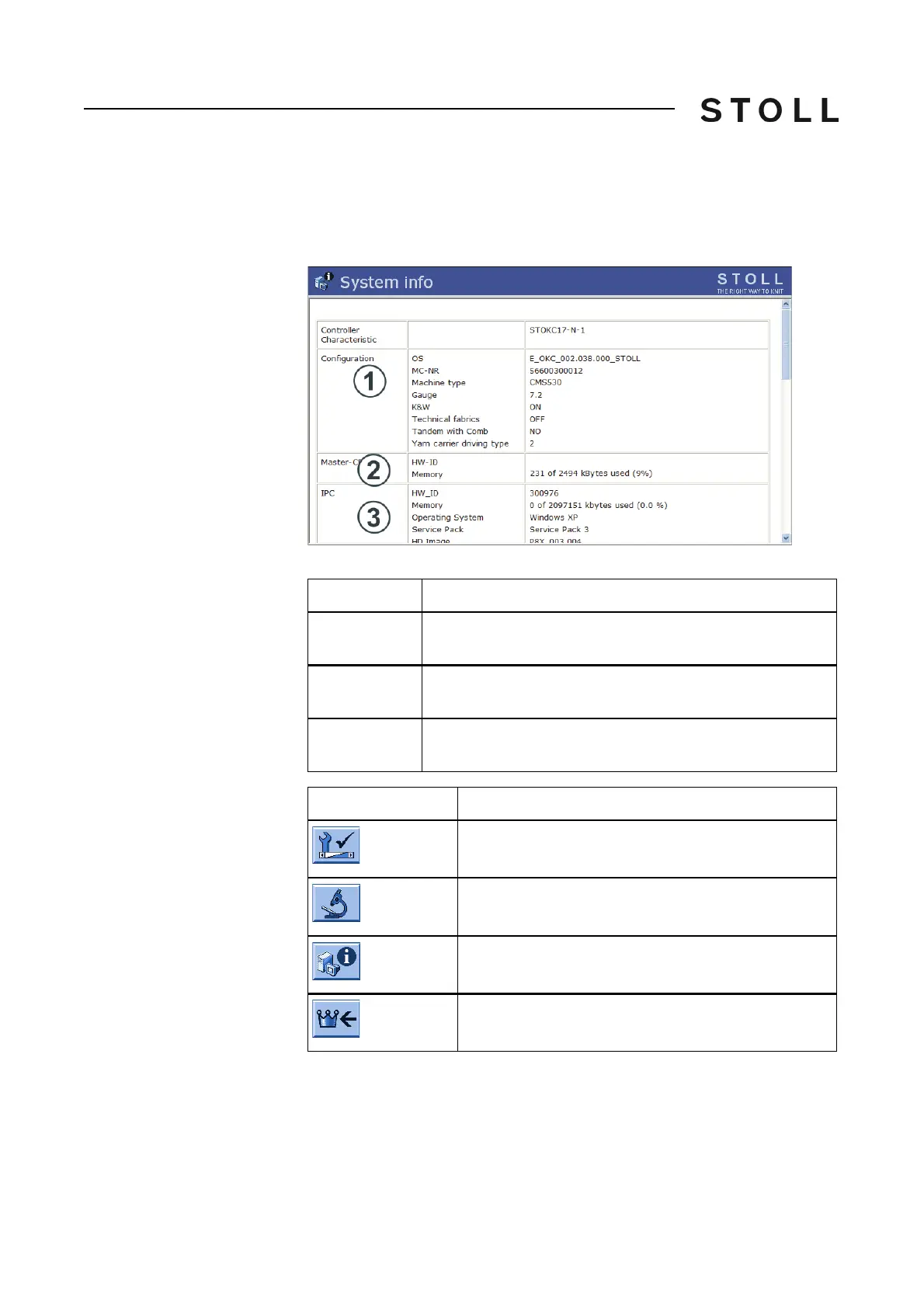
All important hardware and software data of the control are displayed in the
"System info" window.
System inf o window
"System info" window
Keys for c alling u p the Syst em info wi ndow
Keys for calling up the "System info" window
Field
Data shown
1
Stoll operating system (OS) that is loaded, the machine
number, machine type, gauge, yarn carrier type, etc.
2
"Memory" line: Display of the amount of memory this pattern
occupies
3
Hardware and software data
Network data
Key
Function
Call up the "Service" window
Call up "Diagnostics" window
Call up the "System info" window
Call up "Main menu"



 To Next Page