529
CMS 822 - Operating modes and particularities 10
Unusual features in the tandem with comb operating mode
Unusual f eatures in the tandem with comb operating mode
10.2 Unusual features in the tandem with comb
operating mode
Switch needle selection off
and on again
If the left fabric is defective, for example, needle selection of the left carriage
can be deactivated so that the right fabric can be finished.
Keys for calling up the Machine start window
Keys for calling up the "Machine start" window
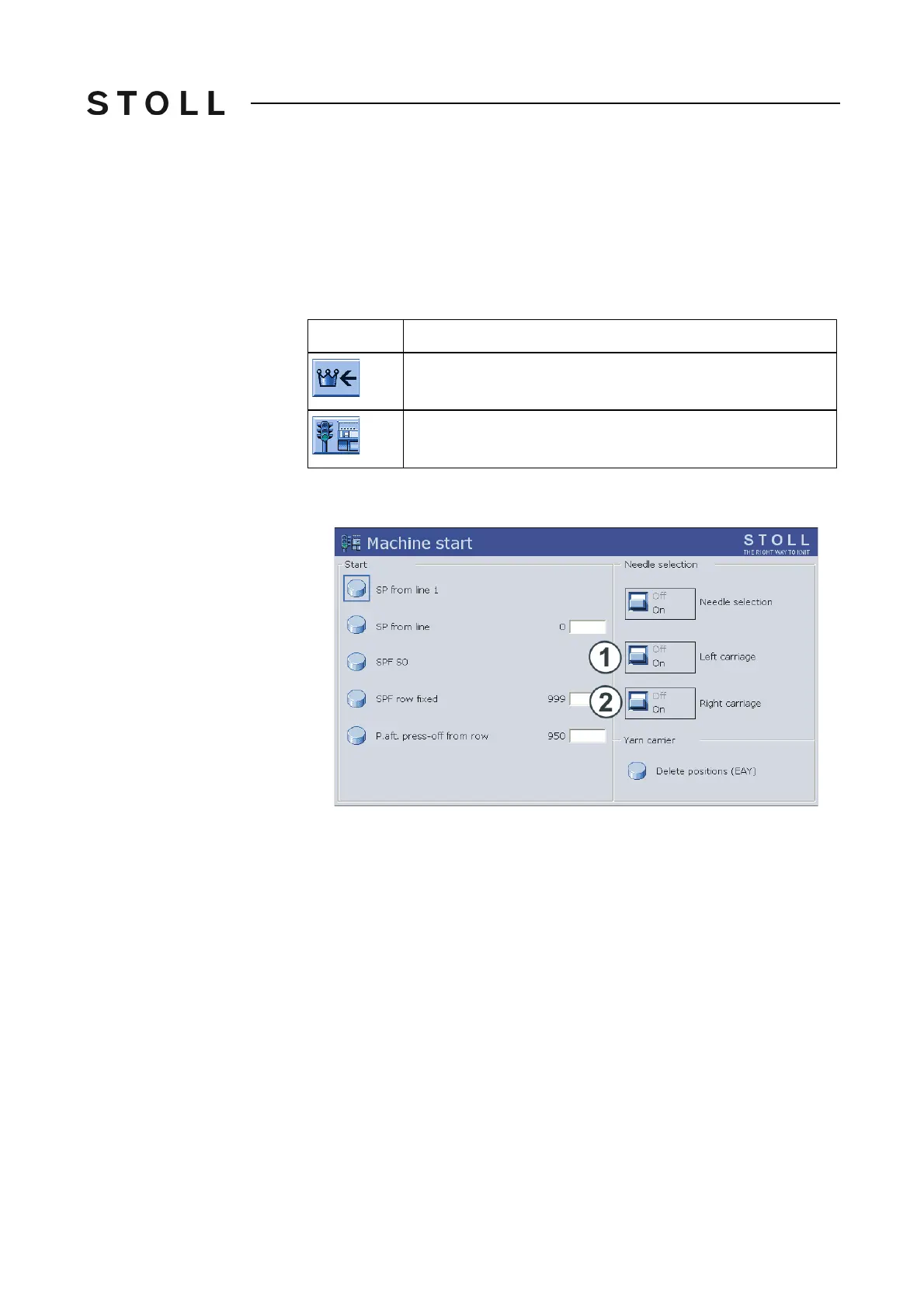
1. Call up the window "Machine start" from the "Main menu".
Machine start window
"Machine start" window
2. Deactivate needle selection of the corresponding carriage (left (1), right
(2)).
3. The setting window for the "WM%" value appears. T
he fabric take-down
value must be adjusted, as only one fabric is produced. In order to
decrease the take-down, input a negative value, for example "-50" and
confirm the value.
4. Cast off the fabric of the deactivated
carr
iage manually and remove from
the fabric take-down and comb take-down.
5. Manually stop yarn carriers of the deactivated
carriage currently in the
needle bed outside the needle bed or bring them into the clamp.
6. Continue production.
7. The needle selection must be re
activated
manually when the next fabric is
started. Production over several pieces with needle selection deactivated
is not possible. The reason for this is the comb thread, which is transferred
from one carriage to the other one in a swing stroke.
Key
Function
Call up "Main menu"
Call up "Machine start" window



 To Next Page