390
7 Repairing the knitting machine
Replacing parts
Replacing selection jack
7.3.5 Replacing selection jack
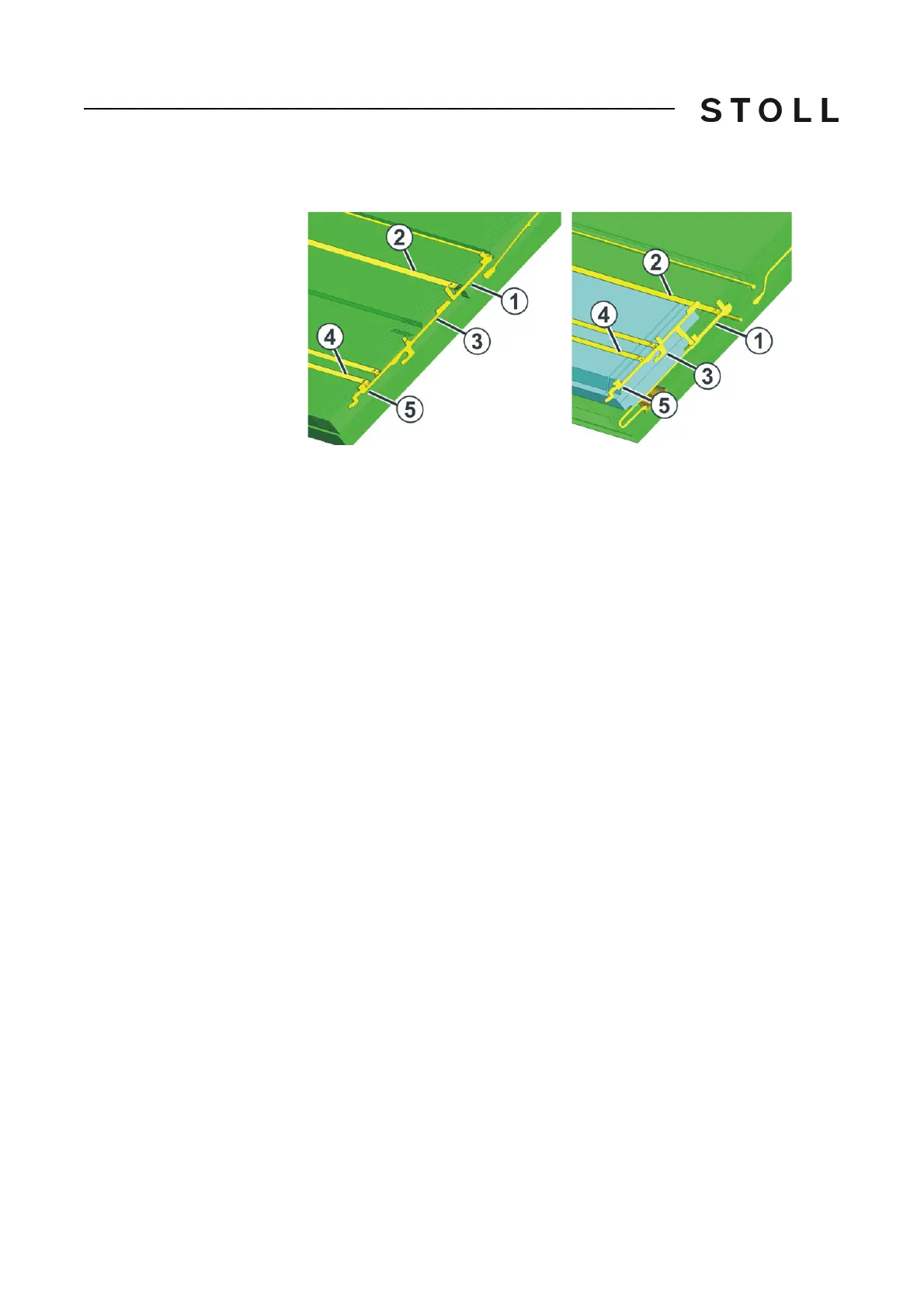
Replacin g selection jack (right pictur e: CMS 52 0 C and CMS 830 C)
Replacing selection jack (right picture: CMS 520 C and CMS 830 C)
1. Push the needle with the coupling part upward.
2. Push the intermediate slider (1) until the lower butt bumps into the s
pring
wedge (2).
3. Push the selection jack (3) upward until
it bumps into the cover rail (4).
4. Press the butt (5) of the selection jack into
the needle bed while at the
same time sliding the selection jack further upward.
5. Remove the selection jack.
6. Install the new selection jack in the rever
se ord
er.
7. On the CMS 520 C and CMS 830 C, make sure whe
n inserting the new
selection jack that the butt of the selection jack is behind the butt of the
intermediate slider.
8. Slide the intermediate slider in home position.
9. Slide the needle and the coupling pa
rt into the home pos
ition.



 To Next Page