82
3 Producing with the knitting machine
Threading up yarn
Setting screen brightness
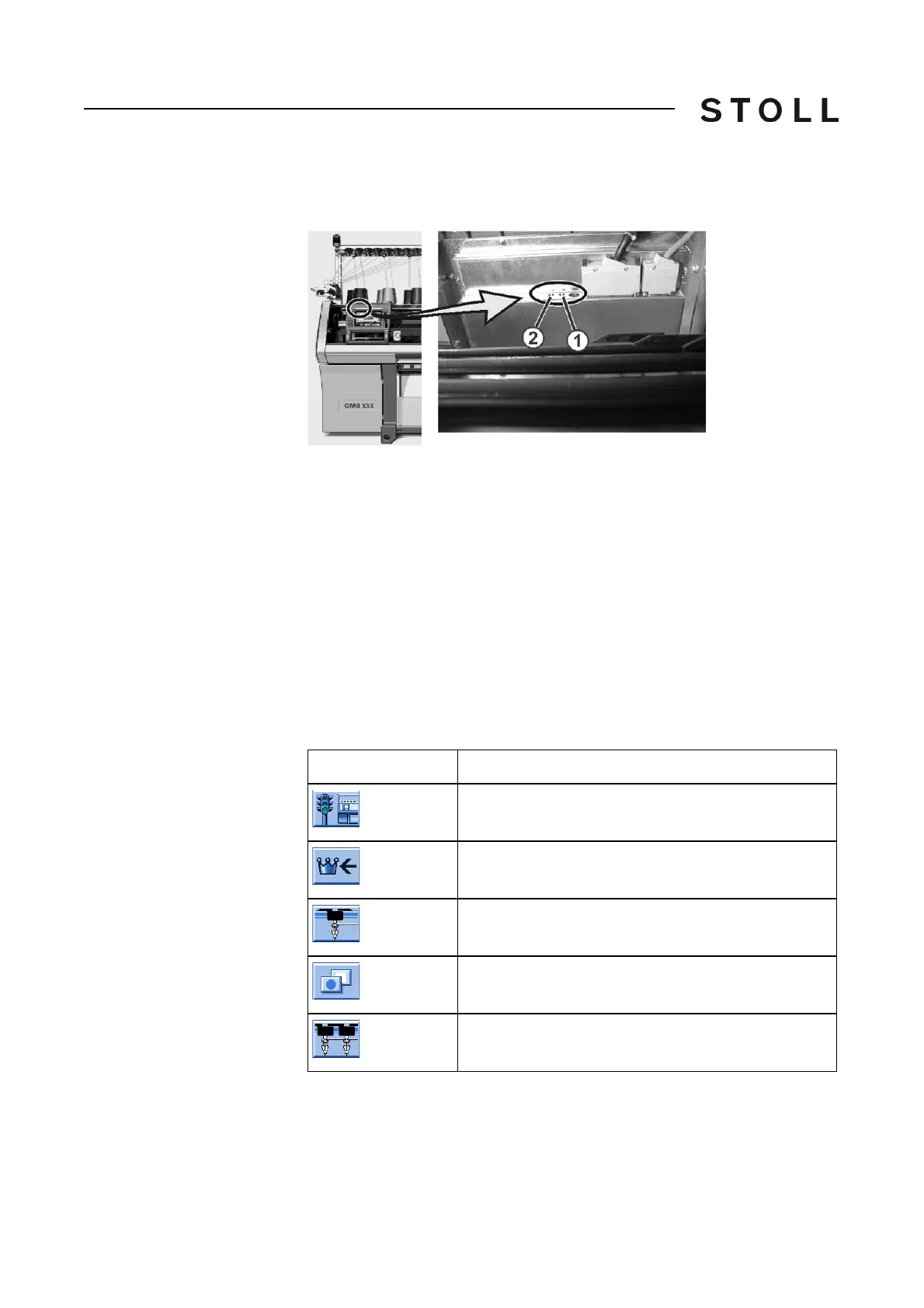
Setting screen brightness Two key buttons for brightness setting are located on the rear of the input unit.
Setting s creen brig htness
Setting screen brightness
The screen display is made brighter with key button (1) and darker with key
button (2).
Threading up yarn
3.2 Threading up yarn
Various courses of yarn are provided for threading up the yarn on the knitting
machine. The optimal course of yarn depends on the yarn and pattern.
Further information:
Courses of yarn [29]
Calling u p yarn carrier assignment and alloca tion
3.2.1 Calling up yarn carrier assignment and allocation
Keys for calli ng up the assignment and allocation of the yarn carriers
Keys for calling up the assignment and allocation of the yarn carriers
Key
Function
Call up "Machine start" window
Call up "Main menu"
Call up the "Yarn carrier" window
Call up "Additional function keys"
Call up "Allocation yarn carrier" window



 To Next Page