155
Adjusting knitting machine 4
Basic settings
Adjusting take-down
4.1.9 Adjusting take-down
Setting fa bric take-down va lues
Setting fabric take-down
values
Keys for setti ng the fabric tak e-down valu es
Keys for setting the fabric take-down values
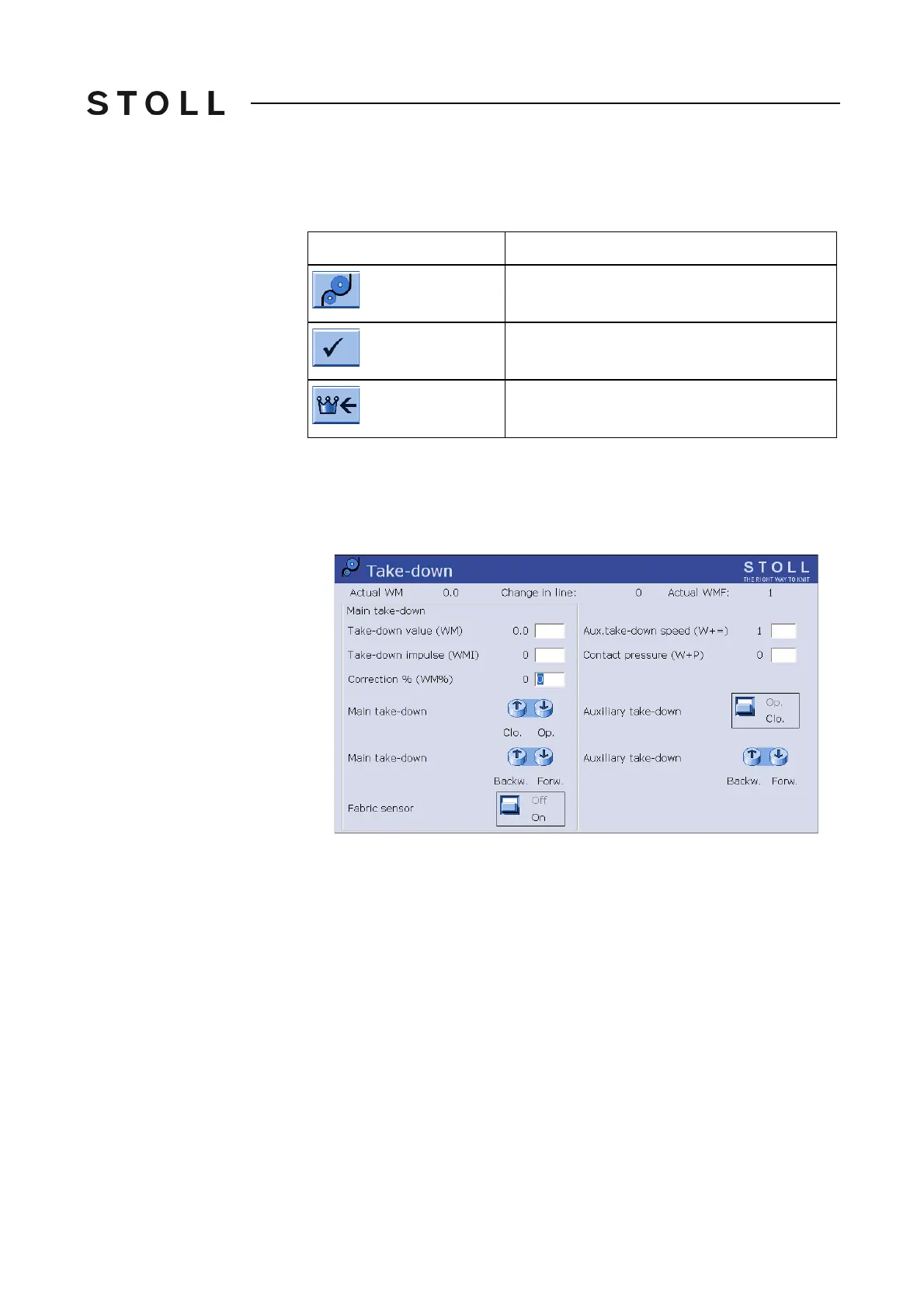
Setting the fabric take-down values:
1. Call up the "Take-down" window.
The current fabric take-down va
lues are shown.
Take-down window
"Take-down" window
2. To enter the fabric take-down values, tap the input fields and enter the
desired values.
3. Confirm entries.
Further information:
Economic production and the influencing factor
s [511]
Key
Function
Call up "Take-down" window
Confirm entries
Call up "Main menu"



 To Next Page