468
8 Software - Installation and basic settings
Boot process
Boot process
8.1 Boot process
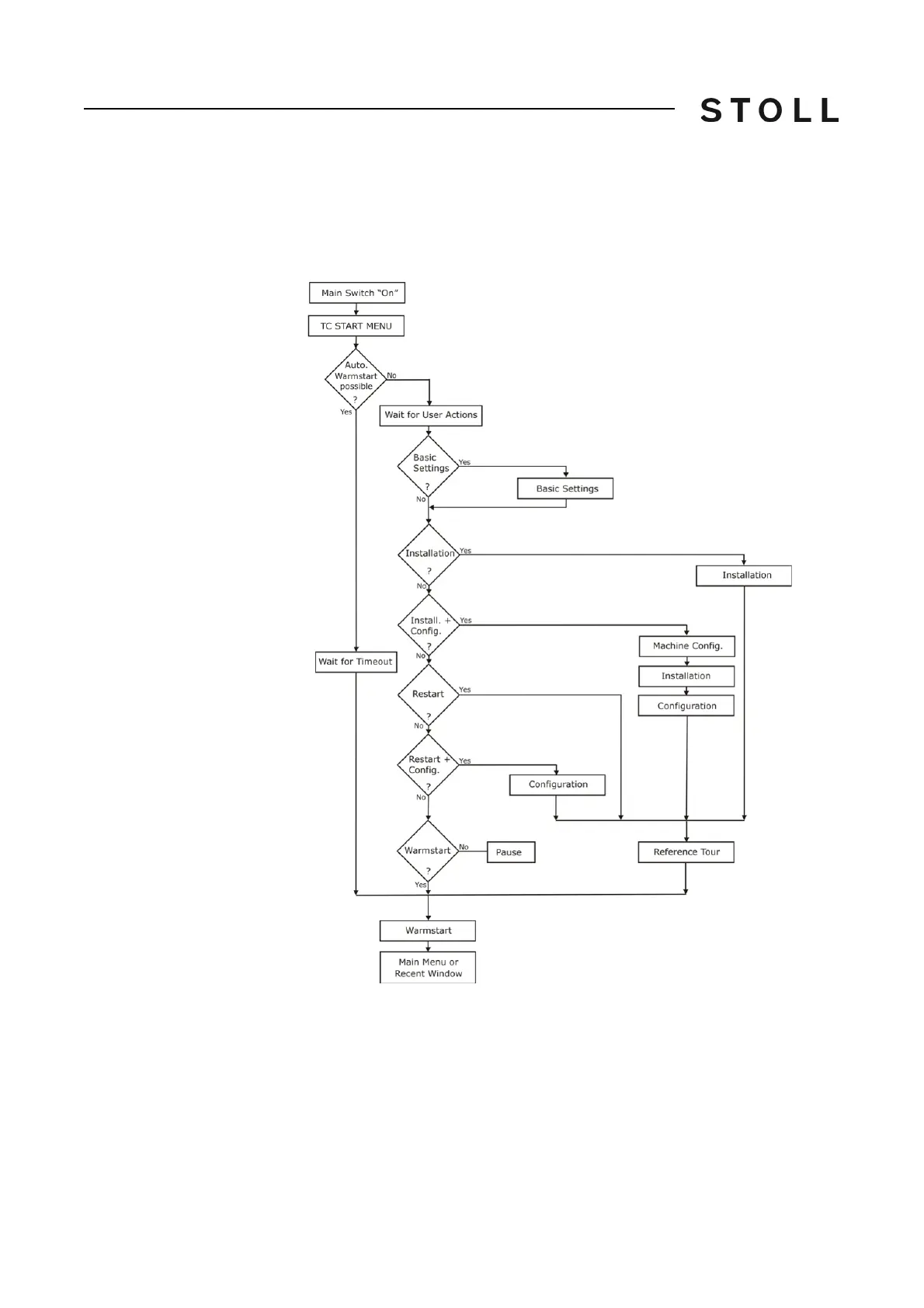
The following figure shows a schematic representation of the boot process of
the knitting machine (with control OKC).
Schematic representation of the boot process
Schematic representation of the boot process
Description of the boot
process
After switching on knitting machine (main switch 1) windows XP gets started.
The opening screen is displayed on the touch screen.
Thereafter the individual control components start their boot programs i
. e. the
different drivers and the applications of the System Control Unit (SCU) are
loaded.



 To Next Page