469
Software - Installation and basic settings 8
Boot process
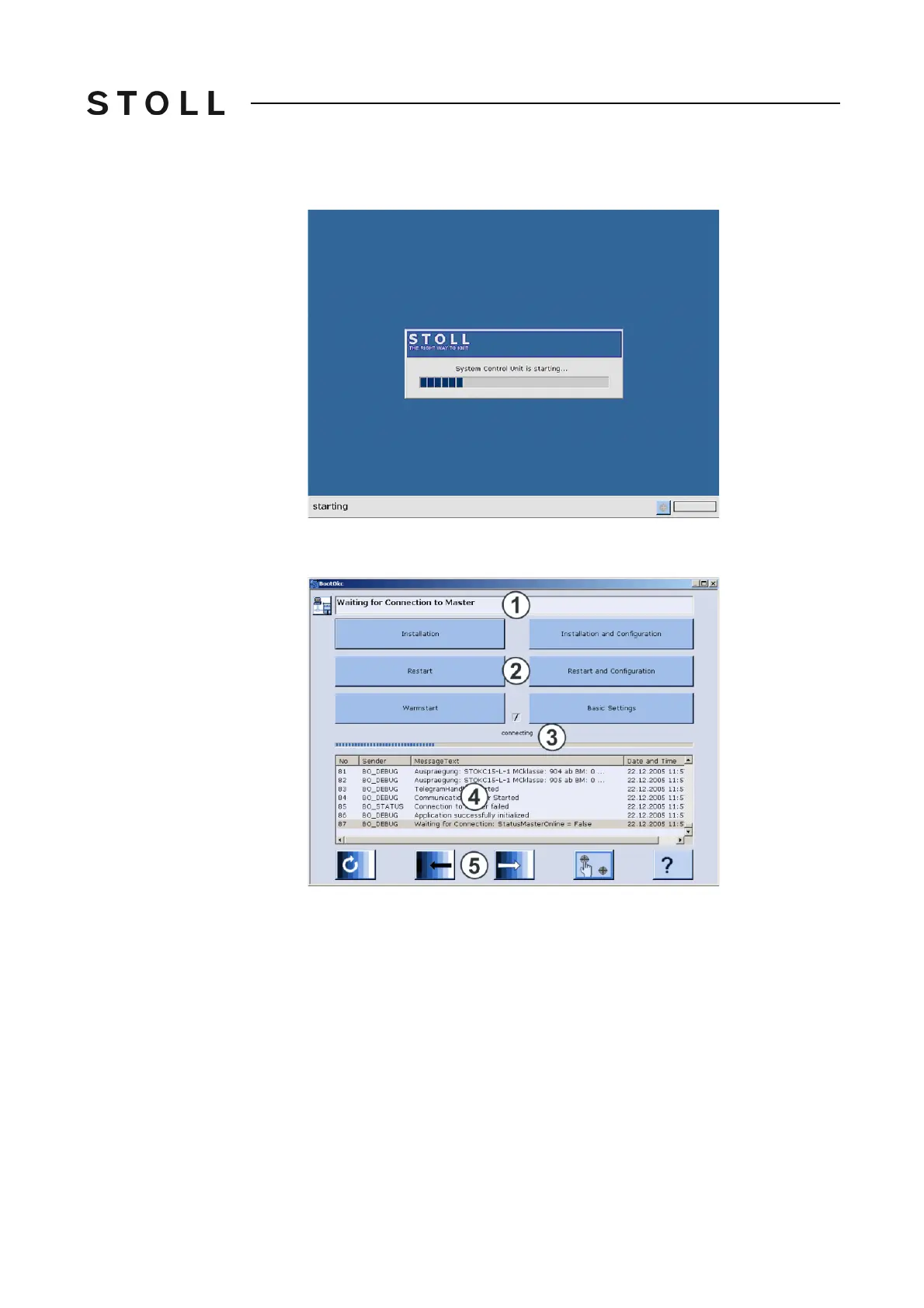
During this time, the following window is displayed on the touch screen:
Start the System Control Unit (SCU)
Start the System Control Unit (SCU)
If this process is closed, then the "BootOkc" window is displayed.
BootOkc window
"BootOkc" window
1
Symbol and status bar show the connection status.
2
Keys for carrying out definite actions.
3
Activity and progress display show the present progress of the boot
process.
4
Lists that number the status and error messages and show the date and
time.
Further debug information can be connected to, if needed. This
information is also saved in a log file and can be copied with Copy
Logfiles, if needed.
5
Keys for setting the touch screen.



 To Next Page