197
Adjusting knitting machine 4
Advanced adjustments
Setting needle bed parameters:
1. Call up "Main menu".
2. Call up the "Service" menu.
3. Call up "Basic Settings" menu.
4. Open the "Needle bed parameters" window.
5. Enter the value on the appropriate line.
6. Confirm input.
7. Call up the "Main menu".
8. Save the change in the machine adjustments on the USB memory st
ick.
Further infor
mation:
Adjusting basic racking correction VGK [
209]
Adjusting racking position correction VPK [206]
Shock stop [47]
Saving all machine data on
the
USB-Memory-Stick [483]
Overview of all machine data [254]
Setting m achine parameters
4.2.5 Setting machine parameters
The machine parameters are used to make the machine-specific settings.
They serve for the fine adjustment of the machine. The machine parameters
always remain saved, even when the operating system is loaded again.
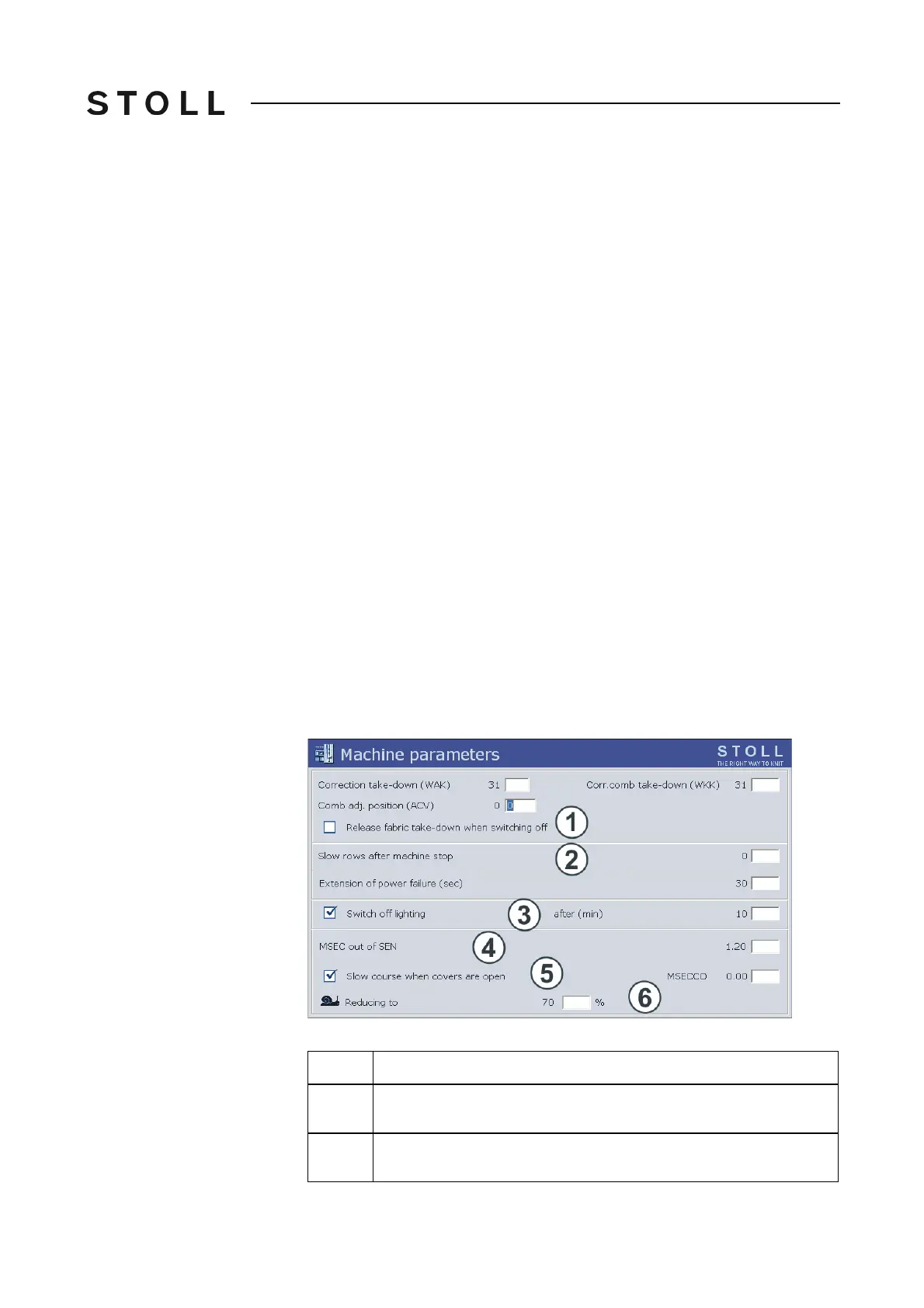
Machine pa rameters w indow
"Machine parameters" window
Field
Data shown
1
Releasing fabric take-down when switching off the main switch. With a
delicate fabric no stitch elongations occur then.
2
Following a machine stop the machine ru
ns for several rows at reduced
speed. Value range: 0-6, 0=off



 To Next Page