282
4 Adjusting knitting machine
Working with files
Actions in "Program test"
window
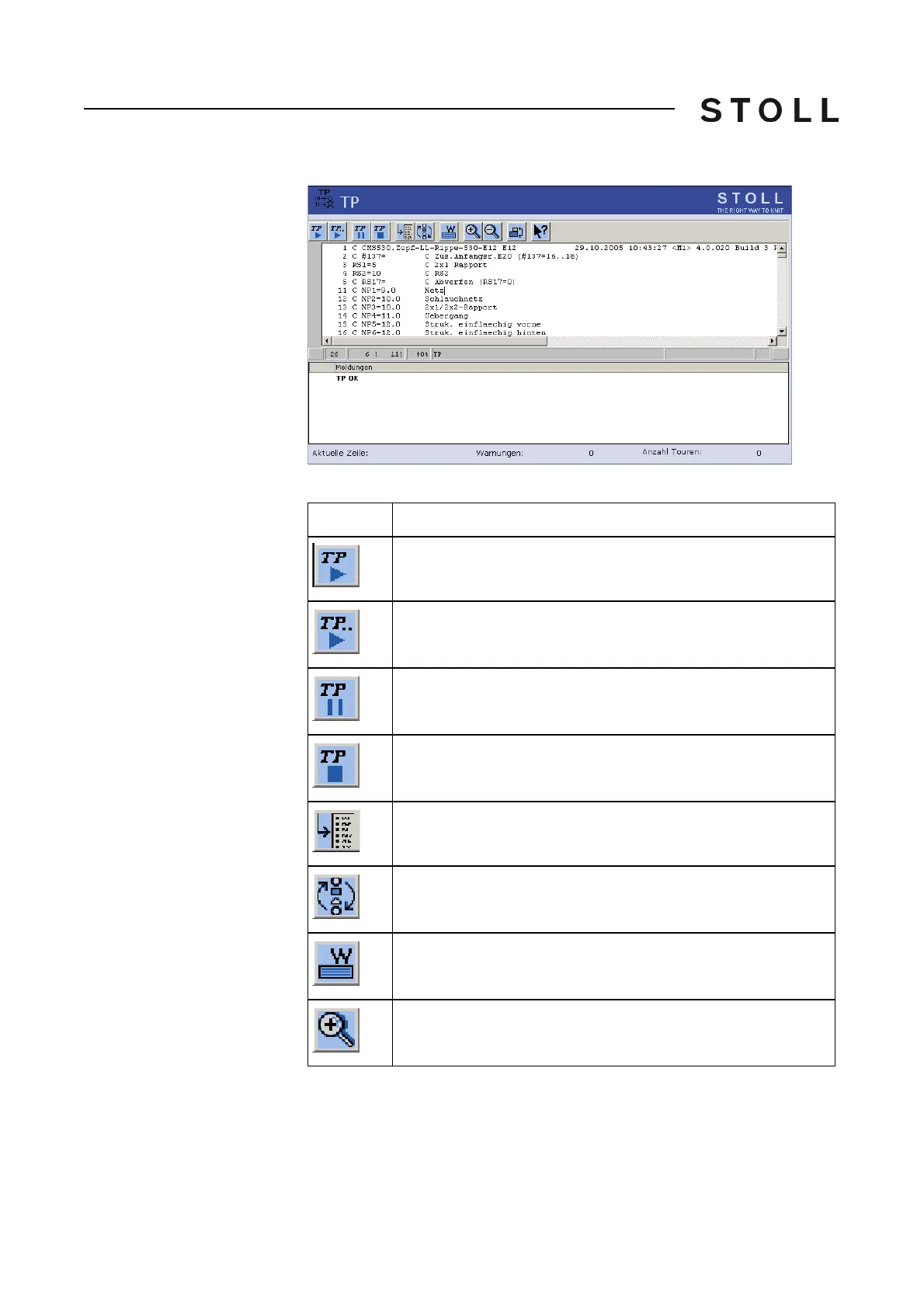
"Program test" window
Keys in the Program test window
Key
Function
"Start program test": Start program test from 1st line
"Start program test": Start program test from a certain line on
"Interrupt program test": Interrupt program test and restart it
"End program test"
"Go to" a certain position
Carry out the "Quick jump" corresponding mark (e.g. from FBEG
to FEND)
"Display warning": Activate/deactivate presentation of warnings
during a program test
"Enlarge": Display text enlarged



 To Next Page