485
Software - Installation and basic settings 8
Saving pattern after a big fault
Save pattern:
1. If you want to save the logfiles and the pattern, then tap on the "YES" key.
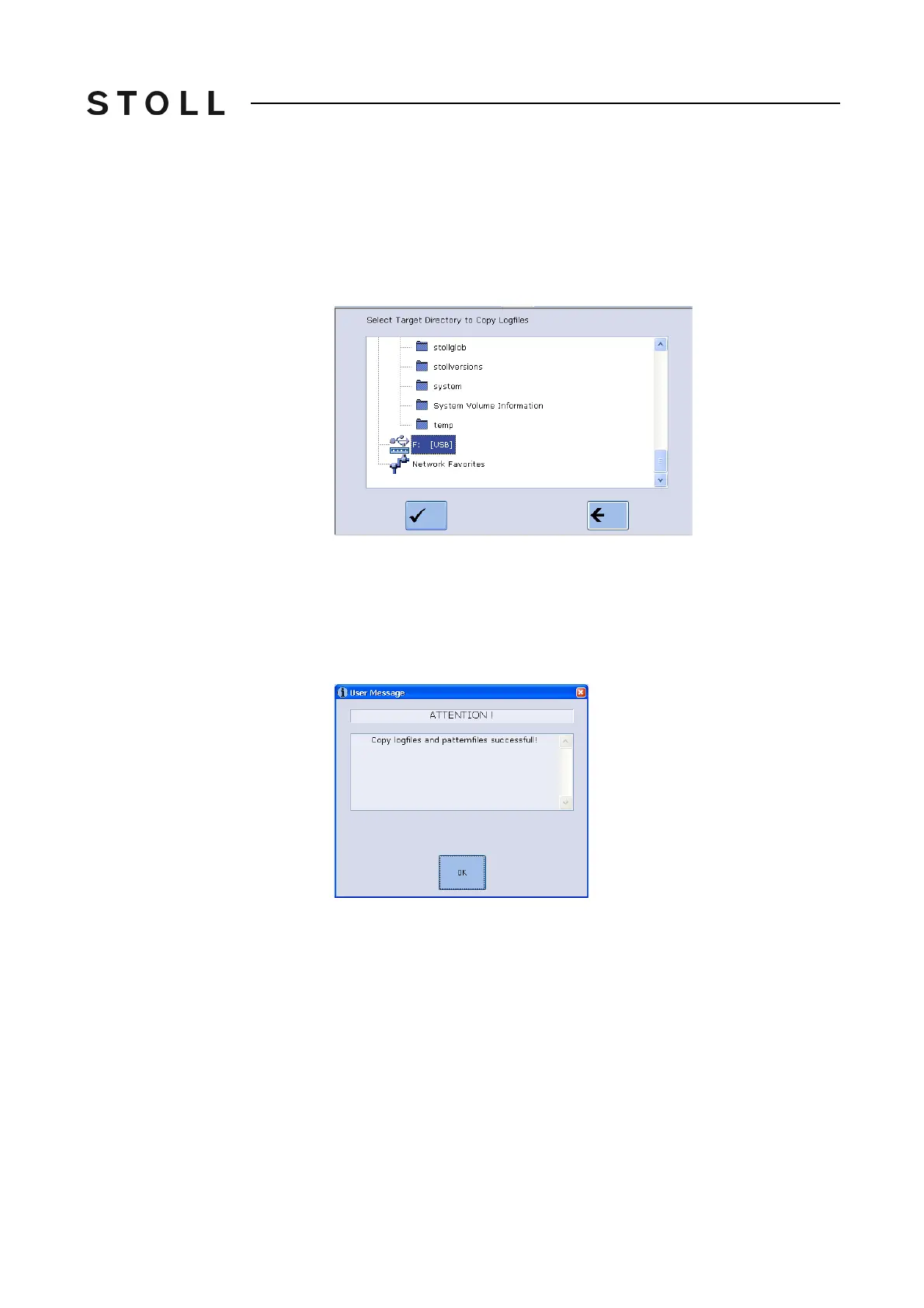
2. You will be asked where the logfiles and the pattern which has been
loaded
recently are to be saved. We recommend to save the pattern on a
USB-Memory-Stick or network drive.
3. Confirm the path specification.
4. The selected files will be saved under a new name.
Saved_pattern.sin (.jac
, .set, .setx,
.seq)
with a sequence: Saved_pattern1.sin, Saved_pattern
2.sin, etc.
5. Once the data are saved, a message is displayed. Confirm this message
wi
th "OK"
6. Carry out the "Restart".
7. Rename files. You cannot carry out this o
n the knitting machine. For this
purpose go to the M1plus or a PC.
8. In order to be able to load the pattern in
to the machine, you have to add
the machine type to the pattern name. For example for a CMS 530:
CMS530.Saved_pattern.sin
9. Rename all the .sin and .set files
, do not rename t
he .jac file.
10. For Setup2: Compress the files (zip), the name of t
he zip file has to be
identical to the name of the .sin file.
11. Loading the files into the knitting machine.



 To Next Page