494
8 Software - Installation and basic settings
Installing the Stoll operating system
Start installation The Stoll operating system was updated.
The machine is switched off.
1. Se
t the main switch to 1.
The "BootOkc" window is displayed with the
following message on the
touch screen:
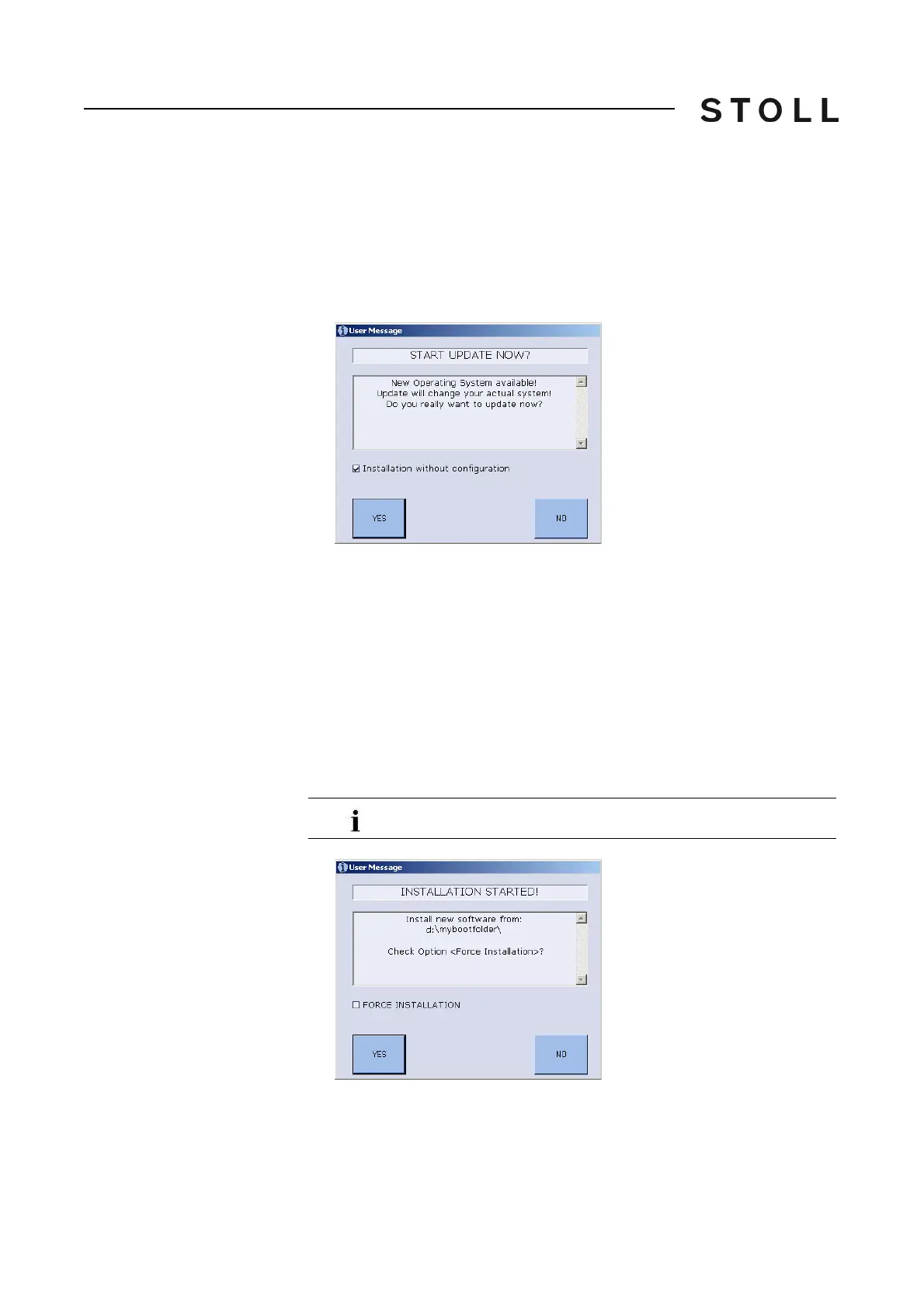
User Message window (START UPDATE NOW?)
"User Message" window (START UPDATE NOW?)
2. Deactivate the "Installation without configuration" check box, if the
machine parameters are also to be altered simultaneously with the
installation of the new Stoll operating system.
- or -
➜ A
ctivate the "Installation without config
uration" check box, if you do not
want to alter any machine parameters.
3. To start installation process tap on "YES".
In
the "User Message" window (INSTALLATION STARTED!) the path
to the installation data
is displayed.
User Message window (INSTALLATION STARTED!)
"User Message" window (INSTALLATION STARTED!)
4. If only the files that have got altered are to be installed anew during the
installation deactivate the "FORCE INSTALLATION" check box (expedites
the installation process).
To proceed with the old Stoll operating system, tap on "NO".



 To Next Page