525
CMS 822 - Operating modes and particularities 10
Operating modes of CMS 822
Setting knitting machine to
operating mode
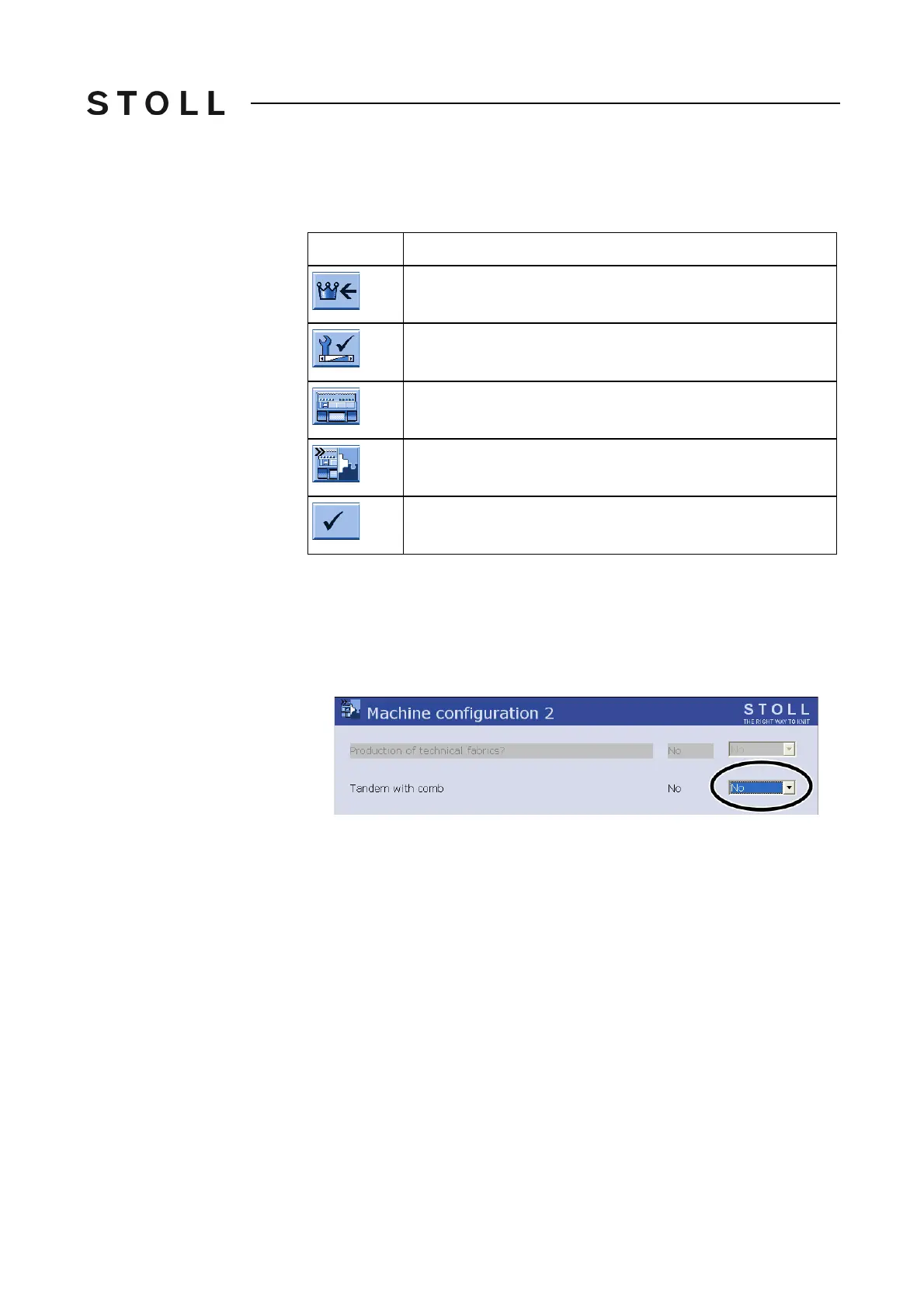
The "Tandem without comb" operating mode must be set in the "Machine
configuration 2" window.
Keys for s etting th e operating mode
Keys for setting the operating mode
1. Call up the "Main menu".
2. Call up the "Service" menu.
3. Call up the "Basic settings" menu.
4. Call up the "Machine config
uration 2" me
nu.
Tandem without comb setting
"Tandem without comb" setting
5. Check the setting in the "Tandem with comb" field. "No" must be selected
for the "Tandem without comb" operating mode.
6. If the setting is "No", the operating mode is set properly. The setting
process is co
mplete. Call up the "Main menu" window.
7. If the setting is "Yes", change it to "No". Confirm input. A referenc
e run
must be carried out after the operating mode has been changed.
Key
Function
Call up "Main menu"
Call up the "Service" menu
Call up the "Basic settings" menu
Open the "Machine configuration 2" menu
Confirm input



 To Next Page