X35 Monitor Air Seeder Setup
6.25
3. Add Tank - this will allow you to
add a tank in situations when the
Saddle tank or liquid/NH3 system is
added to the existing tank.
a. When selected, a message, that
this operation requires restart will
be displayed.
i. Click yes (green check
mark) to proceed with
adding the tank or select
cancel (red "x") to exit.
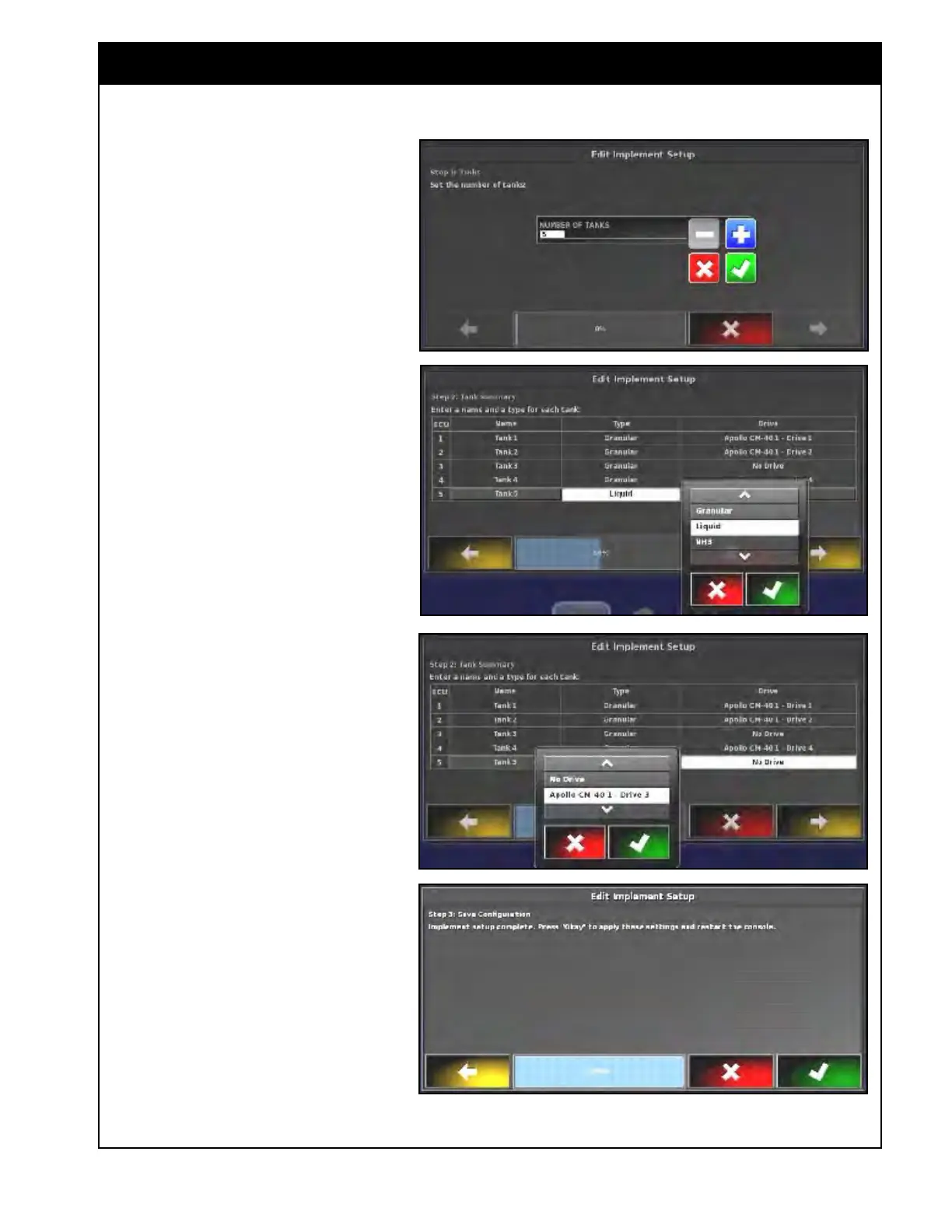
b. The Edit Implement setup
wizard will start, if yes was
selected. Refer to Figure 6.34.
i.
First,
adjust the number of
tanks and confirm.
ii. Second, change the name,
type and drive for the
added tank.
iii. Third, confirm the changes
to apply new settings and
restart the console.
Note
The addition of an extra tank may require
extra setup procedures to be completed.
Depending on your current implement
template, not all setup steps can be
completed.
When significant changes to the
implement configuration is required, it
is highly recommended to create new
implement template using the Custom or
Factory function from the Implement/New
menu. Refer to Section 6.3 - Creating
New Implement Profile.
Figure 6.34 - Edit Implement Setup



 To Next Page