X35 Monitor Air Seeder Setup
6.42
6.7 Seeder
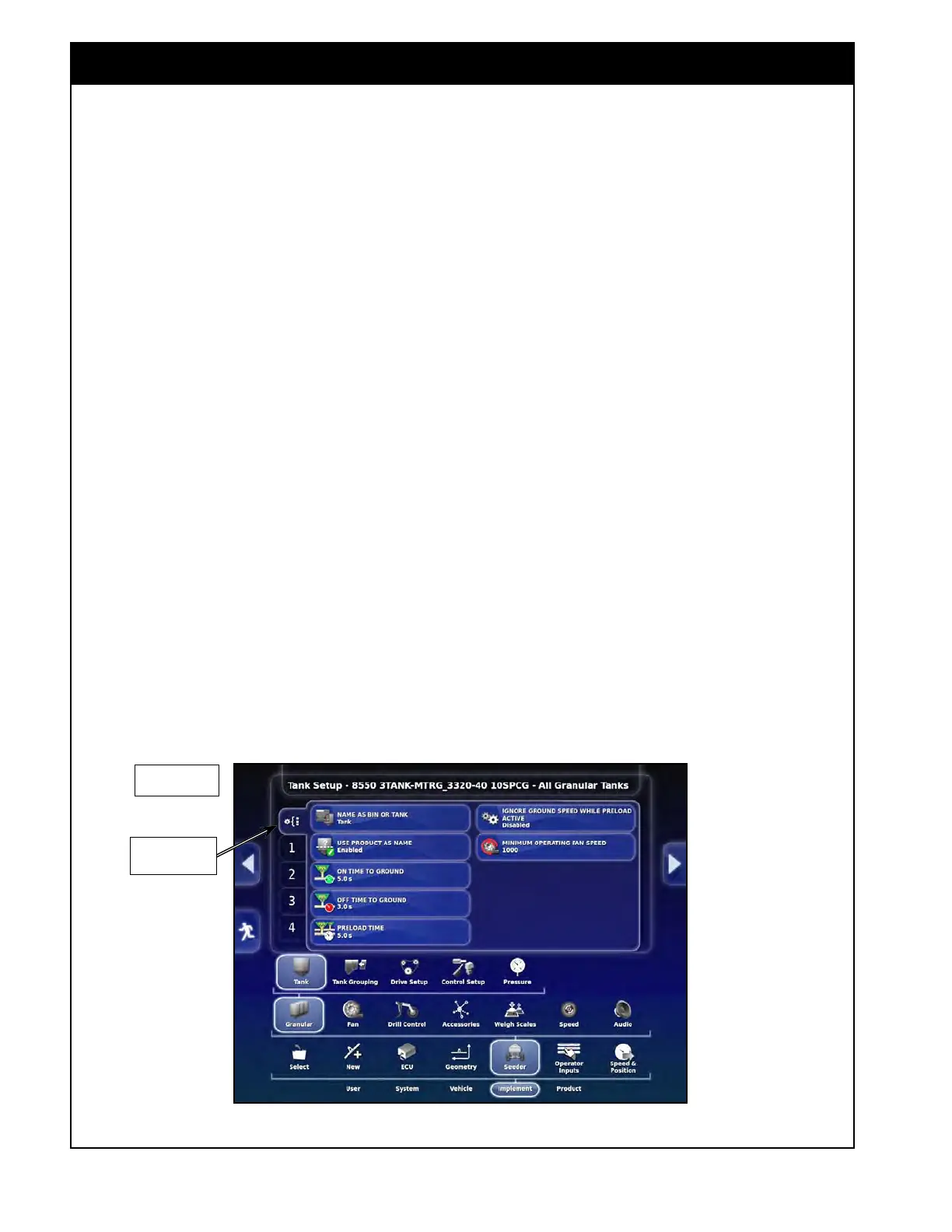
Figure 6.58 - General Tank Setup (7000/8000/9000 Series)
Tank General
Setup
6.7.1 Granular Setup
6.7.1.1 Granular Tank Setup
To access the tank setup select Implement/Seeder/
Granular/Tank from the settings menu.
6.7.1.1.1 General Tank Setup
To access the general tank setup, select the top tab
that is located above the individual tank # in the
main settings area, refer to Figure 6.58 & 6.59.
1. Name as Bin or Tank - select "Bin" or
"T
ank", depending on how you would like the
individual compartments of your air seeder to
be referred to.
2. Use Product as Name - if enabled, the name
of
the product that is assigned to the tank will
be used as a name for that Bin/Tank.
a. If no product is assigned to the tank, the
tank name will correspond to the tank
number.
3. ON time To Ground (Full width
configuration) - is the time from when the
meter starts, until product is flowing at the
longest run (outer wing opener).
a. Check the time from the rear tank (for
Trailing) and the front tank (for Leading)
to get the longest time (worst case).
4. OFF
time To Ground (Full width
configuration) - is
a time from when the
meter stops turning, until product stops flowing
at the shortest run (main frame opener).
a. Check the time the front tank (for Trailing)
and rear tank (for Leading) to get the
shortest time (worst case).
Important
Accurate times are critical for proper function of
the system. Measure carefully!
5. When measuring times, ensure that:
a. The fan speed set to the speed that will be
used during seeding;
b. You start timing when the meter starts
turning, not when the prime button is
pushed.
i.
For
example: if granular tanks are
set to 4 seconds ON and 3 seconds
OFF, then the meters will turn on
4 seconds before exiting headlands
and will turn off 3 seconds before
entering the headlands at the end of
the pass.
7000/8000/9000
Series



 To Next Page