X35 Console Optional Equipment
13.17
13.5 Weigh System
13.5.1 Scale Link SL2140 in Universal
Terminal
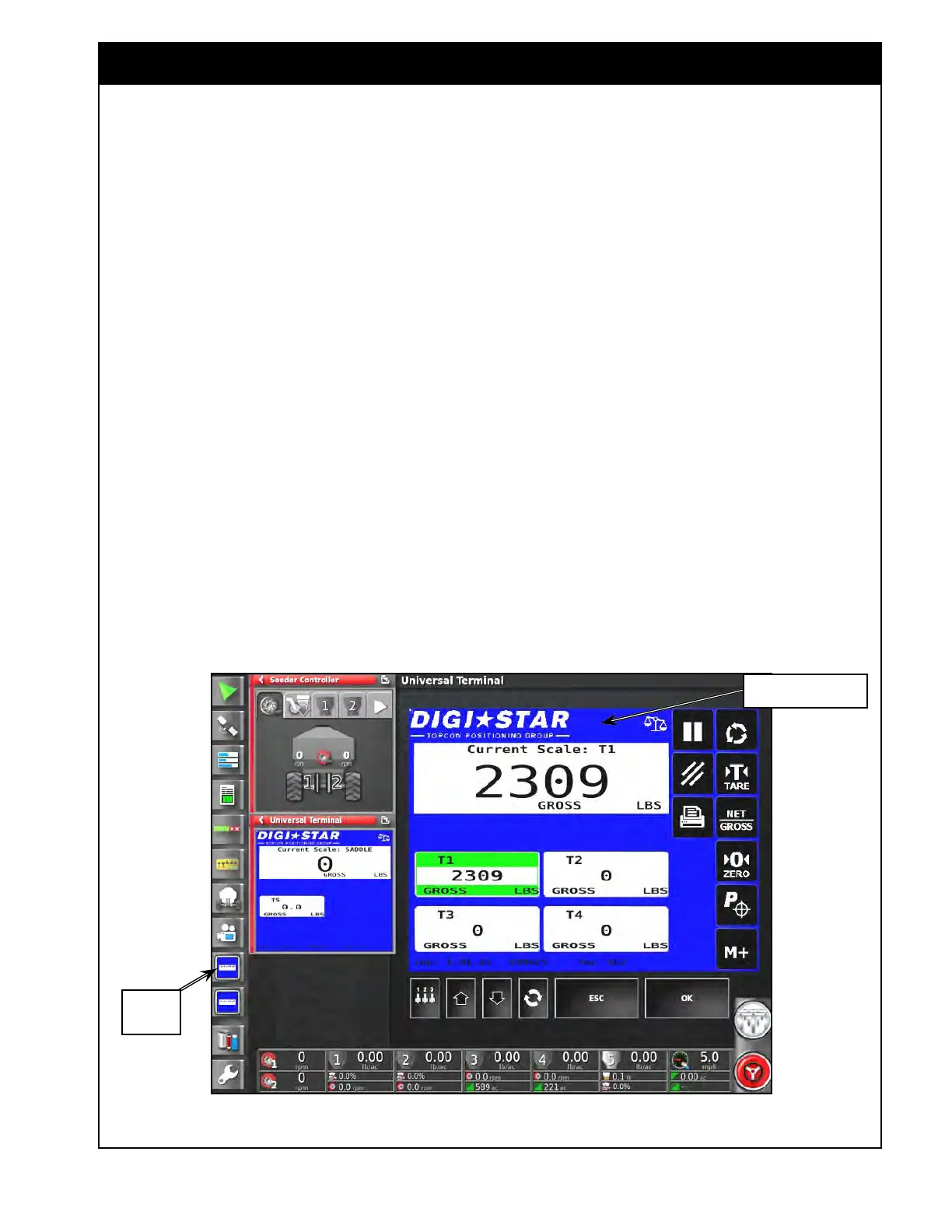
The X35 console uses information from the Scale
Link to monitor the weights but it also runs
as a program in the Universal Terminal where
information can be viewed or settings changed,
refer to Figure 13.21. Refer Topcon Scale Link
SL2140 operator’s manual for configuring extra
settings/functions.
1. Scale
Channel Weights - pressing on the
Scale Channel tab will highlight it and display
it in the main view where certain functions can
be performed to that channel.
a. Whatever channel is activated will also be
displayed on the Remote Display SLC2810
and vice versa.
b. This channel will also be displayed on the
handheld remote.
c. The channels are named for reference.
Figure 13.21 - Scale Link SL2140 in Universal Terminal
Universal
Terminal
Scale Link SL2140 in
Universal Terminal
The Topcon Digi-Star weigh system is integrated
into the X35 console through the Scale Link ECU.
This allows for functions like automatic weight
entry and monitoring live load cell weights.
Refer to Section 6.7.7 - Weigh Scale for
configuring
the weigh system.
Refer to Section 8.2 - Filling the Tank for using
the
Tank Fill wizard to enter tank weights directly
into the console when filling.
For tank with dedicated load cells refer to Section
13.5.3
- Dedicated Tank Load Cells for the scale
weight difference alarm settings & Section 13.5.3.1
- Scale Weight Difference Alarm for the operation
of
the scale weight difference alarms that will alert
the operator if the actual metering rate is not what
should be applied from any of the tanks.



 To Next Page