X35 Monitor System Settings
4.25
The operator can set flag points on the guidance
map to show obstacles or other land features for a
field on the Operations Screen.
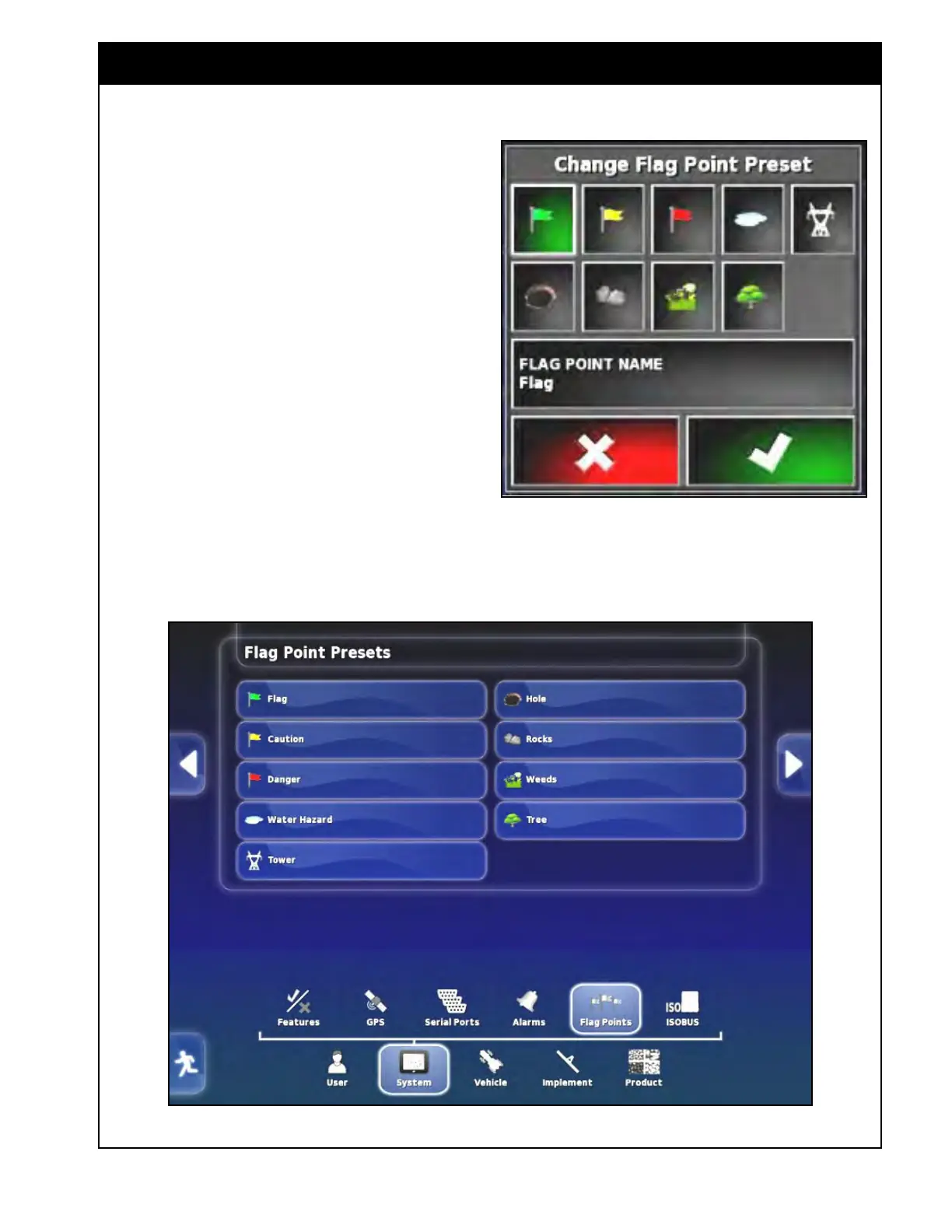
Here, the operator can view flag point presets and
change the preset symbols and names as desired.
Select System/Flag Points from the main setup
menu to access the flag points setup screen.
1. Select the Flag Point that you would like to
change. The Change Flag Point Preset window
will appear, refer to Figure 4.33.
2.
Choose a flag point icon.
3. Select the Flag Point Name button to enter the
name for that flag point.
4. Repeat steps 1 through 3 for other flag point
presets as needed.
Figure 4.34 - Flag Points Setup
Figure 4.33 - Flag Points Preset
4.6 Flag Points



 To Next Page