X35 ConsoleProduct Setup
7.2
7.1 Product Menu
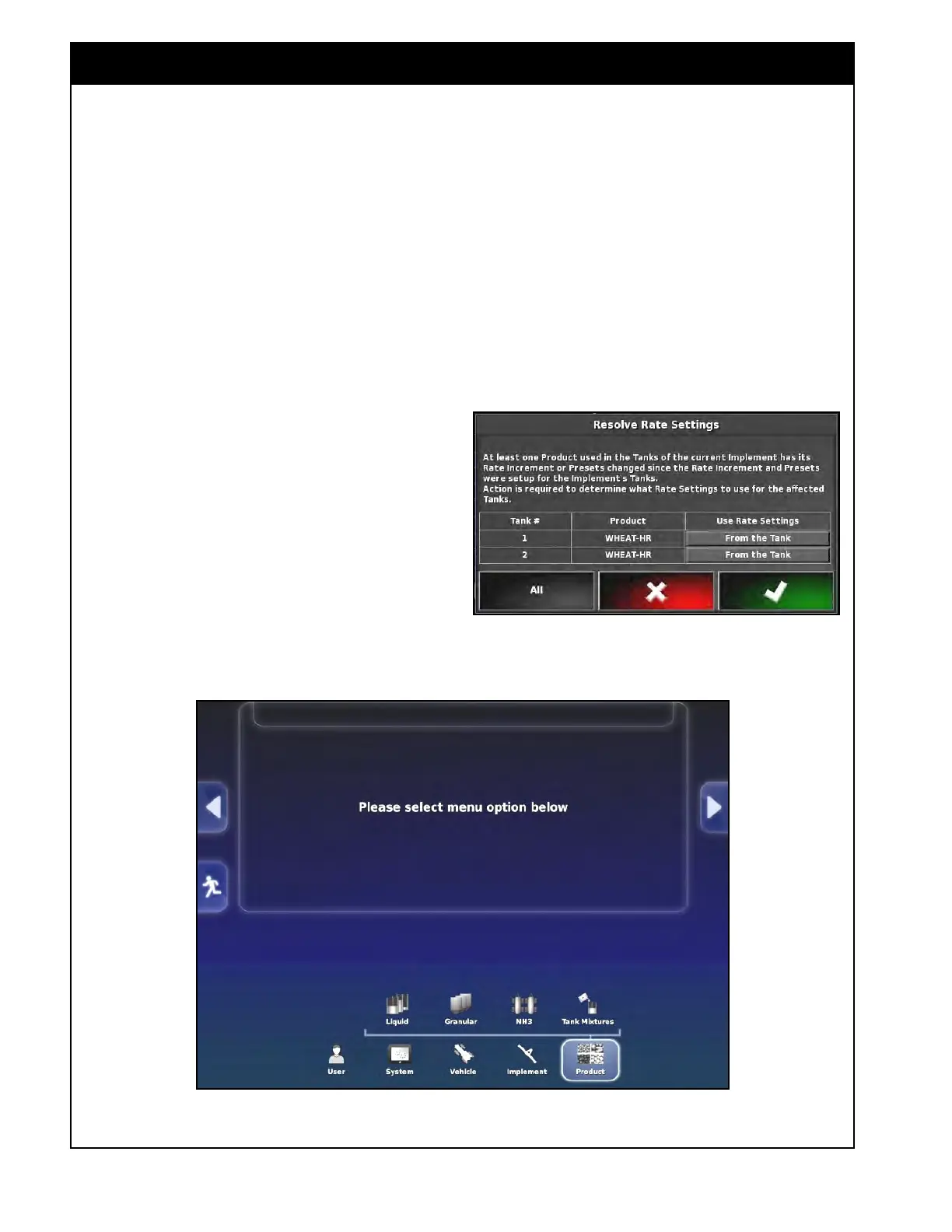
Figure 7.2 - Product Setup Menu
Note
If any of the settings in the Granular or Liquid
product lists for a product that is currently set up
in a tank are changed, the X35 console will ask
to determine what rate settings (from the product
list or from the tank) to use for the affected tanks.
Refer to Figure 7.1. You can select what rate
setting to use for each tank or select the "All"
button for all tanks.
Figure 7.1 - Resolve Rate Settings
The X35 Console has a preloaded manufacturer
product list for each category of the product:
Liquid, Granular, NH3 and Tank Mixtures (Tank
Mixtures are only used for sprayer applications).
The NH3 list has only one product (NH3) and
cannot be modified.
Granular and liquid product lists can be
customized to have products that will be used
in your operation. In these lists you can add
new products or change the presets for existing
products. Products that are no longer applicable
to your operation can be removed from the
granular and liquid product lists, this is done in
the Inventory Manager, refer to Section 10.7 -
Inventory
Manager.
The manufacturer product list is used as a starting
point to create custom product lists for your
operation and cannot be modified.
Settings for each product are: type, density, product
rate increment, preset rate 1 and 2, and calibration
factor for each tank/metering auger.
Calibration
factors are used along with metering auger RPM to
determine the application rate. Product densities are
used with tank volumes to determine tank capacities.



 To Next Page