X35 ConsoleGeneral Operations
8.26
8.6 Calibration - Liquid Tank
A
B
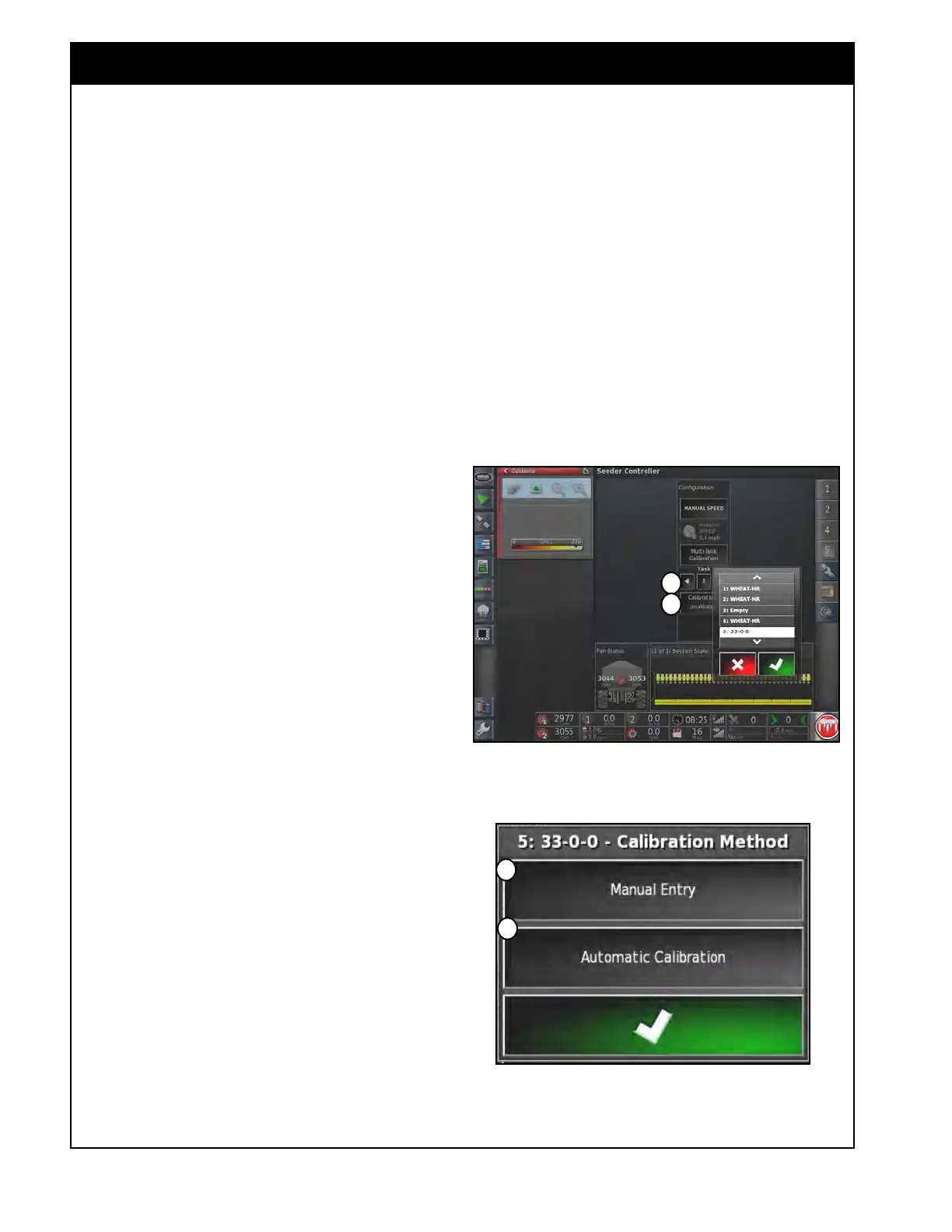
Figure 8.50 - Selecting Liquid Tank
Figure 8.51 - Calibration Method Window - Liquid
C
D
If the X35 system is being used to monitor and
control a Liquid fertilizer applicator as part of the
complete seeding system, the following procedure
applies.
1.
From the menu in the Seeder Controller
window (full screen mode) select the
Configuration icon. The Configuration panel
will open up, refer to Figure 8.50.
2.
Select the title of the single tank calibration
area (Item A).
a. A window with the list of available tanks
for calibration will appear.
b. Select the tank that is used for liquid
fertilizer (in this example tank #5 is used
for liquid).
3. Select the Calibration button (Item B, Figure
8.50).
a.
The Calibration Method window will
appear, refer to Figure 8.51.
4.
Most liquid flow meters have an accurate
calibration factor displayed on the flow meter
body. Determine the calibration factor of the
flow meter being used.
Complete Steps #4a/b - #5 to determine an
accurate
calibration factor. This factor can be
entered using Manual Entry button (Item C,
refer to Figure 8.51).
a. If using a Bourgault supplied flow meter
and the X35 Monitor units are set to US
Gal, the calibration factor for water is 2448
if the meter is GREEN and 312 if the
meter is BLACK.
i. This number is for water and must
be adjusted for the fertilizer used.
ii. Proceed to the calibration factor
conversion instructions in Step 5.



 To Next Page