X35 Console Field / Job
9.5
9.2.2 Starting a New Field
Refer to Figure 9.5.
1. From the Job/Guidance Toolbar on the right
side of the guidance screen select the Field
icon
and then select to open up
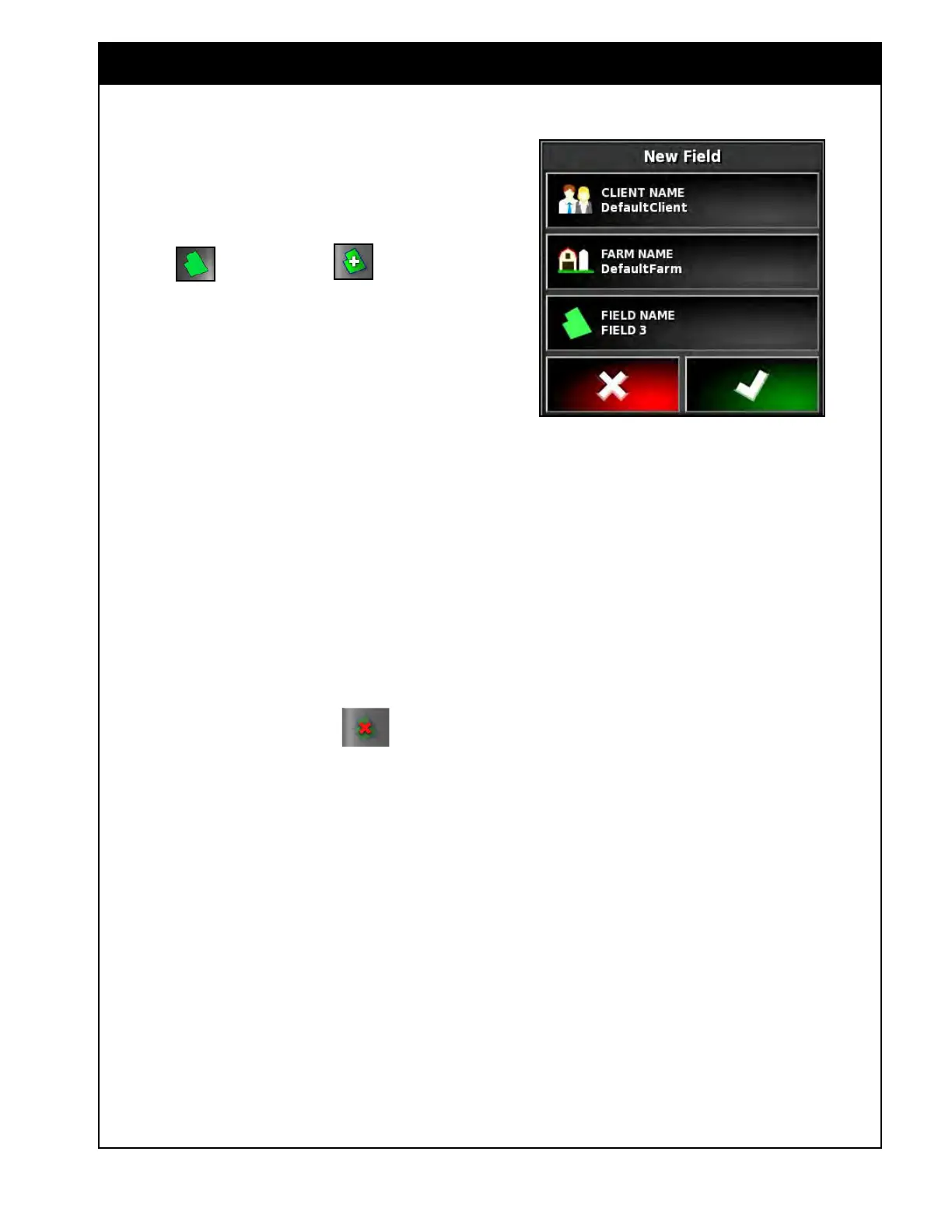
the Add New Field window, refer to Figure
9.7.
a. Select the Client Name button to select or
create a new client.
b. Select the Farm Name button to select or
create a new farm.
c. Select the Field Name button and then
enter a new field name.
Note
To rename a Client, Farm or Field after they have
been set up, refer to Section 10.7 - Inventory
Manager.
9.2.3 Unload Field
The current field can be closed out of before
moving to a new field.
1. Select the unload field icon from the
field menu to close the field.
2. The field will be automatically unloaded/closed
after travelling 15 km (~9 miles) from it.
Figure 9.7 - Add New Field Menu



 To Next Page