X35 Monitor Air Seeder Setup
6.74
6.7.6.8 Brake Control
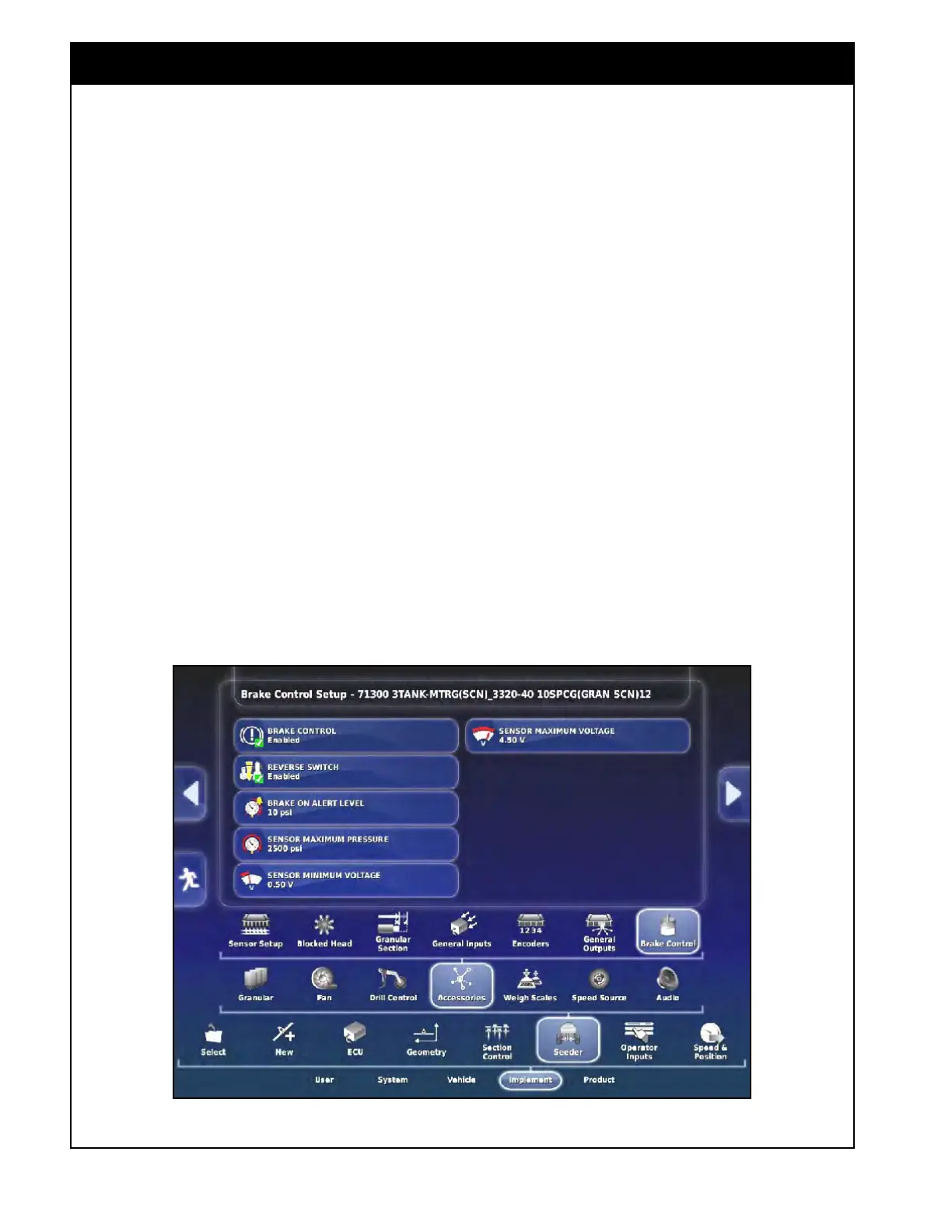
This allows the settings related to brake control
and monitoring to be configured. Refer to Figure
6.91.
1. Brake
Control - set to enabled for units
equipped
with brakes to monitor the brake
pressure.
2. Reverse Switch
- set to enabled for units
equipped with surge brakes.
a. This gives the operator the ability to
disengage the brakes from the monitor to
allow reversing the unit.
3. Brake
On Alert Level
- this is the first
pressure threshold to show that the brakes are
engaged.
a. The icon on the seeder controller screen
will show at least the first bar if the brake
pressure is above this value.
i. It is defaulted to 20 psi (138 kPa).
Note
An alarm will trigger if the brake pressure remains
above this value for too long indicating the brakes
could be stuck engaged which may result in
serious damage from overheating.
If this alarm is triggering but the brakes are
inspected and they aren’t overheating then this
value can be increased slightly.
4. Sensor Maximum Pressure - this is the
maximum pressure range setting for the sensor.
a. It should be set to 2500 psi (17237 kPa).
5. Sensor
Minimum Voltage - this is the
minimum
voltage value for the pressure sensor.
a. It should be set to 0.50 V.
6. Sensor
Maximum Voltage - this is the
maximum
voltage value for the pressure
sensor.
a. It should be set to 4.50 V.
Figure 6.91 - Brake Control



 To Next Page